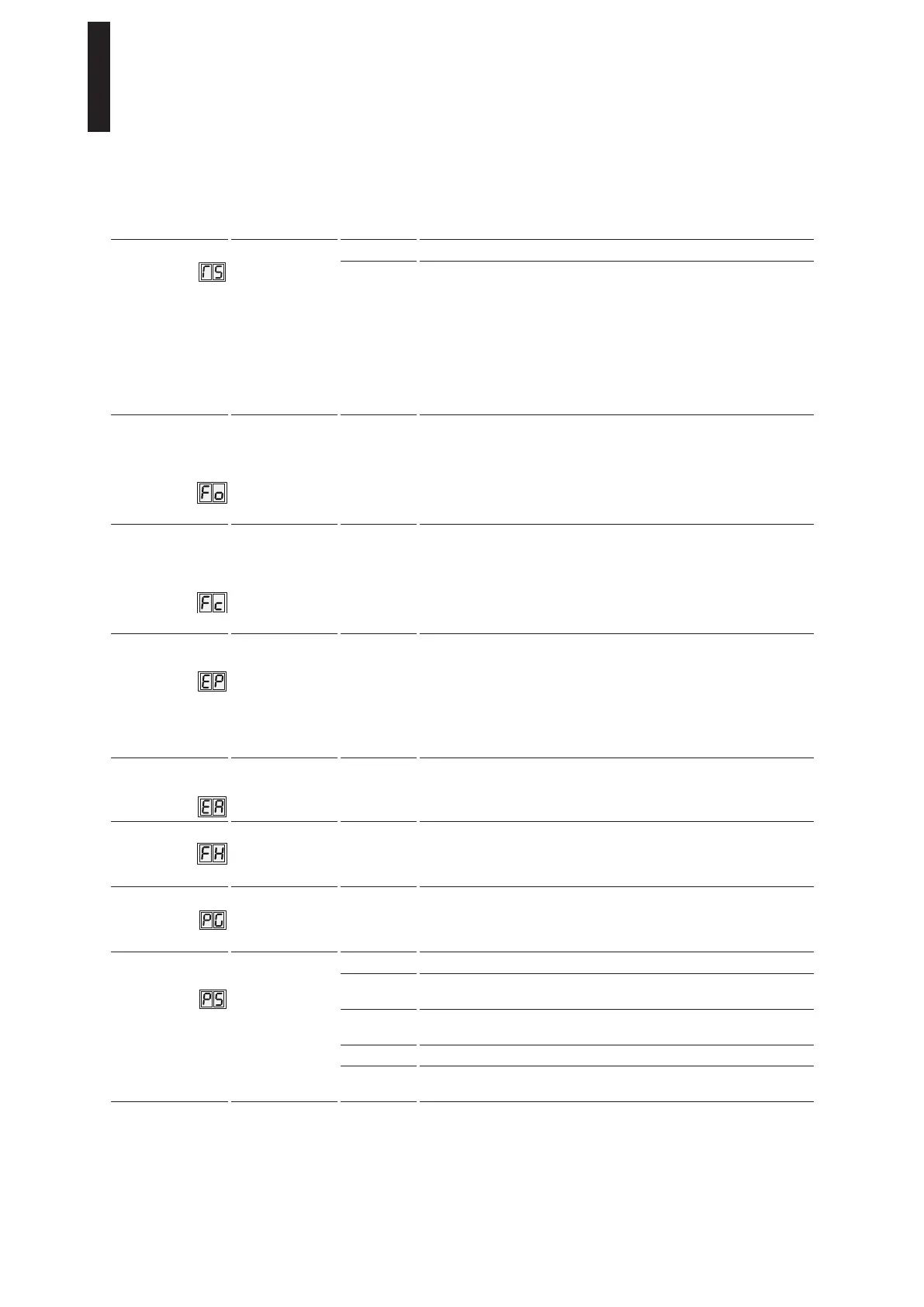
Parameters / Display Value range Unit
factory
setting =
bold
Explanation
PR module test
0 – 1
O
Test off
1 If using SVP-2000 DCW or V1.5 or later of M-SVP 2000 DCW, a
Power Reserve module can be used but must be tested on a regular
basis. The test is automatically activated if a fire protection module
is recognized in conjunction with SVP-2000 DCW or V1.5 or later of
M-SVP 2000 DCW. The parameter can be subsequently set to 0, but
is reactivated in the event of a reset to the factory setting. The PR
module test is performed every 24 hours, ten minutes after the mains
have been switched on. In the event of an error, no more unlocking
is performed and consequently no automatic door movements are
started.
Static force in
opening direction
(basic parameter for
wind load control)
2 – 15
(reduced in the
event of
Low-Energy)
10 N
6
The forces effective on the closing edge can be changed using this
parameter. The admissibility of the setting is checked via internal
monitoring features. If the value has been exceeded, the set value
is alternately displayed with the effective value. Due to system
tolerances, the actual forces on the door leaf must be measured and
changed if necessary following the automatic drive learning cycle so
as to ensure compliance with local standards and regulations.
Static force in
closing direction
(basic parameter for
wind load control)
2 – 15
(reduced in the
event of
Low-Energy)
10 N
6
The forces effective on the closing edge can be changed using this
parameter. The admissibility of the setting is checked via internal
monitoring features. If the value has been exceeded, the set value
is alternately displayed with the effective value. Due to system
tolerances, the actual forces on the door leaf must be measured and
changed if necessary following the automatic drive learning cycle so
as to ensure compliance with local standards and regulations.
Latching action
pulse
0 – 9
0
In addition to the mechanical latching action, a motor-driven latching
action is available for automatic mode. The motor-driven latching
action can be used to overcome door seals or locking devices while
closing. The setting should be increased starting from a small value
so as to avoid damage to the door. It must be ensured that the door
itself and the arm / slide channel fixing are suitable for the additional
and permanently introduced forces. If in doubt, we advise selecting
the lowest possible adjustment.
Latching action
angle
2 – 10 Degrees
3
The latching action angle is used to determine the door opening angle
from which the motor-driven latching pulse is effective.
Keep-closed force
0 – 9 0 = off
1 – 9 = on
The keep-closed force is permanently applied following the latching
action. This force should keep the door in the “closed” position, even
if wind pushes against the door. The keep-closed force can be set
from 0 (off) to 9 (maximum).
Push & Go
0 – 1
0 = off
1 = on
Following activation, automatic opening of the door is started when
it is manually moved out of the “closed” position by an angle of 4°
in the “open” direction. The “hd” value must also be set to 0 for this
function.
Program
switch type
0 – 4
0
The internal program switch is active.
1 An external program switch with contacts is connected to the terminal
board. The internal program switch’s connector must be pulled out.
2 An external DCW program switch is connected to the terminal board.
The internal program switch’s connector must be pulled out.
3 Control the program switch via TMS software
4 Control the program switch via TMS software or a
DCW program switch
ED 100, ED 250
—
32 DORMA





 To Next Page