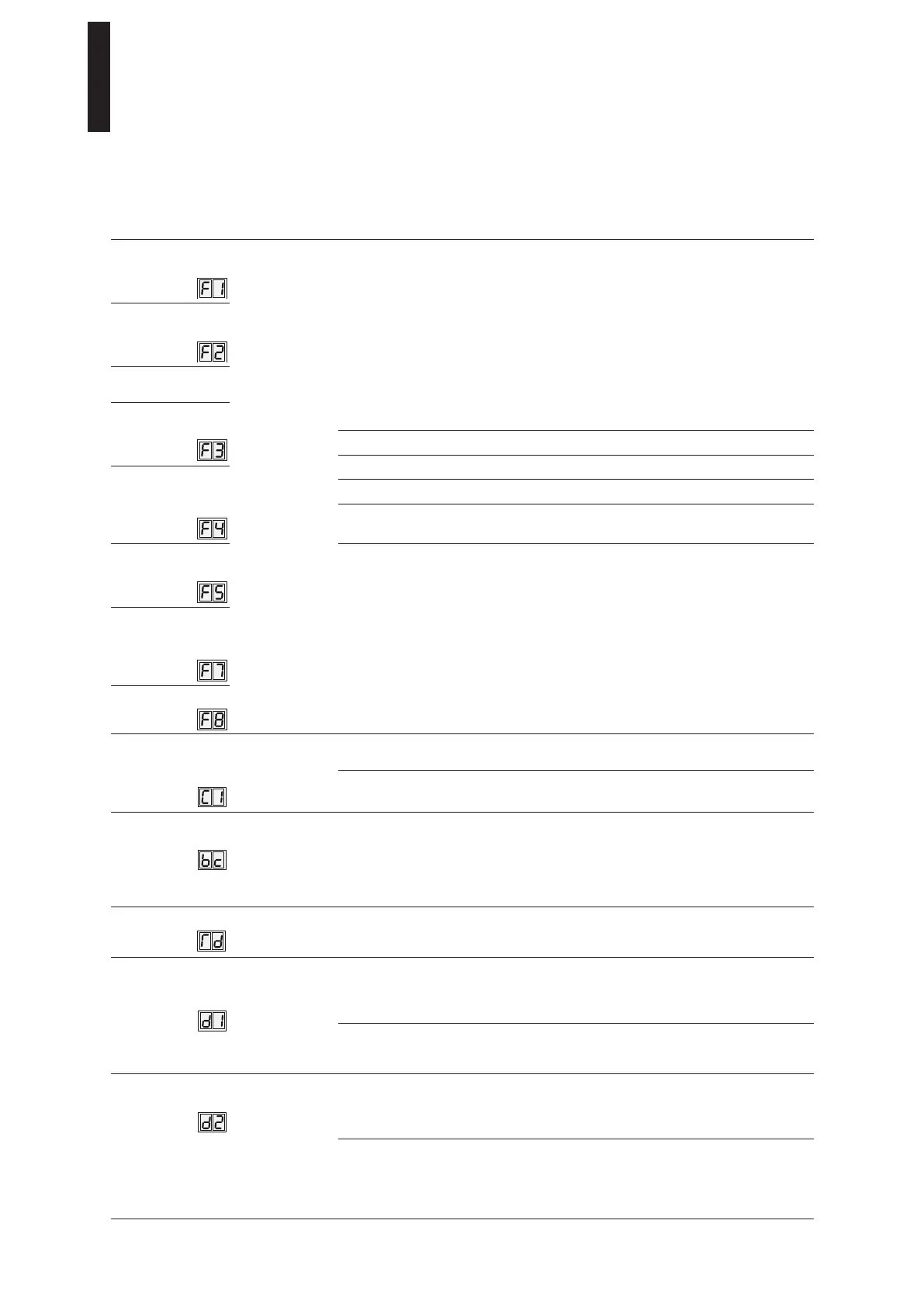
Parameters / Display Value range Unit
factory
setting =
bold
Explanation
Fire Protection
Upgrade Card
0 – 3
0
1
2
3
not available
available, but not activated
active
Upgrade Card was removed,
the function is therefore no longer available
Full-Energy
Upgrade Card
Professional
Upgrade Card
Flip-Flop
Function
Extended
hold-open
time
Nurse-Bed-
Function
Toilet for the
Disabled Upgrade
Card
DCW Upgrade Card
Configuration of
COM1 interface
(upright connector)
0 – 1
0
Hand-held operation. The interface is programmed for communication
with the DORMA hand-held terminal.
1 DORMA TMS software
Backcheck when
opening by hand
5 – 40
10°
The angle from which the door is decelerated when opened by hand is
entered here.
The input value counts down from the set opening angle.
For example: Opening angle: 90°
bc parameter: 12°
=> Backcheck starts at 78°
Door thickness
0 – 99 0...35...99
mm
The door thickness has an influence on the measured door opening
angle. If a more precise resolution is required, the actual door
thickness can be specified.
Deactivation of drive
function in effective
direction
0 – 1
0
NC contact
The drive function is deactivated when the contact is open. This
effective direction must be used for lock switches equipped with a
changeover or NC contact.
1 NO contact
The drive is deactivated when the contact is closed. This effective
direction must be used for lock switches equipped with a NO contact.
Night/Bank
effective direction
0 – 1
0
NO contact
The Night/Bank Function is triggered when the contact is closed. This
effective direction is preferable when using a key switch or an access
control system.
1 NC contact
The Night/Bank Function is triggered when the contact is open. This
effective direction is frequently used when connecting to a heat and
smoke vent or building management systems to trigger doors with an
NC contact.
ED 100, ED 250
—
35DORMA





 To Next Page