DORMA AUTOMATICES, Inc. 924 Sherwood Drive Toll-Free: 877-367-6211 Subject to change without notice
DL3463-050 08/2016 Lake Bluff, IL 60044 Fax: 847-249-3999
ED100 / ED250 SERVICE MANUAL
—
38
Troubleshooting chart
Display LED
Display
Malfunction Meaning / cause Troubleshooting
Internal / external
program switches are not
working, or are working
incorrectly.
Program switch type parameter PS
is set incorrectly.
Adjust parameter PS for installed program
switch type.
Internal program switch’s cable(s)
are not connected.
Check and connect cable(s) if required.
Wiring error / switch defect. Check switch’s wiring and function.
Door opens automatically,
but only closes after a
sustained period of time,
or does not close at all.
Hold-open time parameter dd is
set for too long a period of time.
Reduce hold-open time.
Program switch is in
“Permanent open” position.
Change position of program switch.
Safety sensor on approach
(opposite hinge) side has emitted
a signal and this is preventing door
from closing.
There is a signal from a connected
activator and this is preventing the
door from closing.
■ Check wiring of connected activator.
■ A NO contact must be used in all cases.
■ Signal input 57/57a (door opener)may be
operated with external voltage.
■ Signal line inputs:
35 – night bank
57 – door opener
42 – indoor detector
41 – external motion detector
must be removed one after the other to
localize the error.
Driving speeds vary
significantly from set
parameters.
Learning cycle was performed
when motor was hot, and as a
result door weight was calculated
incorrectly.
Perform learning cycle again when motor is
cold.
■ Sensor’s wiring and function must be
checked.
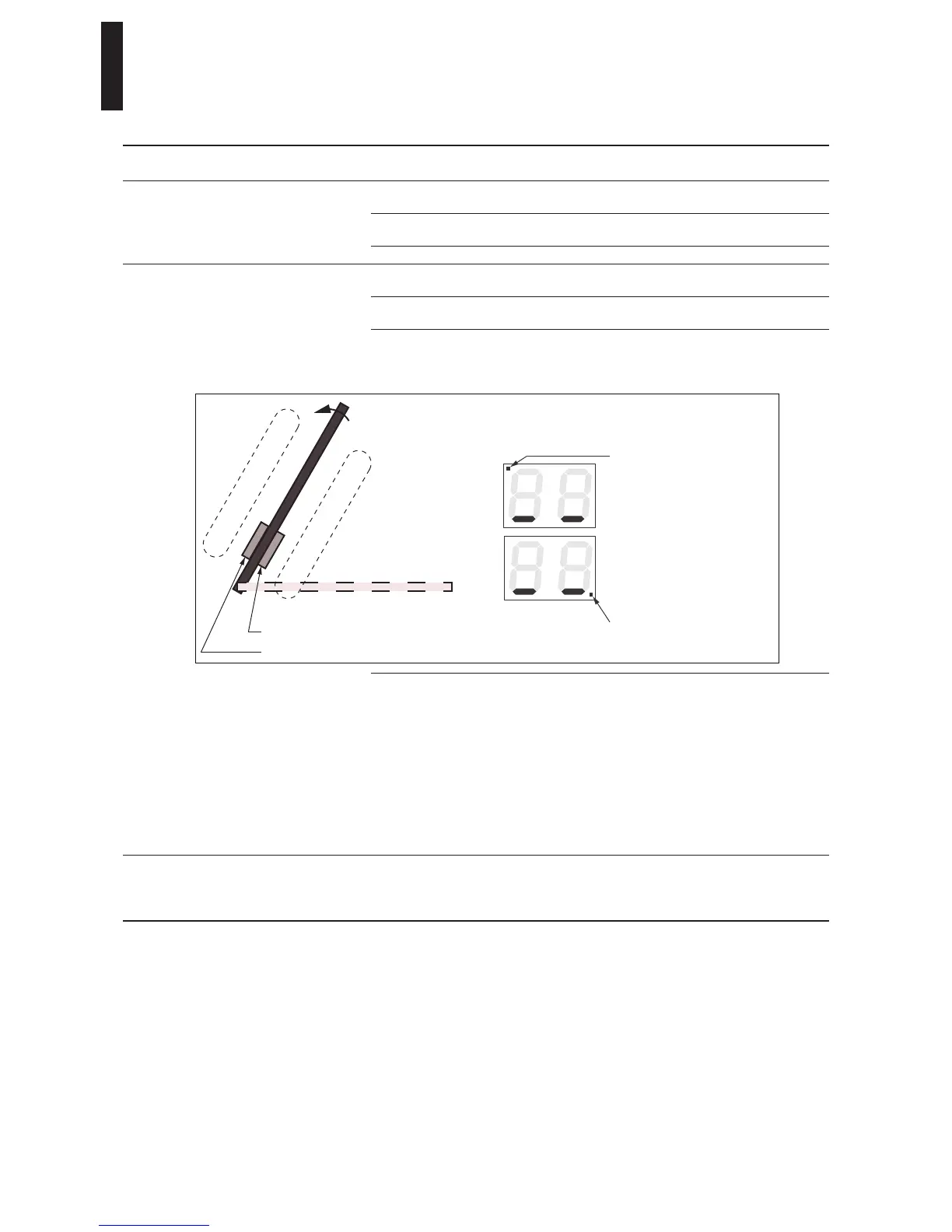
Door mounted sensors
Swing side sensor
Approach side sensor
Indication swing side
sensor detection
Flashing dot indicates wall
masking (Parameter Sb) and
is not a fault
Indication approach side
sensor detection
or activating device
Safety zone
Safety zone


 To Next Page