DORMA AUTOMATICES, Inc. 924 Sherwood Drive Toll-Free: 877-367-6211 Subject to change without notice
DL3463-050 08/2016 Lake Bluff, IL 60044 Fax: 847-249-3999
ED100 / ED250 SERVICE MANUAL
—
12
D. Cover removal – accessing user interface
Cover removal
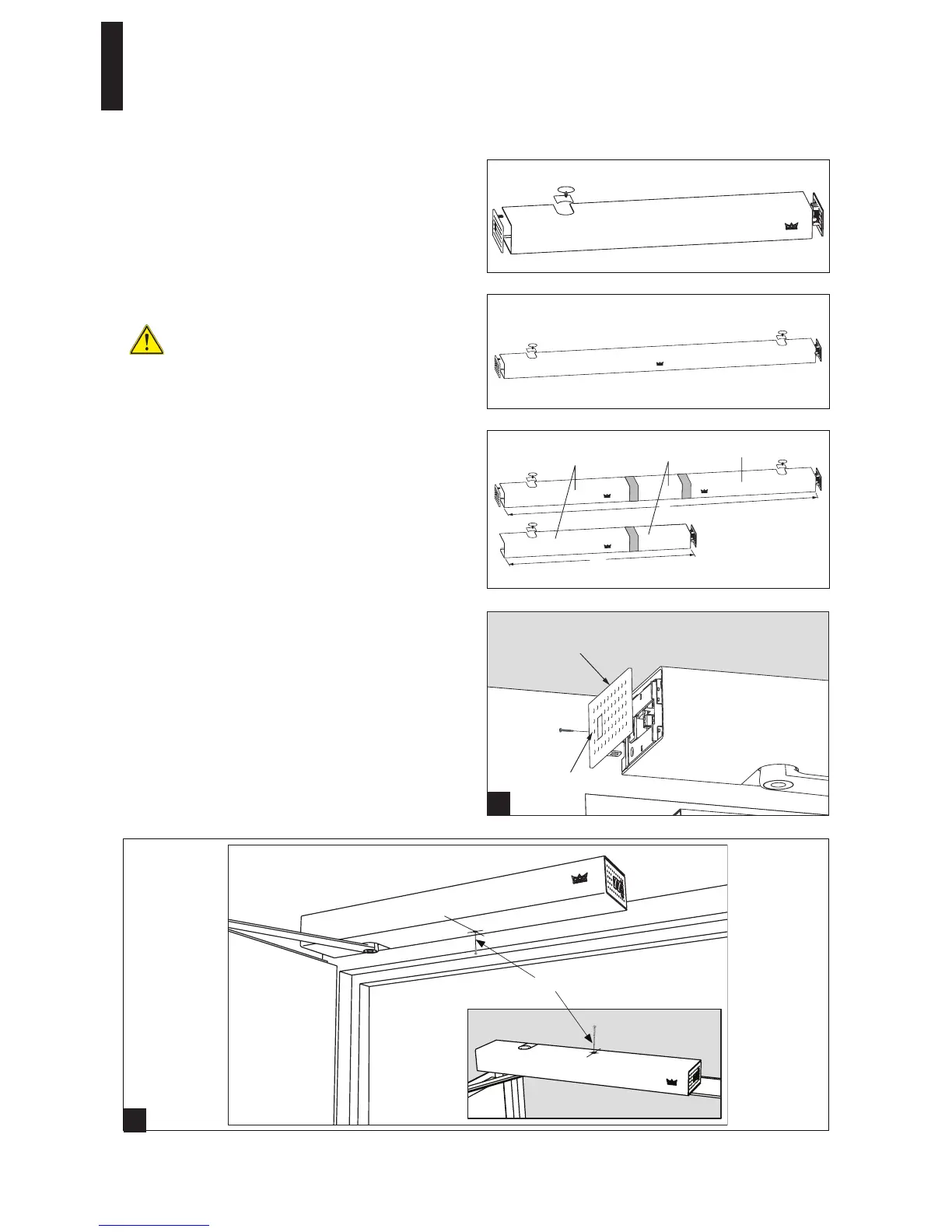
Cover and cover end caps must be removed to access user
interface (Section 07).
Types of covers:
Single door: basic or professional extended cover
Double door: professional or Vario cover
To be compliant with UL 325 and CSA C22.2 No. 247, cover
and power side end cap are secured with fasteners.
Door should be OFF prior to accessing operator for
cover removal, and while removing or reinstalling
cover(s)!
Covers
1. Basic cover for single doors.
2. VARIO cover – this creates a continuous cover for double
swing door systems. The VARIO cover is installed between
two Basic covers to hide gap between the two covers.
3. Professional cover – a continuous and seamless cover for
double door systems.
Cover removal
1.1 Remove both endcaps. Power switch end cap may have a
screw securing it to operator.
2.1 Remove cover(s). Cover(s) may have a screw(s) securing
cover(s) to operator.
Cover reinstallation
Ensure that screws securing power side endcap and cover(s)
are reinstalled.
Or
2
Basic cover – single operator
Professional cover
Basic cover
Basic cover
Vario cover
L
L
Power switch
end cap
Center hole
in bottom row
1


 To Next Page