06-2023 dormakaba Canada Inc. RAC5 MFC Installation Guide – PK3738 | 24
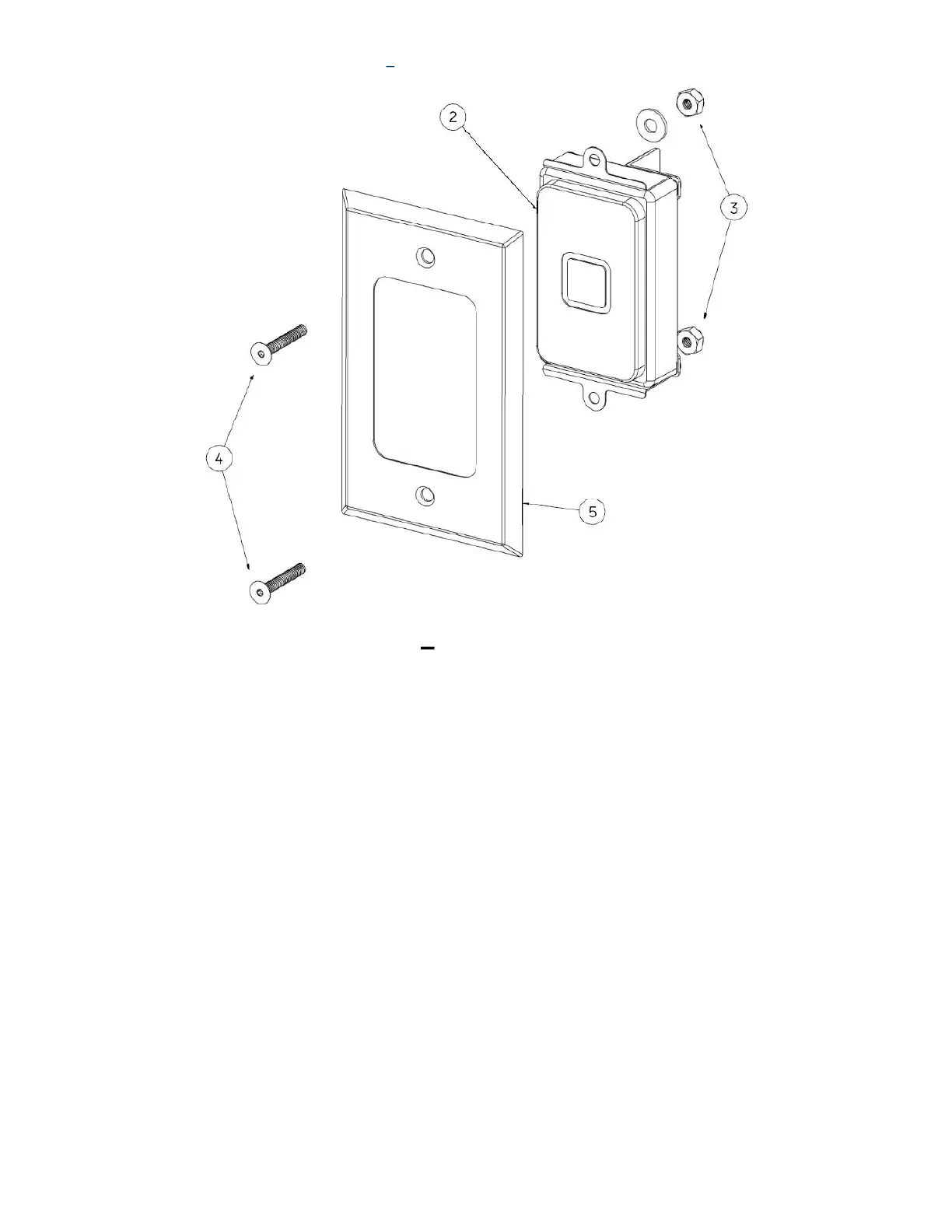
Figure 14 RFID Wall Reader (Flush Mount)
RFID Wall Reader Instructions Flush Mount
1. Remove screws (item #4) and nuts (item #3) to prepare reader for mounting
2. Install reader (item #2) then faceplate (item #5) into the panel using the screws (item #4) and nuts (item
#3)
3. Connect cables for RAC5 as per Annex E and F


 To Next Page