06-2023 dormakaba Canada Inc. RAC5 MFC Installation Guide – PK3738 | 28
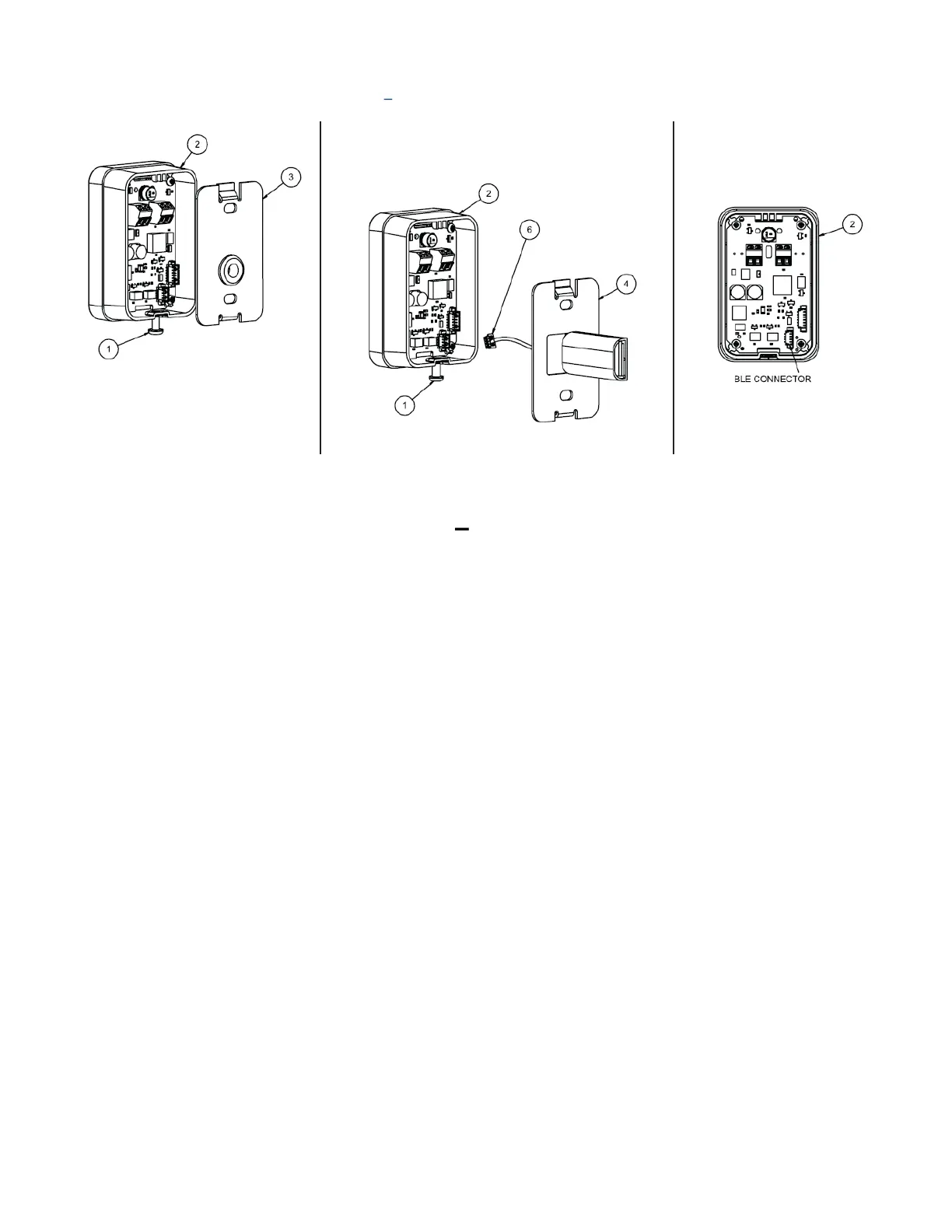
Figure 18 RFID Wall Reader Surface Mount
RFID Wall Reader Surface Mount Adding BLE Instructions
1. Remove screw (item #1) to remove reader assembly (item #2)
2. Disconnect cables and remove mounting plate (item #3) from wall
3. Install BLE mounting plate (item #4) using existing screws, refer to appropriate drilling template
4. Connect cables for RAC5 as per Annex E and F
5. Connect BLE cable (item#6) to BLE connector (Figure 18 C)
6. Re-assemble reader (item #2) assuring that the screw (item #1) is at the bottom


 To Next Page