06-2023 dormakaba Canada Inc. RAC5 MFC Installation Guide – PK3738 | 30
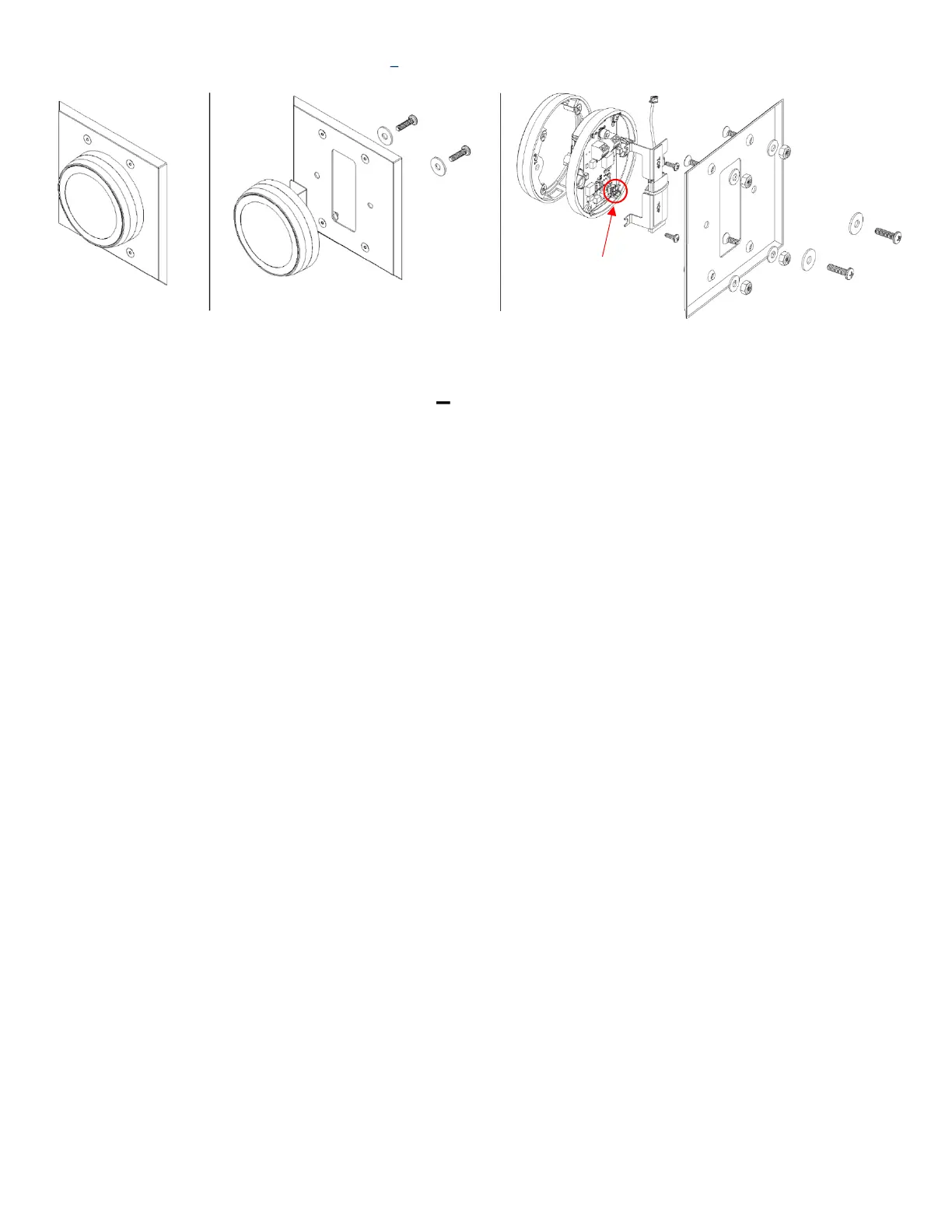
Figure 20 RFID Wall Reader Round Mount
RFID Wall Reader Round Mount Adding BLE Instructions
1. Remove mounting screws securing reader to panel
2. Loosen 2 #4 screws on left side of reader assembly as shown to mount BLE bracket.
3. Connect BLE module to the reader connector as shown
4. Install BLE bracket under 2 #4 screws
5. Tighten #4 screws
6. Re-install reader to panel using previously removed hardware


 To Next Page