EasyManua.ls Logo

Dräger 8000 NC - Controlling Air Temperature.20

Dräger 8000 NC
54 pages
Print Icon
To Next Page IconTo Next Page
To Previous Page IconTo Previous Page
Loading...
Operation
Controlling
air
temperature
Controlling
air
temperature
Measure
the
patient's
core
temperature
at
regular
intervals.
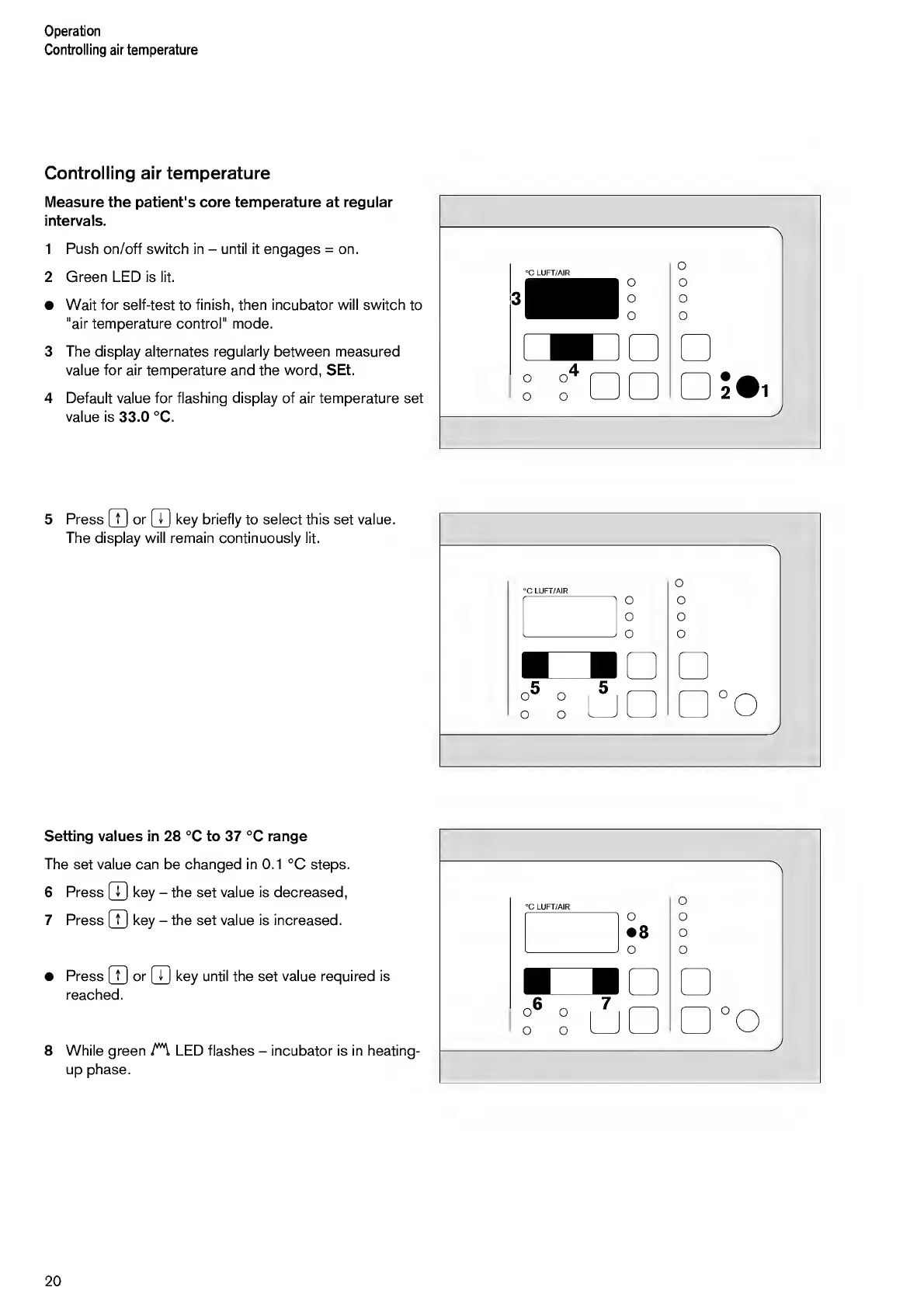
1
Push
on/off
switch
in
-
until
it
engages
=
on.
2
Green
LED
is
lit.
Wait
for
self-test
to
finish,
then
incubator
will
switch
to
"air
temperature
control"
mode.
3
The
display
alternates
regularly
between
measured
value
for
air
temperature
and
the
word,
SEt.
4
Default
value
for
flashing
display
of
air
temperature
set
value
is
33.0
°C.
5
P
ress
(7]
or
(7]
key
briefly
to
select
this
set
value.
The
display
will
remain
continuously
lit.
°C
LUFT/AIR
°
°
o
'\
o
o
o
o
°
5
°
LJ
(
)
°o
_/
Setting
values
in
28
°C
to
37
°C
range
The
set
value
can
be
changed
in
0.1
°C
steps.
6
Press
(T]
key
-
the
set
value
is
decreased,
7
Press
(7]
key
-
the
set
value
is
increased.
Press
[7]
or
|T|
key
until
the
set
value
required
is
reached.
8
While
green
LED
flashes
-
incubator
is
in
heating-
up
phase.
20

Other manuals for Dräger 8000 NC

Related product manuals