Instruction Manual Dräger MSI EM200-E
Edition 2012-05-14 14 of 29 5695022
8.2 Data Menu
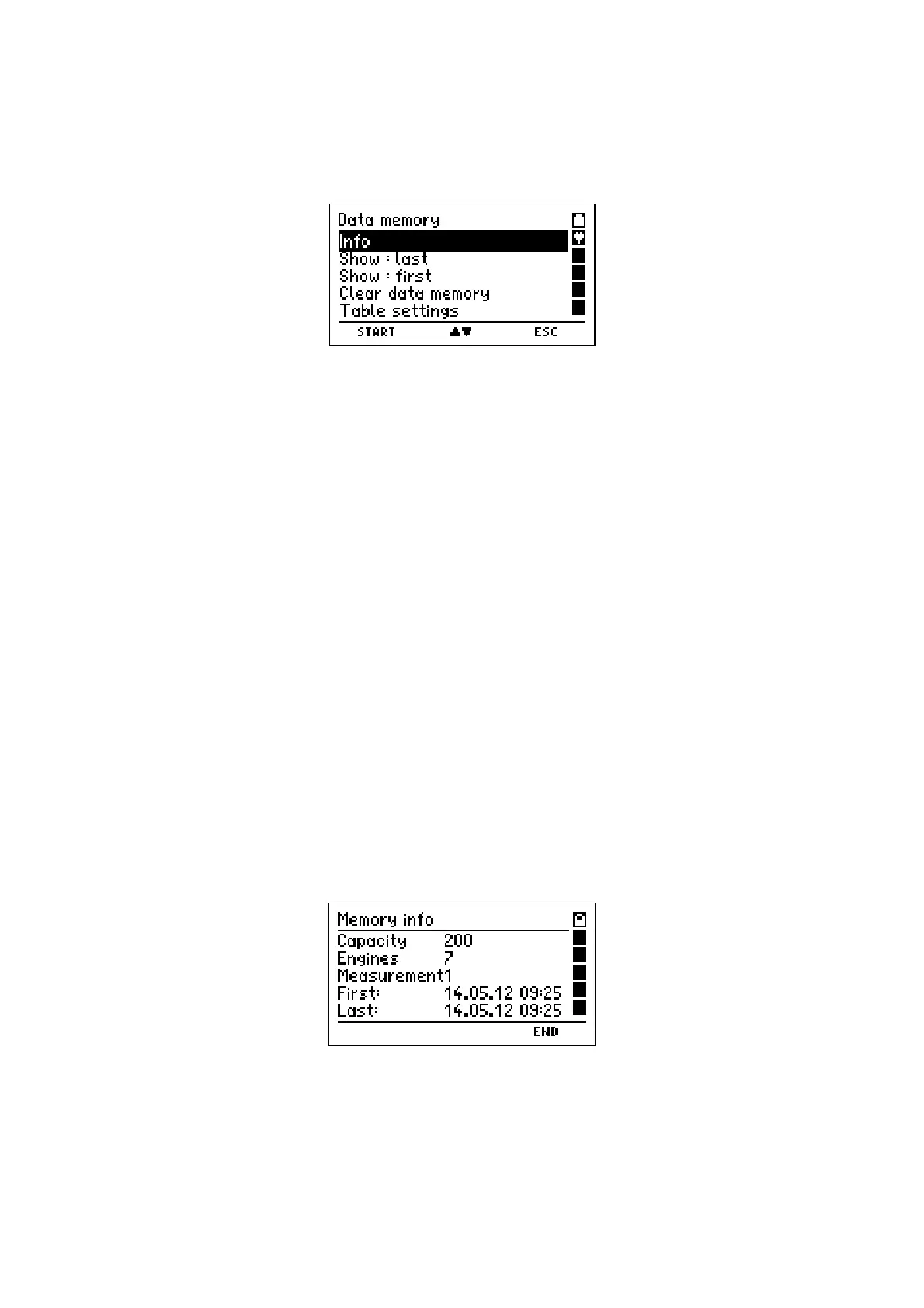
If "Memory" has been selected, the display reads:
With pushing "H" (
ESC
) you may skip back to "Selection of Functions" (see 4.).
With pushing "
▲
or
▼
" (
▲▼
)
you may mark the wanted function.
With "F" (
START
) you may call the marked function.
Selectable functions are:
Info = Calls info function of the data menu (see 8.3)
Show: last = Show last stored data record (see 8.4)
Show: first = Show first stored data record (see 8.4)
Clear data memory = Deletes all stored data records (see 8.5)
Table settings = Selection of table type (see 8.6)
8.3 Info Function of Data Menu
If "Info" has been selected, the display reads e.g.:
The display informs about the number of possible data records, the number of stored en-
gine and measurement records and the date and time of the first and the last storing.
With "H" (
END
) you finish the "Info Function" and skip back to "Data Menu" (see 8.2).



 To Next Page