Instruction Manual Dräger MSI EM200-E
5695022 15 of 29 Edition 2012-05-14
8.4 Show Stored Data Records
If "Show: first" or "Show: last" has been called, the stored data records are displayed. In
the first case the first data record is marked, in the other case the last one is marked.
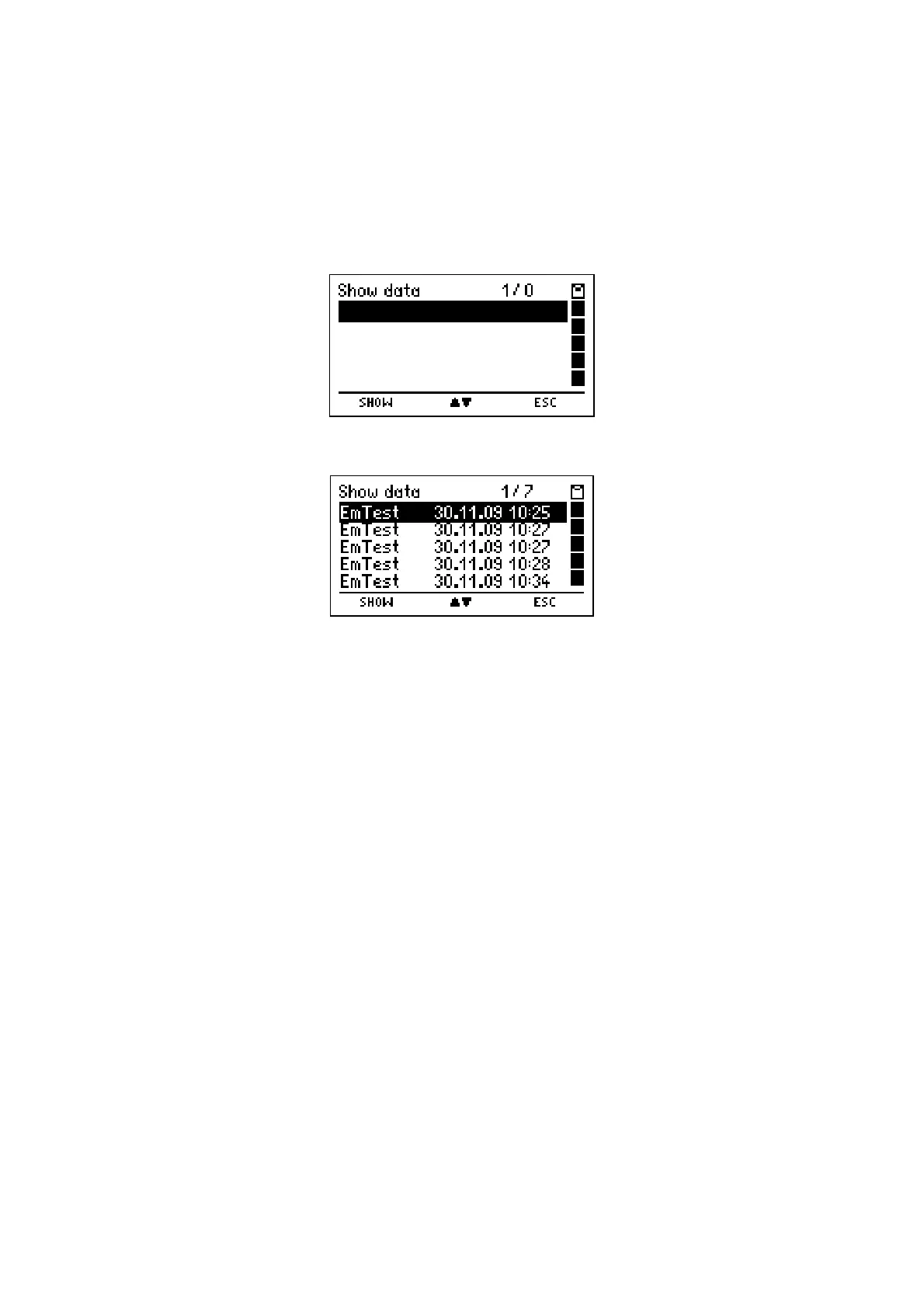
Are no records stored the display reads:
Are records stored the display reads e.g.:
The head line informs you about the number of the marked record and the number of
stored records. The table informs you about the type of measurement and the engine
number or date and time of storing (see 8.6).
With "H" (
ESC
) you may cancel this function and skip back to "Data Menu" (see 8.2.).
With pushing "
▲
or
▼
" (
▲▼
)
you may mark the wanted measurement.
With "F" (
SHOW
) you may display the result screen of this measurement.



 To Next Page