Instruction Manual Dräger MSI EM200-E
5695022 25 of 29 Edition 2012-05-14
After pushing "F" (
START
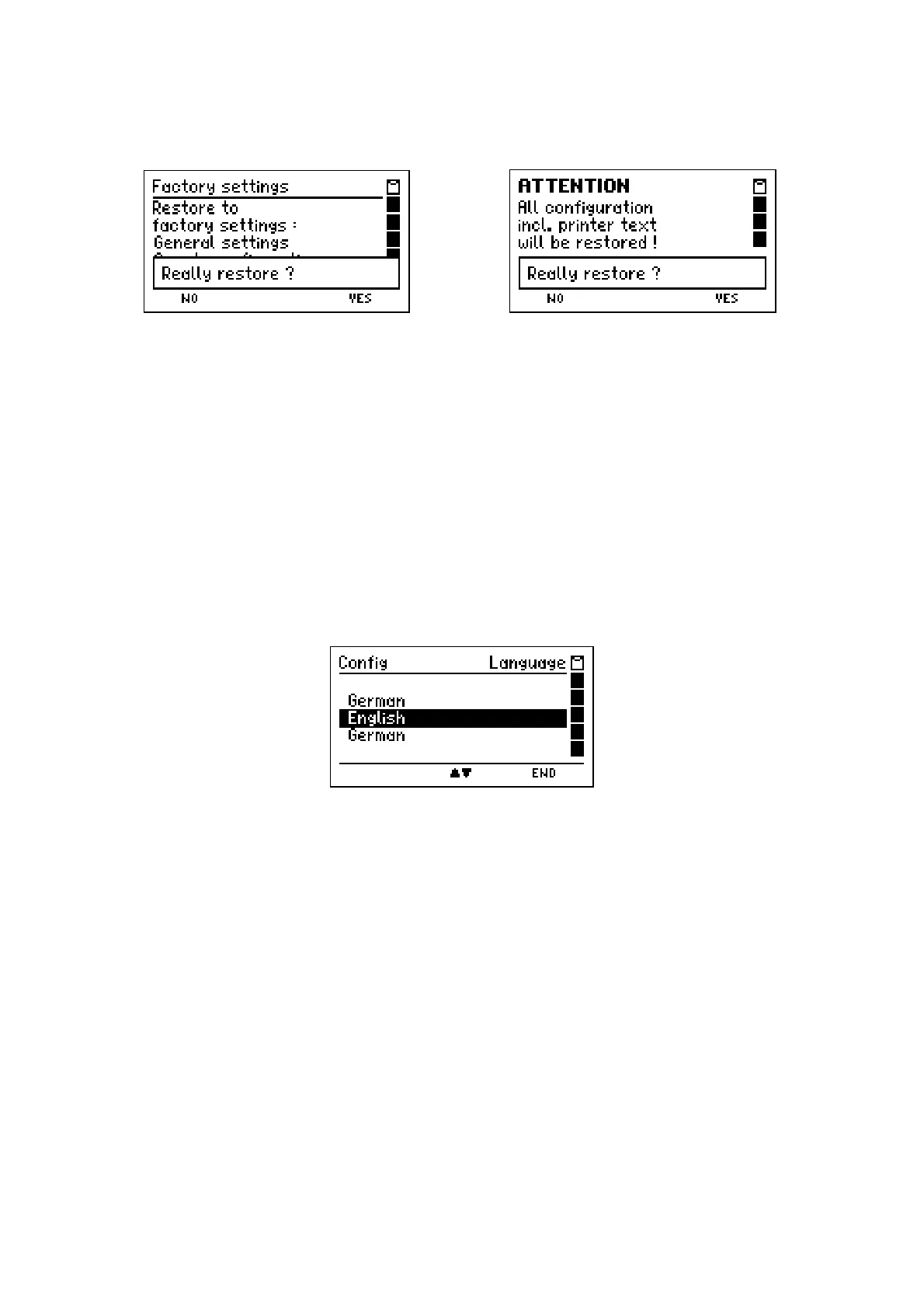
) the MSI EM200-E will display e.g.:
^ or
With pushing "F" (
NO
) you may select the previous display screen.
With pushing "H" (
Yes
) you may cancel all modified settings and restore the factory set-
tings and if "Complete configuration" has been selected, all configurations which have
been made with the PC-software MSI EM-Tools.
After that the previous display screen is called.
11.7 Display Language Selection
After selecting "Language" the display reads e.g.:
With pushing "
▲
or
▼
" (
▲/▼
)
you may select the wanted language.
With "H" (
END
) the marked language is selected and the MSI EM200-E shows the menu
"Settings" (see 11.).
The selected language remains held after switch off.



 To Next Page