*not available on DragonLink V3 Slim transmitter
NOTE: Configuration of the receiver is also required in order to complete
the channel mapping / mixing setup. See chapter 3.5.
Assigning voltage to a channel will cause that channel’s position to move in
conjunction with the DragonLink transmitter’s input voltage. This could, for example,
be used by the model aircraft to display an indication on the OSD of the transmitter’s
voltage, or for an RTL mode to be set based on low TX voltage, or for a physical servo
to perform some function once the TX battery reaches a certain level.
The channel will move from minimum to maximum positions based on a voltage
range of approximately 5v – 16v.
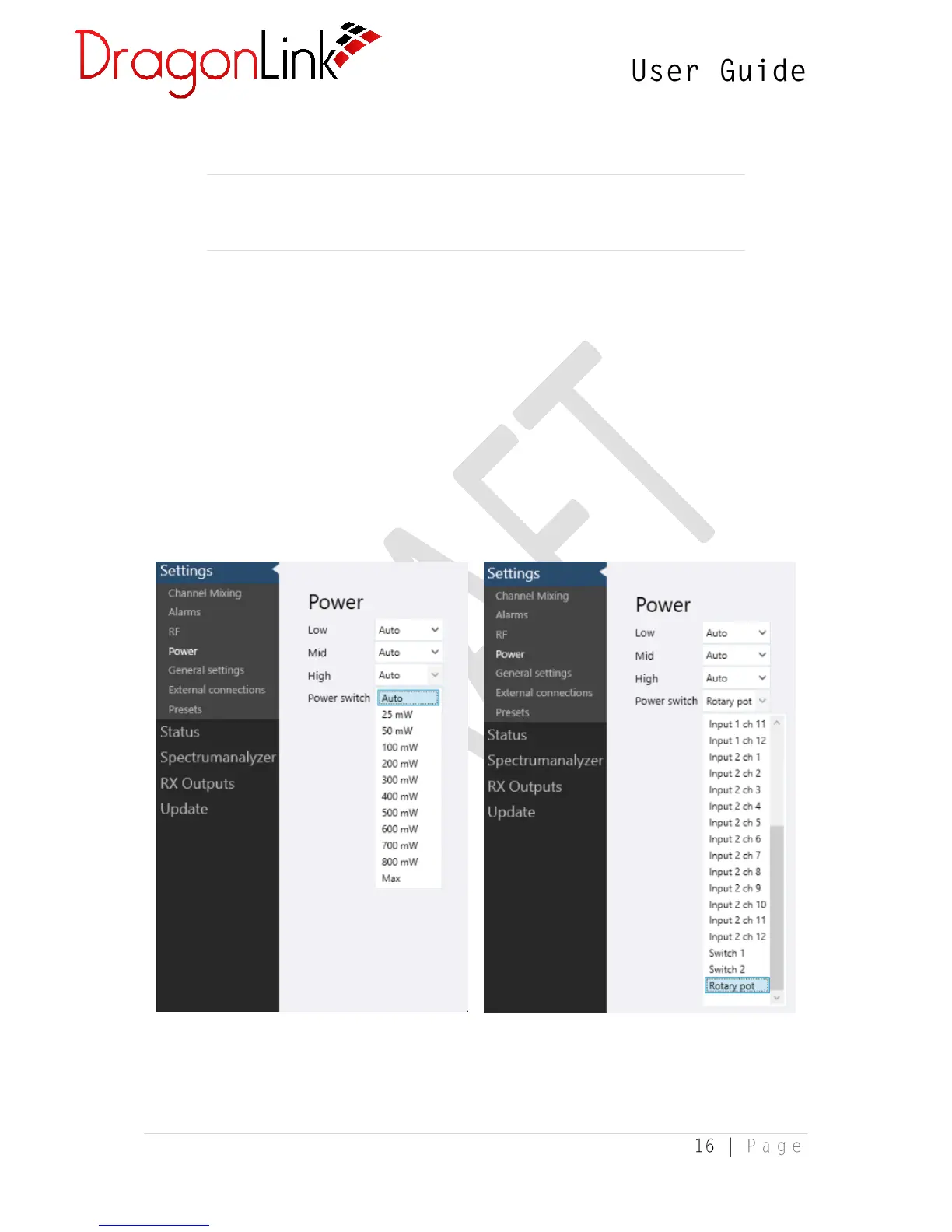
3.1.3 Power Settings
The DragonLink transmitter’s RF output power can be controlled automatically or set
to a fixed milli-watt value manually by the user.


 To Next Page