DRAMIŃSKI BLUE – user manual
32
10.1.5. Focus
These buttons are used to set the focus of the ultrasound beam. The image presented on
the screen is the clearest at the level where the beam focuses. The focus level is indicated
by a red triangle on the left side of the sector. In order to obtain the best eects it is nec-
essary to set the focus on the depth corresponding to the position of the examined object.
It is possible to adjust the focus using the vertical active eld on the left side of the sector.
Additionally the device has an automatic dynamic focus, thanks to which the image is clear in the full range of
scanning.
10.1.6. Zoom
This function is used to magnify the image in real time and after freezing. The user has the
following zoom levels: 120, 140, 160, 180, 200, 220, 240, 260, 280, 300%. It is also possible
to minimize the sector to 60% and 80% of the standard size.
It is possible to set 120% zoom as a default setting. To activate, enter Settings and mark “Enlarged image” brack-
et in the Look tab.
10.1.7. Dynamic range
[Dynamic] – Dynamic range control
It allows to adjust how many shades of a greyscale is displayed on an image. Level 1 means
the highest dynamic (256 shades of grey), level 10 means the dynamic decreases.
10.1.8. Gamma
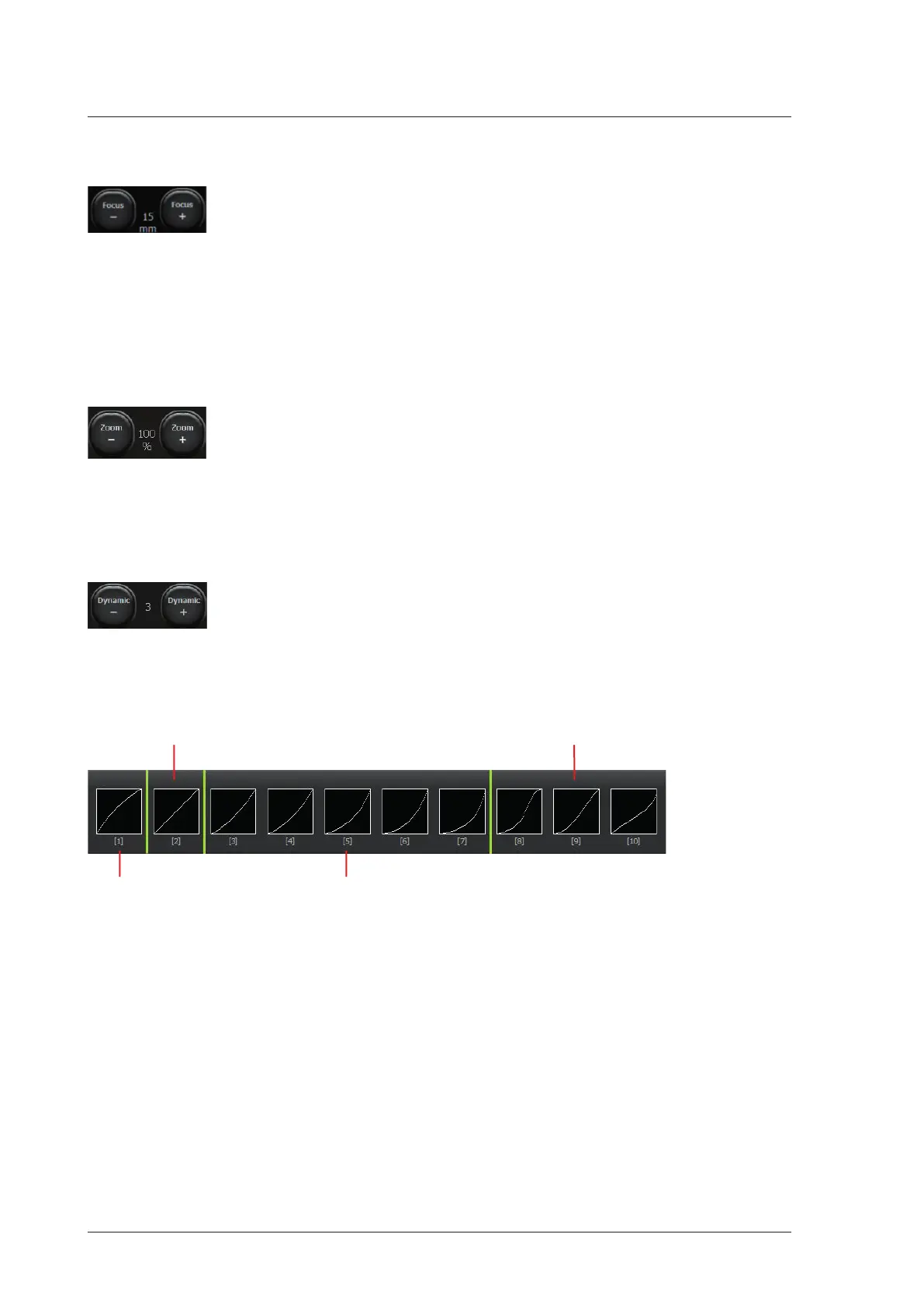
Fig. Available Gamma settings
Gamma adjustment allows you to change the gray level of the image in real time, as well as after freezing or
loading the saved image and cine-loop on the screen.
After tapping [Gamma], a list of available gray scale settings will appear. Select a desired level by tapping on
the corresponding icon. The currently used gray scale is shown in the form of a black and white bar above the
[Gamma] button.
All shades presented equally
Low and high contrast settings
Bright tones dominance Dark tones dominance


 To Next Page