DRAMIŃSKI BLUE – user manual
46
10.10. Saving and loading the images and cine loops
The ultrasound scanner is equipped with 60GB memory, of which 30GB is intended for archiving patient data
- video loops and images with measurements and annotations.
Warning!
Remember to systematically backup saved images and loops to external media and clean the camera's memory.
10.10.1. Saving the image
Freeze the image with the [Freeze] button. After freezing the image in the camera cache is the last 128-512
frames of examination. Use the arrows in the lower right corner to select a frame to save and press [Save Im-
age]. Defreeze the image with [Freeze] to continue the examination.
If you did not enter patient data into the database before the examination, the system will ask you to create a
new patient card. You can enter patient data or create a card only with ID by pressing [Add Patient] and con-
rming [OK].
To enter patient data prior to testing, use the Patient function.
When saving the image to the machine's memory, you can print it at the same time using the [Print] function.
Printing is possible after downloading the drivers and connecting the printer.
10.10.2. Saving the Cine loop
After freezing the image, the ultrasound scanner has a cache loop consisting of 128-512 last frames of the ex-
amination (see <11.10.1.>). To save it, press [Save Cine]. Defreeze the image with [Freeze] to continue the test.
10.10.3. Restoring patient examination
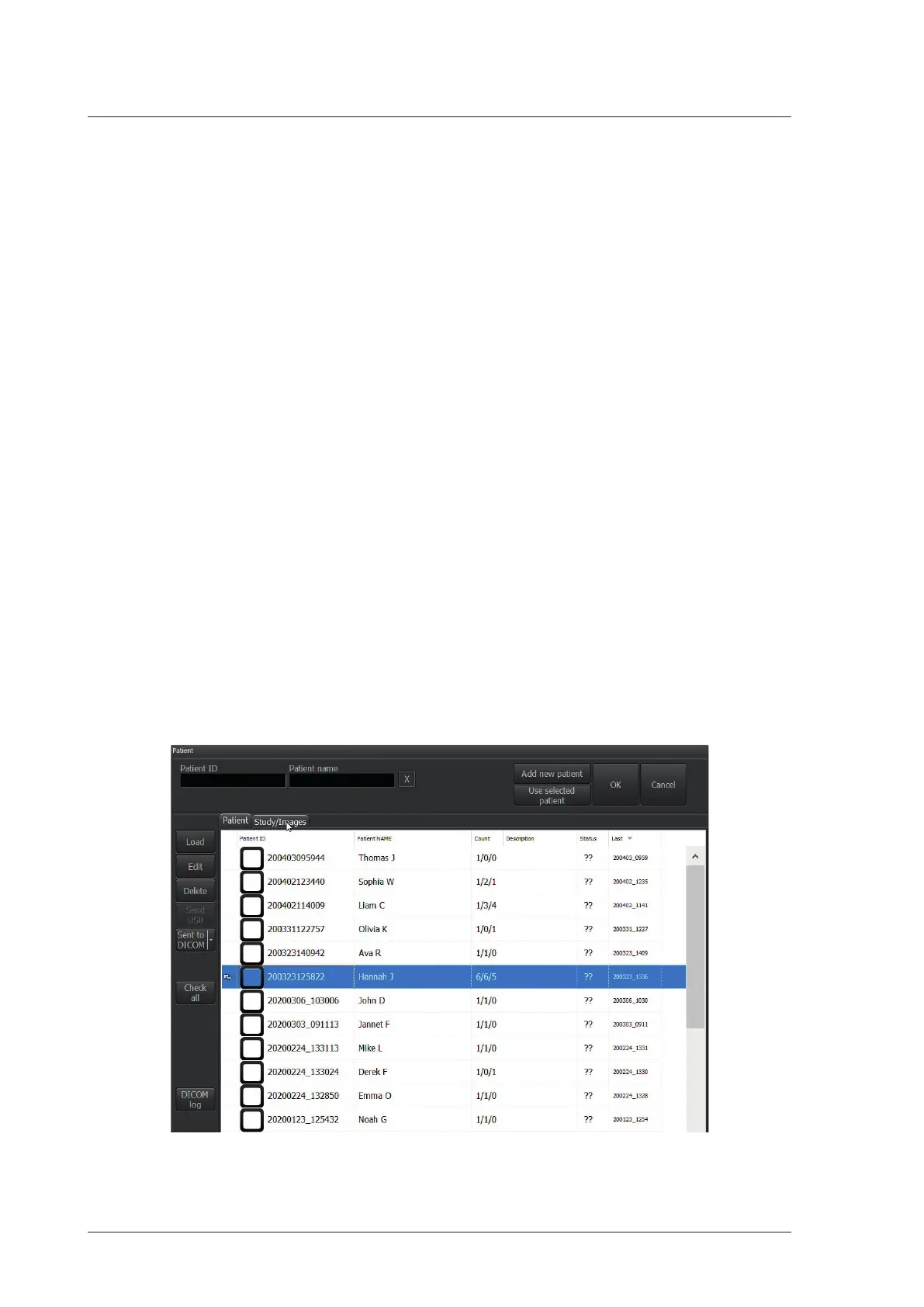
In order to load the image saved in the device click [Open Image] button. The screen will show a list of the
saved images. Select particular image by clicking on it (it becomes highlighted) and then click [Load].
Fig. Data base.
In order to display saved cine loops on the same list click [Cine] button on the top of the list.


 To Next Page