35
DRAMIŃSKI BLUE – user manual
10.4.4. Volume
In order to measure the volume correctly it is necessary to measure the length, depth and width of the object.
For this purpose you should obtain sections in horizontal and vertical planes. In order to obtain two planes in
one image you can use B+B mode. The device automatically calculates the volume of the object taking into
account the performed measuring. The result is presented in cm
3
.
10.4.5. Area
To measure the area you should outline the object on the touch panel without taking o the stylus or the n-
ger until you nish the loop. In order to nish the outline you should click into the point from which you started
drawing the line. The result is given in sq. cm and is shown below the image sector.
10.4.6. The area of ellipse
Mark long axis of ellipse by applying two points on an image. Third one apply on one of the poles of short axis
of the measured object. The result is given in sq. cm and is shown below the image sector.
10.4.7. Orthopedics
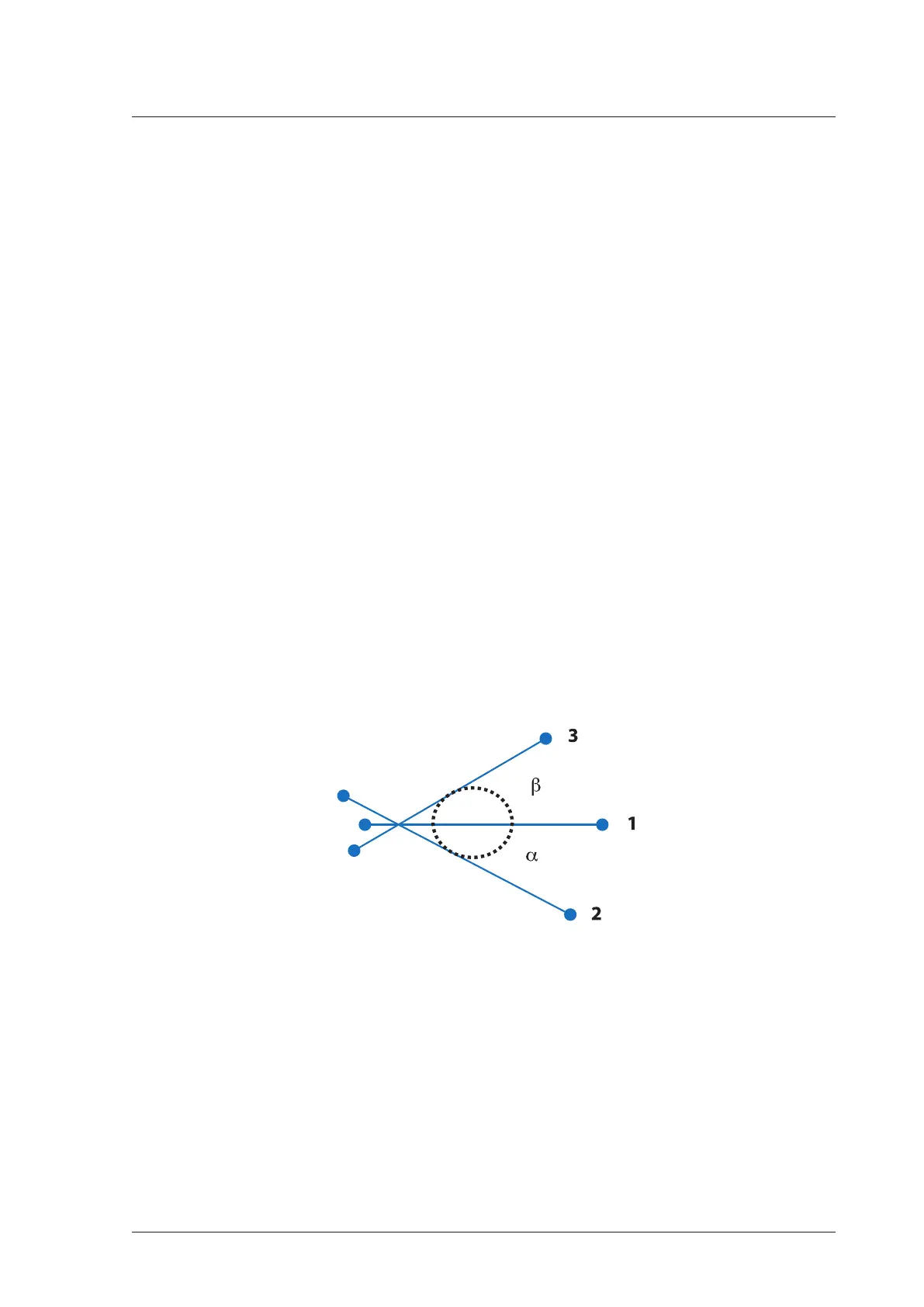
10.4.7.1. α and β angle
Apply three lines on an image the same way as you mark a distance measurement:
1. Basal line
2. Bony roof line
3. Cartilage roof line
System calculates α and β angle automatically.
Fig. α and β angles measurement
10.4.8. Gynecological and obstetric measurements
In order to perform Gynecological and obstetric measurements choose [Measurements] button, click
[OB./GYN] and select measurement from the list.


 To Next Page