Vigor300B Series User’s Guide
128
Item Description
Profile Number Limit
Display the total number (32) of the object profiles to be
created.
Profile
Display the name of the IM object profile.
Member
Display the IM application specified in such profile.
WebIM
Display the status of IM object whether including the
specified set of web IM or not.
H
H
o
o
w
w
t
t
o
o
c
c
r
r
e
e
a
a
t
t
e
e
a
a
n
n
e
e
w
w
I
I
M
M
O
O
b
b
j
j
e
e
c
c
t
t
P
P
r
r
o
o
f
f
i
i
l
l
e
e
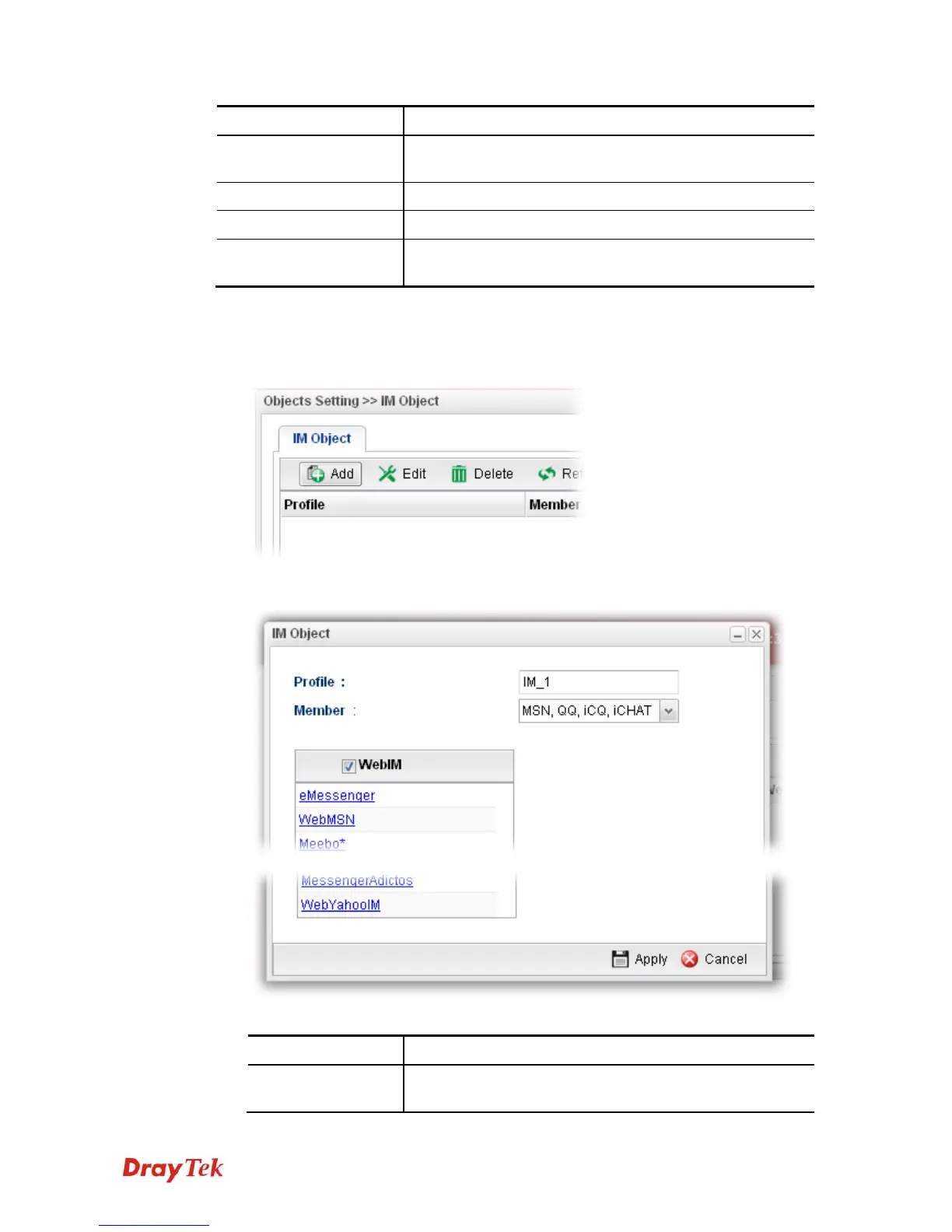
1. Open Objects Setting>>IM Object.
2. Simply click the Add button.
3. The following dialog will appear.
Available parameters are listed as follows:
Item Description
Profile
Type the name of the IM object group. The number of the
characters allowed to be typed here is 10.



 To Next Page