Vigor300B Series User’s Guide
22
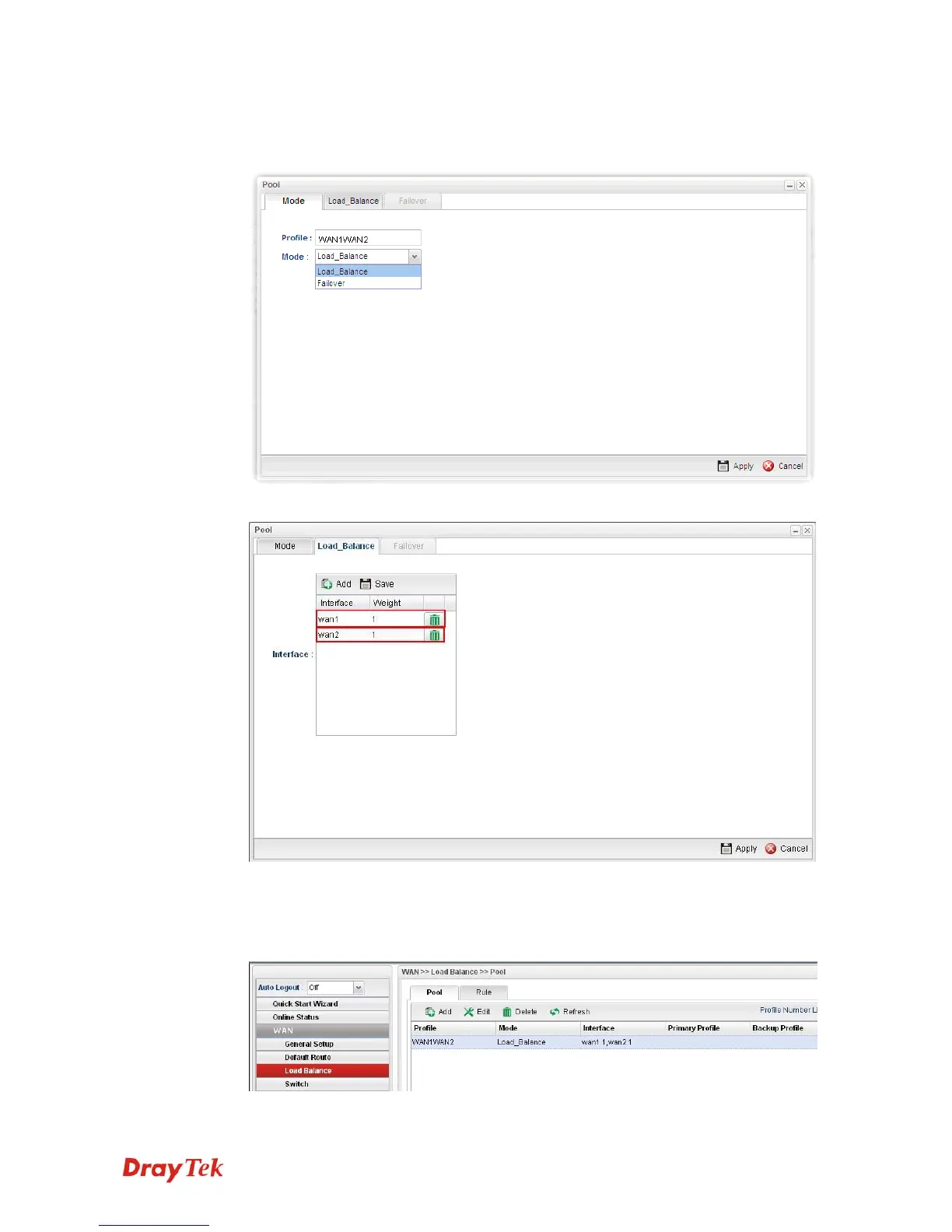
6. Click Add under the Pool tab to create a profile (e.g., WAN1WAN2) for automatic
Load Balance between WAN1 and WAN2. Choose Load_Balance as the Mode
option.
7. Click the Load_Balance tab to open the following page.
Setup the Weights (e.g, “1”) of WAN1 and WAN2 as you want. In this case ratio of
WAN1 and WAN2 is 1:1. Also, you can type 2 and 1 for WAN1 and WAN2, then the
ratio of line speed of WAN 1and line speed of WAN 2 will be 2:1.
8. After clicking Apply, the created profile will be shown on the screen.



 To Next Page