Vigor300B Series User’s Guide
23
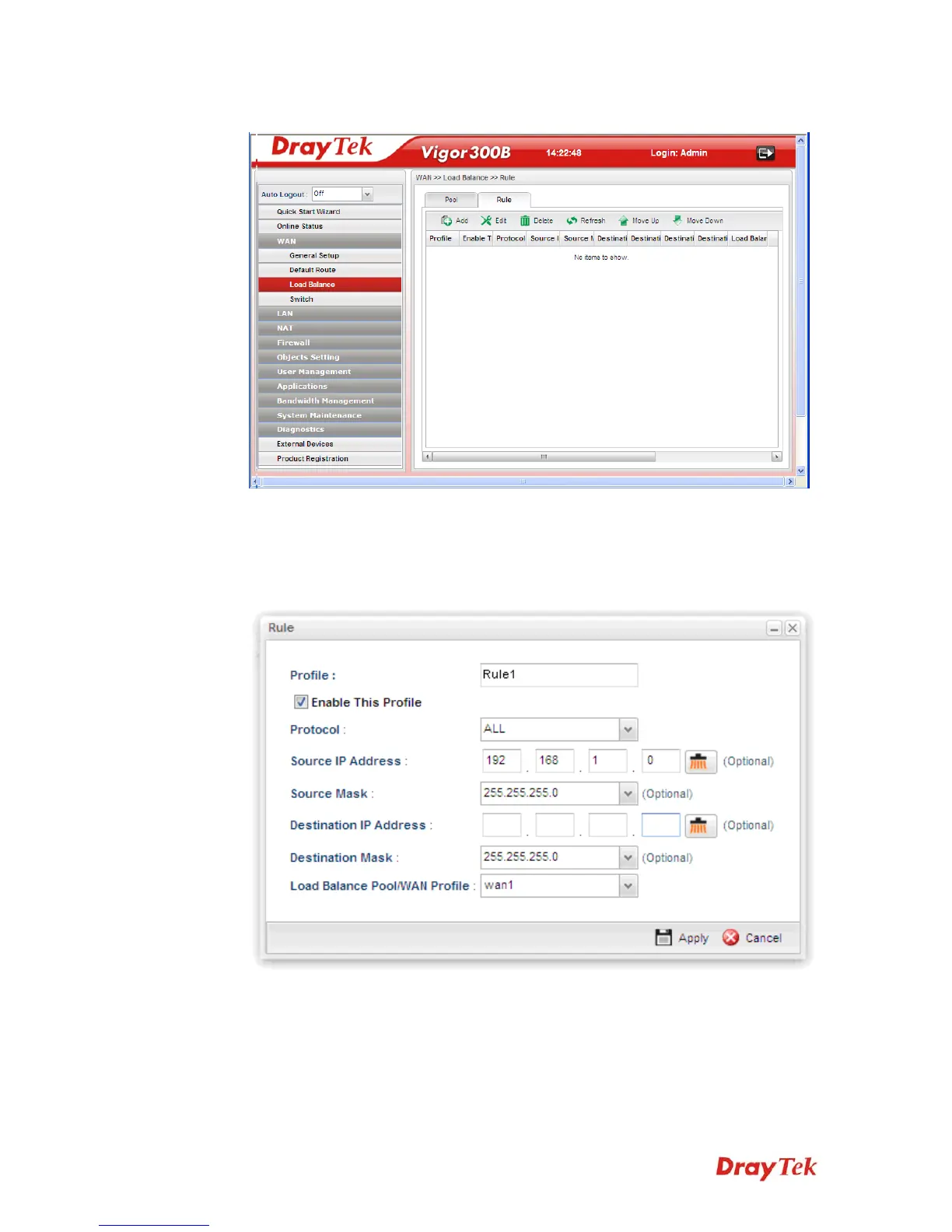
9. Open WAN >> Load-Balance and click the Rule tab.
10. Click Add to create a profile for Rule1 accepting the data coming from 192.168.1.0/24
which always goes Internet via WAN1 when WAN1 is up. Type the information
specified for such rule. (e.g., Rule1 for Profile; 192.168.1.0 for Source IP Address;
wan1 for Load Balance Pool/WAN Profile and so on). Next, click Apply to save and
exit.



 To Next Page