Vigor300B Series User’s Guide
37
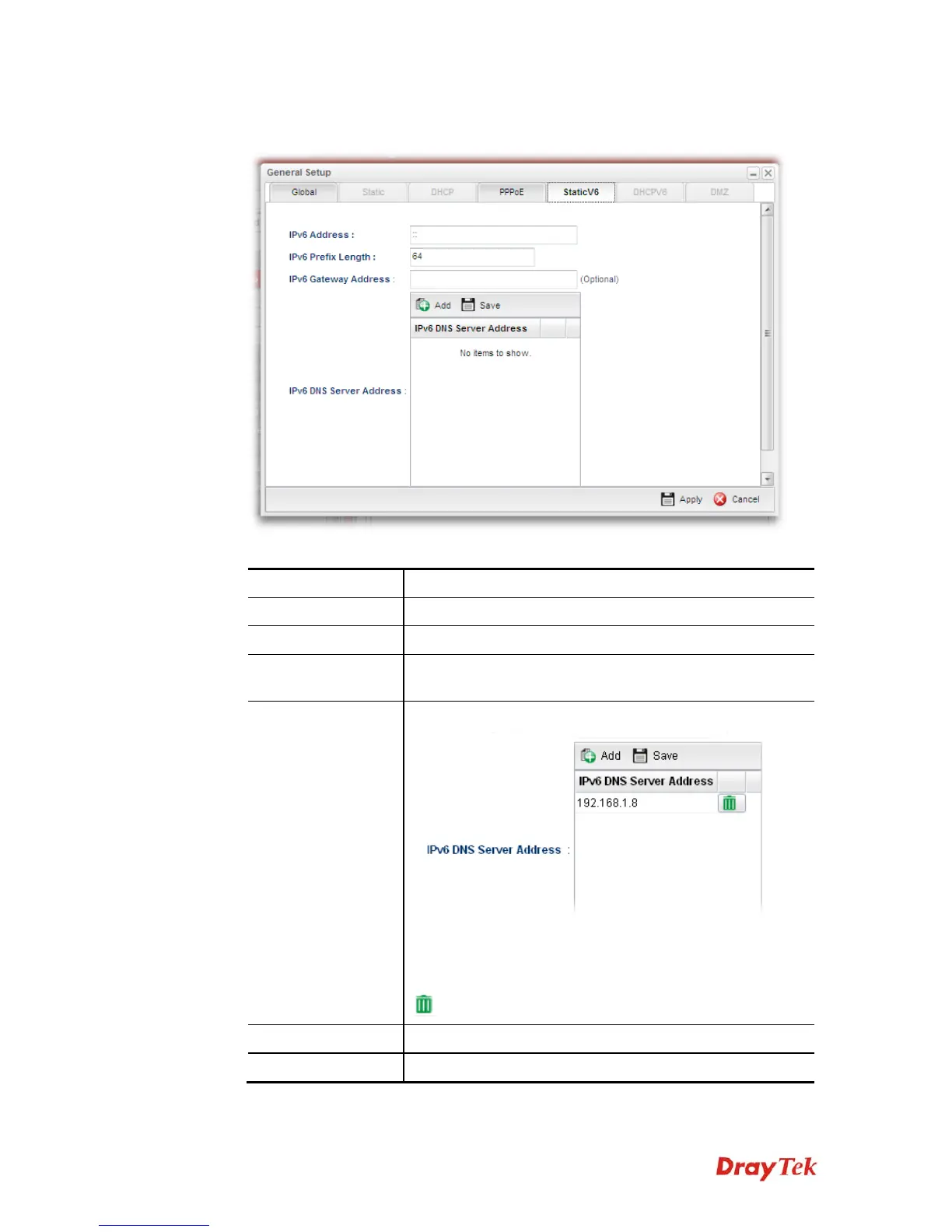
z If you choose Static as IPv6 protocol type, click the StaticV6 tab to open the
following page:
Available parameters are listed as follows:
Item Description
IPv6 Address
Type the IP address for such protocol.
IPv6 Prefix Length
Type your IPv6 address prefix length.
IPv6 Gateway
Address
Type your IPv6 gateway address.
IPv6 DNS Server
Address
Type your IPv6 primary DNS Server address.
Add – Click this button to have a field for adding a new IP
address.
Save – Click this button to save the setting.
– Click the icon to remove the selected entry.
Apply
Click it to save the configuration and exit the dialog.
Cancel
Click it to exit the dialog without saving the configuration.



 To Next Page