Vigor300B Series User’s Guide
62
Enable This Profile
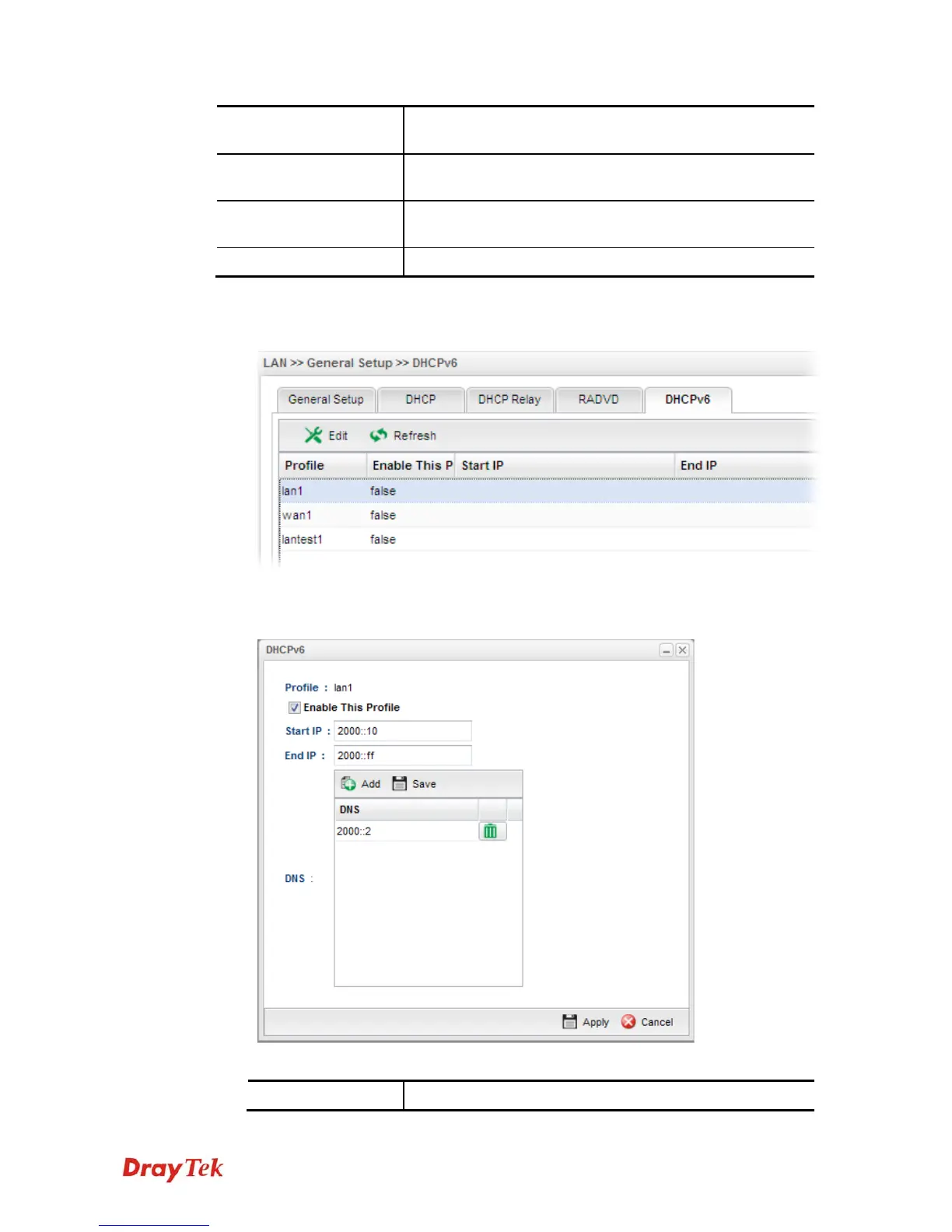
Display the status of the profile. False means disabled; True
means enabled.
Start IP
Display the starting IP address of the IP address pool for
DHCP server.
End IP
Display the ending IP address of the IP address pool for
DHCP server.
DNS
Display the private IP address for DNS server.
H
H
o
o
w
w
t
t
o
o
e
e
d
d
i
i
t
t
a
a
L
L
A
A
N
N
p
p
r
r
o
o
f
f
i
i
l
l
e
e
f
f
o
o
r
r
D
D
H
H
C
C
P
P
v
v
6
6
1. Open LAN>>General Setup and click the DHCPv6 tab.
2. Choose one of the LAN profiles by clicking on it and click the Edit button to open the
following dialog.
Available parameters are listed as follows:
Item Description



 To Next Page