Client Drayton File Name 75 42 Dr ayt on LP 10R F & DIG IS TAT+2 RF 06 515 08 600 1 ISS C
Artworker -
Proof Stage
PRINT
Finished Size A5 148x210mm
Creative Director Mike Lane Artwork % 100%
Modification Date 21/08/15 2:56PM Bleed 3mm
Installation Guide DIGISTAT+2RF
If enabled, the start time should be set an hour earlier
than the time you want the property to reach the set
temperature.
Intelligent Start will delay that start time, by an amount
that it has calculated based on the actual and set
temperature.
As the weather becomes milder, the start time is delayed,
so that fuel is not wasted bringing the room up to
temperature earlier than necessary.
The Digistat calculates approximately 10 minutes to raise
the temperature by 1°C, up to a maximum of 6°C.
NOTE:
Intelligent Delayed Start only applies in Auto mode.
Intelligent Delayed Start default is in OFF mode.
To switch ON Intelligent Delayed Start enter the
Installer Options Menu (see Installer Options 06).
NOTE:
The Intelligent Delayed start option is not suitable for
underoor application. Ensure Installer option 06 is
set to OFF before nal commissioning for underoor
application.
SPECIAL NOTE:
If the Intelligent delayed start feature is enabled, (Off
changed to On in Installer option 06), please inform
the end user of this feature.
The following special note has been added to the user
instruction to explain the adjustment requirement:
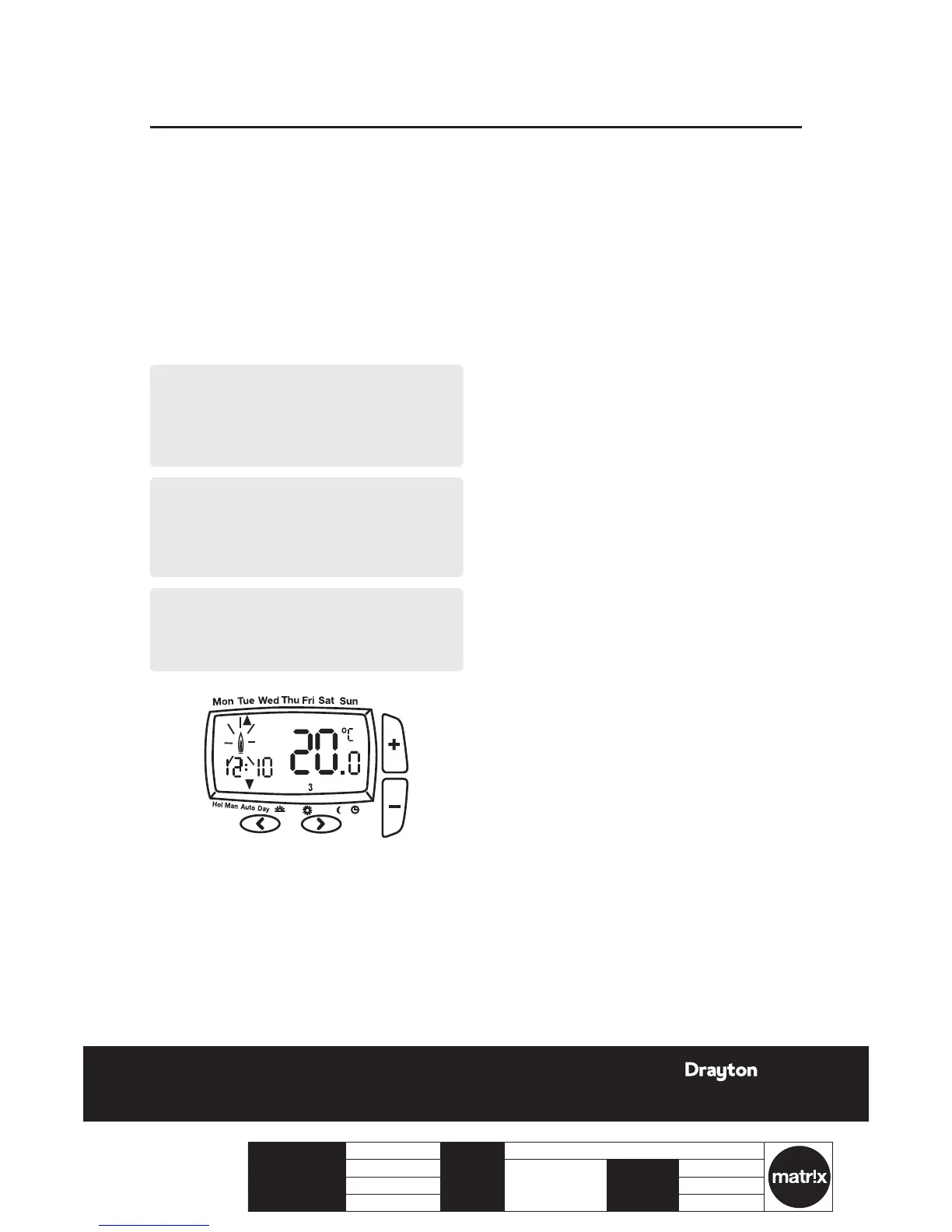
When the delay period is operating indicated by the
ame symbol ashing, pressing any button returns the
Digistat to auto mode allowing normal button operation
until the next time/ temperature event, when it will
resume the delay start mode or follows the Holiday,
Manual, Override or Off modes as selected.
Changes to the installer options and pre-set programmes
must be made with the ame symbol not ashing.
Option 10 - Valve Protection
In some heating systems there may be a requirement to
protect the system by operating it once a day, for a given
period.
If valve protection is selected the system will be operated
for a period as shown in valve protection time (mins).
Valve protection time is every day at 10.00am. Valve
protection default is OFF.
To enable the valve protection mode enter the Installer
Options Menu (Refer to Installer Option 10).
Option 11 - Valve Protection time (mins).
Valve protection time can be set between 1 and 5 minutes
(default 3 minutes).
To change this once a day on time enter the Installer
Options Menu (Refer to Installer Option 11).
Option 12 - Application Type
Digistat+2RF can be used for different applications.
In the installer menu, select:
00 = Gas Boiler
0 1 = Oil Boiler
Option 13- System Capability
Adjust this setting to suit the heating system capability.
In the installer menu, select:
00 = Fast – the house usually reaches setpoint in ‹ 1 hour
0 1 = Slow – the house usually reaches setpoint in › 1 hour
Display Error code E1
When the display shows an error code (E1) this indicates
a sensor fault and the heating system will remain Off.
Please contact your local heating service engineer to
replace your Digistat +2RF.
9LP10RF & DIGISTAT+2RF
06515086001 ISSC




 To Next Page