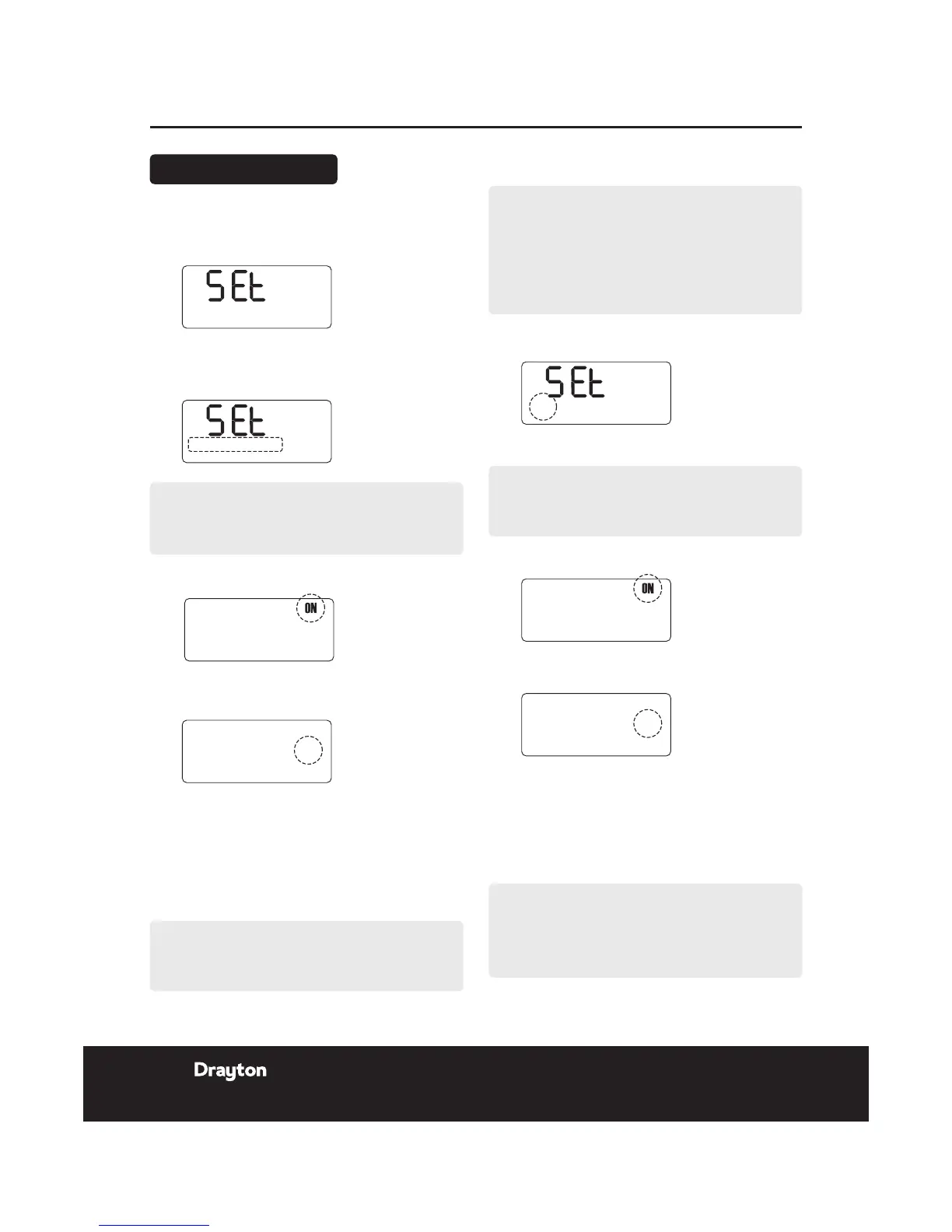
Setting MON - FRI
1.
Press set? until SET and PROG? are shown in the
display.
2.
Press OK to enter program.
3.
Press OK to select MON-FRI.
4.
Press + or - to change the ON time.
5.
Press set? to set the ON time and select the
OFF time.
6.
Press + or - to change the OFF time.
7.
Press set? to set the OFF time and select the next
ON time.
NOTE:
Speed up the display by holding down the + or -
buttons.
PROG?
User Guide LP10RF Programmer & Receiver
Changing the Program
Repeat operations 4 to 7 to set the second and third ON/
OFF times.
NOTE:
After pressing set? for the third hot water pre-heat
OFF time the display shows SET MON
Setting individual weekdays:
NOTE:
If you do not require individual weekday times,
then press set? until SET SAT-SUN are displayed
and continue on the next page. If you do not wish
to change the setting for the day displayed, then
press set? until the rst day you want to change is
displayed.
1.
Press OK to select weekday.
2.
Press OK to select rst ON time.
3.
Press + or - to change the ON time.
4.
Press set? to set the ON time and select the OFF
time.
5.
Press + or - to change the OFF time.
6.
Press set? to set the OFF time and select the next
ON time.
Repeat operations 3 to 6 to set the second and third ON/
OFF times.
NOTE:
Speed up the display by holding down the + or -
buttons.
PROG?
NOTE:
After pressing set? for the third OFF time, SET and
the next weekday are displayed after completing the
steps above for FRI the display shows SET SAT-SUN.
see next page....
22 Installation & User Guide
06515086001 ISSC











 To Next Page