UNLOADING AND REPLACING
FILAMENT SPOOL
CAUTION: Do not change color of lament or spool
during building. Doing so will cancel the object and
may damage the extruder.
1. Tap “Setup” on your Dremel 3D20’s touch screen
then tap “Filament”.
2. Tap “Unload”.
3. Your Dremel 3D20 will begin to heat the extruder
and will play an alert tone when it is ready to
unload the lament.
!
WARNING
DO NOT PULL THE FILAMENT
OUT UNTIL INSTRUCTED BY THE
TOUCH SCREEN. DOING SO MAY DAMAGE THE
EXTRUDER.
!
WARNING
DO NOT TOUCH THE EXTRUDER
TIP DURING DREMEL 3D20
OPERATION OR UNTIL IT HAS COOLED DOWN TO AT
LEAST 60°C (140°F). CONTACT WITH THE EXTRUDER
TIP DURING OR AFTER OPERATION BEFORE TIP
HAS COOLED MAY RESULT IN PERSONAL INJURY.
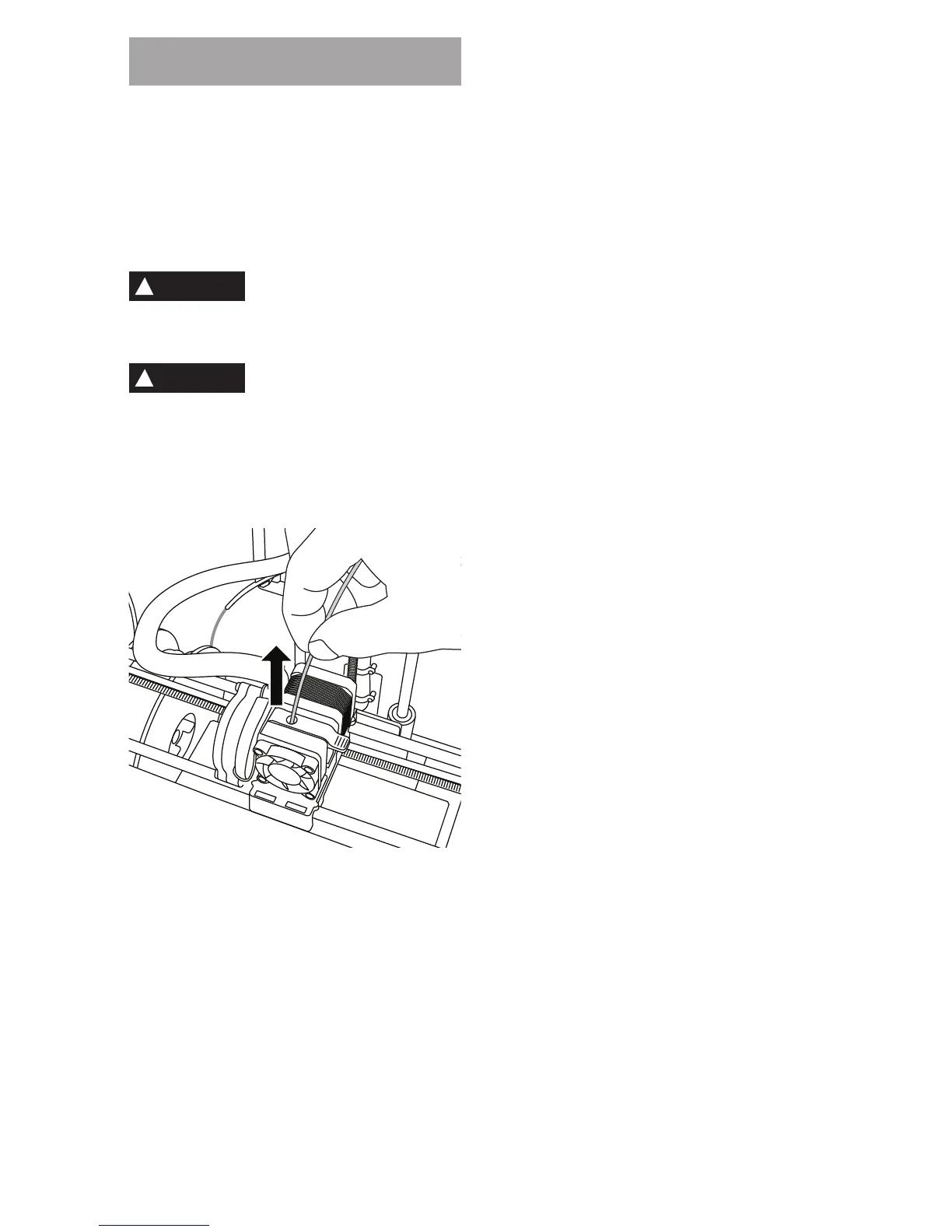
4. Once your hear the alert tone, gently pull the
lament out of the extruder until it is completey
separated from the extruder.
NOTE: A small amount of lament may be
remaining in the extruder. The start of your next
object may have some of this lament color until
it transitions over to your lament color. Allow
replacement lament to fully extrude before
beginning next object to ensure consistent color.
5. If lament cannot be easily pulled out of the
extruder, tap the return arrow. Tap “Setup” then tap
“Preheat”. Select maximum temperature and al low
15 minutes to heat. After 15 minutes of heating,
tap the “Arrow” button and repeat steps 1 through
5 above.
NOTE: After the lament is pulled out from the
extruder, lament may be visible at the extruder tip.
The lament debris remaining should be removed
using the unclog tool to prevent clogging. To
remove the remaining lament insert the unclog
tool’s point into the extruder intake (top); if any
lament is present, it will exit from the extruder tip.
6. See “Filament Installation” instructions on page
19 to install replacement lament spool.
23



 To Next Page