12
SD MEMORY CARD
Always insert and remove the memory card with the DashDAQ powered off. Insert the card with the gold connections facing towards
the screen. Press the card into the DashDAQ until a click is heard. If the card sticks out at all, it has not been pushed in all the way.
To remove, press the card in until a click is heard. Release and the card will eject enough to grab it.
BASIC OPERATION
OFF / ON / LOW POWER MODE
The Off /On/Low Power mode button is located on the front left corner of the DashDAQ. It has three functions:
• To shut off DashDAQ: Press the button and hold for 3 seconds. A screen will say “Shutting Down.” The screen will go black. The
DashDAQ is completely off.
• To turn on DashDAQ: Press the power button again to power the DashDAQ back up.
• To put DashDAQ in Low Power Mode: Press and release the button quickly while the DashDAQ is on. The screen will go off, but
the unit will still be on. Press the button again and the DashDAQ will instantly come back on. Low power mode saves power,
but makes DashDAQ instantly available.
MENU NAVIGATION
When DashDAQ first starts up, a boot screen will appear. Please wait.
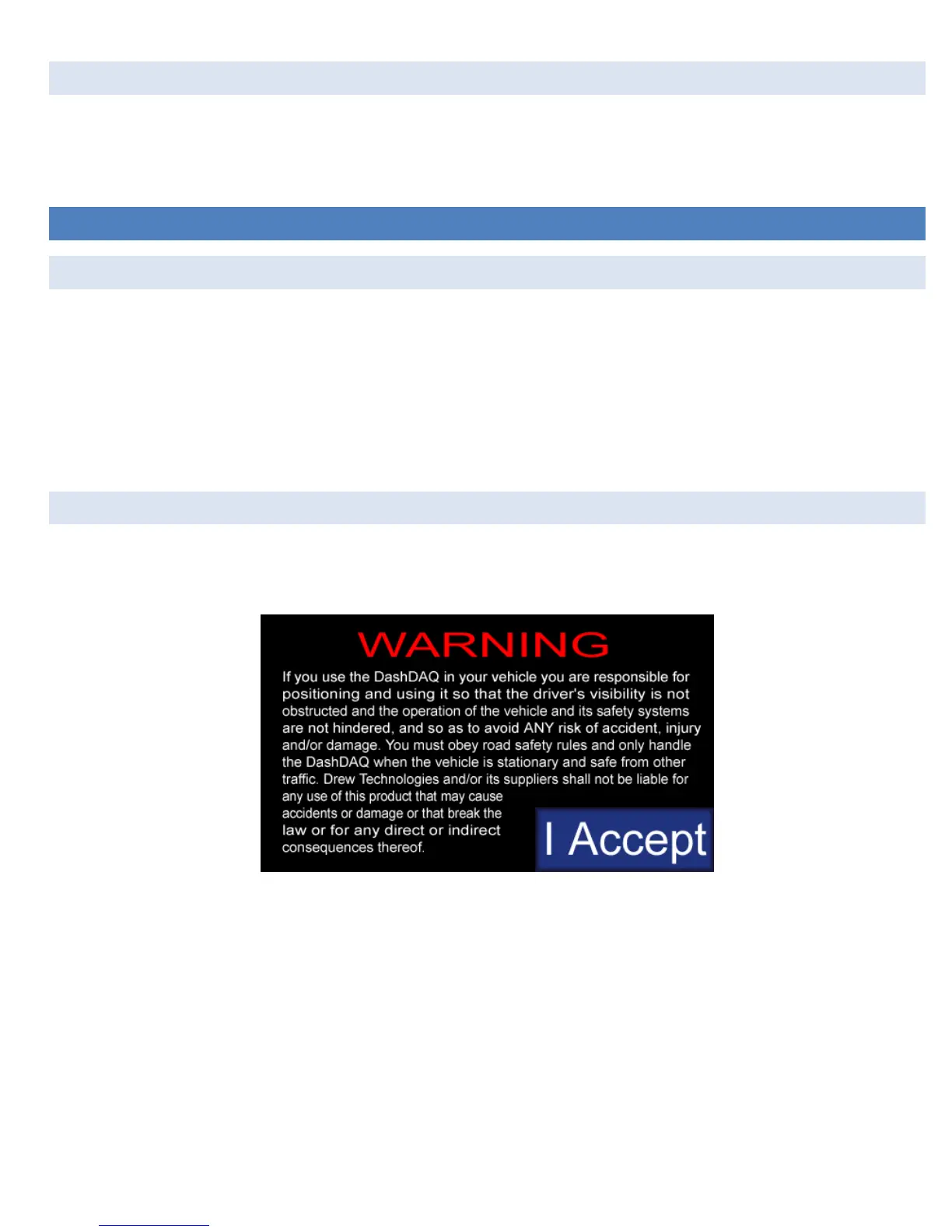
Whenever this warning screen appears, read carefully.
To agree and continue, tap the [I Accept] button. If you do not agree to abide by the warning, please disconnect DashDAQ and contact
Drew Technologies for a return authorization.
Tapping the [I Accept] button will bring up the gauge screen:


 To Next Page