41
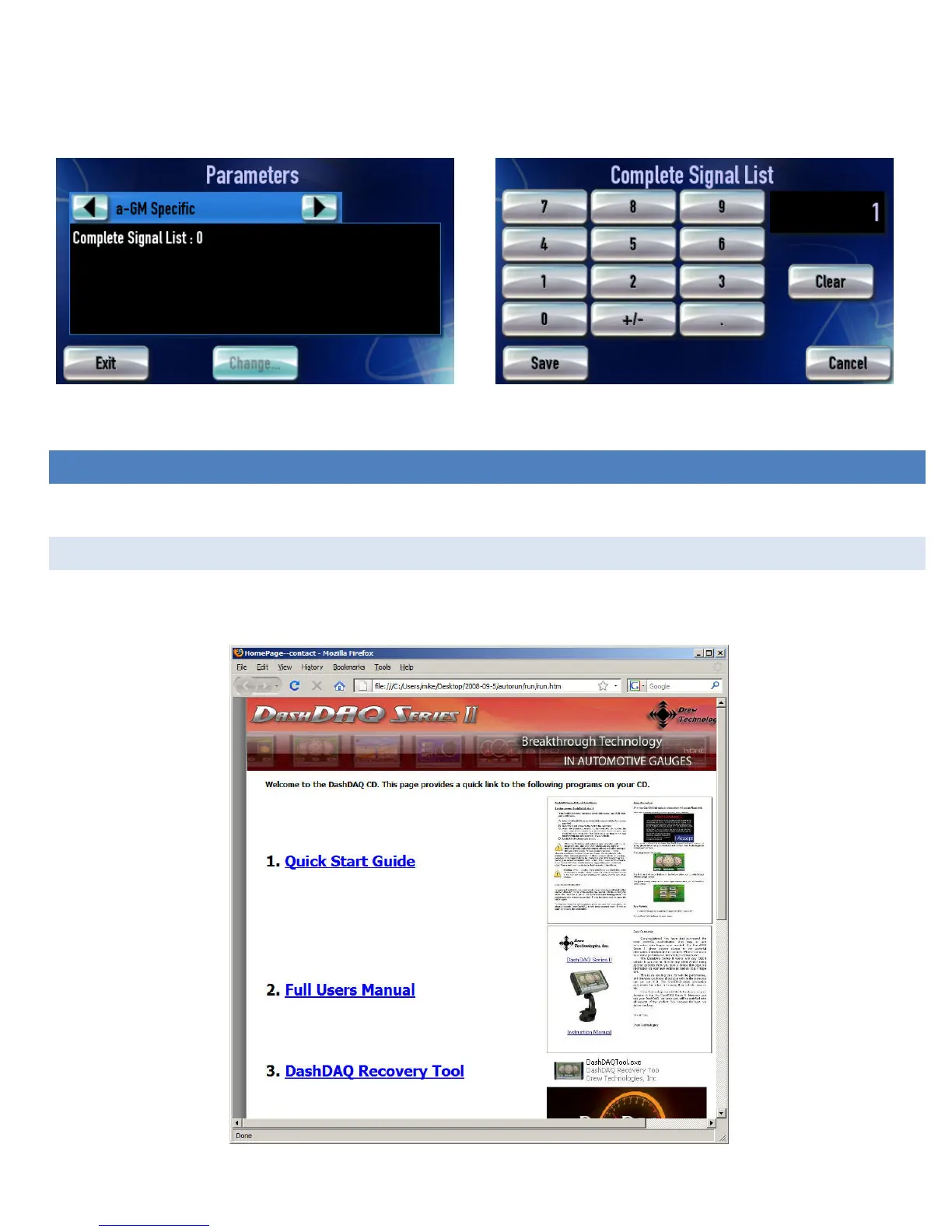
5. Enter a 1 or a 2 on the number pad.
6. Tap [Save], then [Exit].
7. Run “Find Signals’ one more time to search the expanded list.
Figure 38: Parameters available for GM Specific
Figure 39: Increasing the number of signals that will be tested
UPDATING DASHDAQ
DashDAQ’s software is field updateable. The software necessary to update the DashDAQ is on the included CD.
INSTALL THE DASHDAQ RECOVERY TOOL
DashDAQ comes with a CD that contains the DashDAQ update software. This auto run website will appear after inserting the CD in a
computer:


 To Next Page