35
This procedure will help you find values for Correction Factor and Correction Offset. The LC1-1’s instruction manual says that its 0-5v
analog output represents AFR=7.35 to AFR=22.39. With that information you can setup two equations:
Correction Factor * 0v DC + Correction Offset = 7.35
Correction Factor * 5v DC + Correction Offset = 22.39
The first equation is pretty easy because zero times anything is zero. We quickly realize that:
Correction Offset = 7.35
Using that number, and some basic algebra, you solve the second equation and determine:
Correction Factor * 5v DC + 7.35 = 22.39
Correction Factor * 5v DC = 15.04
Correction Factor = 3.008
With this procedure and two known-values, you can determine the Correction Factor and Correction Offset for most automotive
sensors. If you need assistance please post on the user forums at DashDAQ.com. Be sure to include a link to the user’s manual of your
sensor!
CONVERTING AN ANALOG VOLTAGE INTO PHYSICAL UNITS
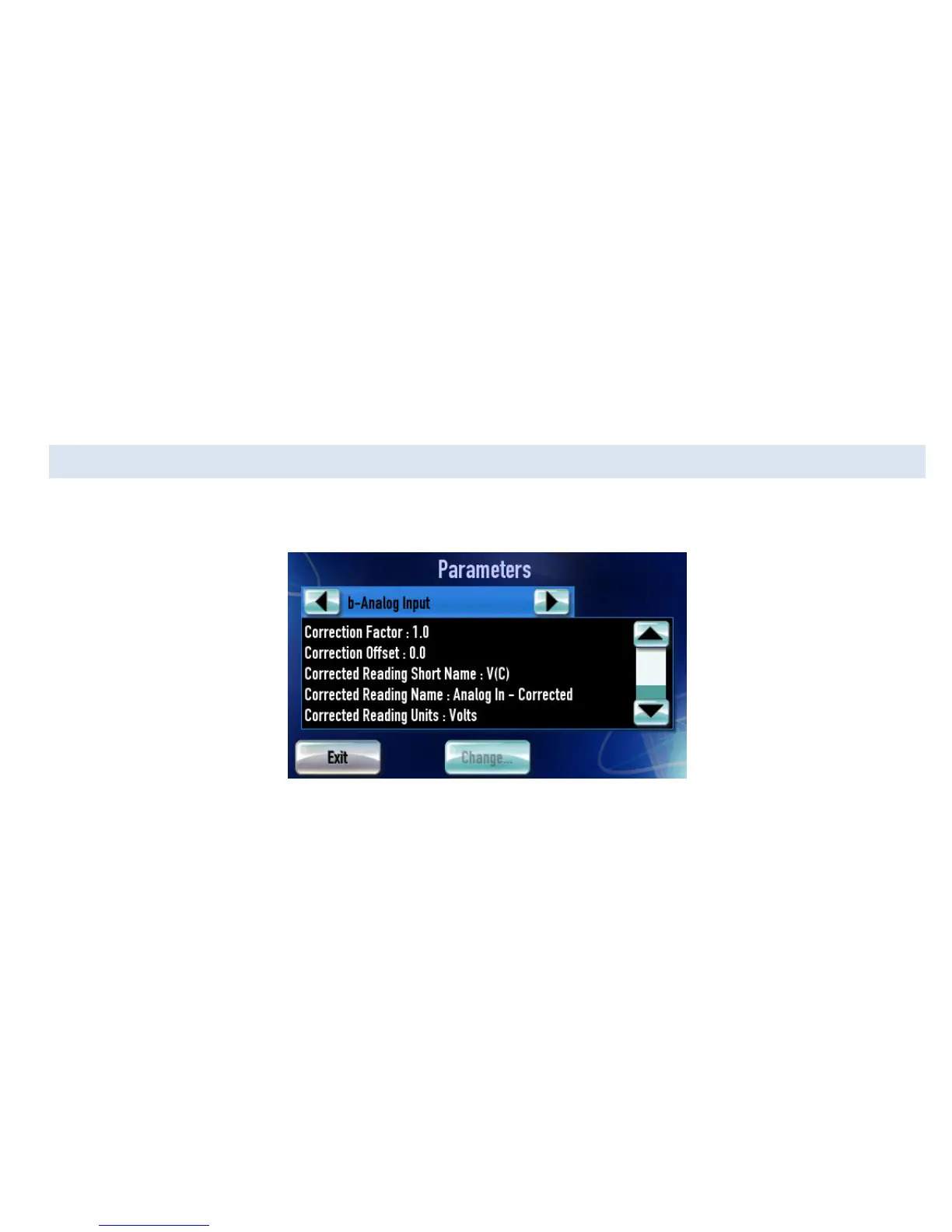
Navigate to “Parameters” by tapping on [Setup] from the Main Menu, then [Devices], then [Parameters]. Use the arrows at the top to
find the analog input you would like to scale.
Figure 31: Setting parameters for an analog input
These parameters are used when converting an analog signal into physical units:
• Correction Factor: Multiplier for the raw voltage. Described in section 0.
• Correction Offset: Added to the raw voltage Describe in section 0.
• Corrected Reading Name: Abbreviation to identify corrected signal. Used as a gauge label and displayed on the assign signals
screen.
• Corrected Reading Units: Physical units for the calculation. Any automatic Imperial/Metric occurs afterward. For example, if a
calculation results in °C the number could be automatically converted to °F before display.
• Corrected Reading Min: Default minimum value; used for round gauges and graphs. You can override this for each gauge on
the assign signals screen
• Corrected Reading Max: Default maximum value; used for round gauges and graphs. You can override this for each gauge on
the assign signals screen


 To Next Page