Copyright 2010 Baker Hughes Company.
English–PACE Indicators Instruction Manual | 43
Supervisor Setup
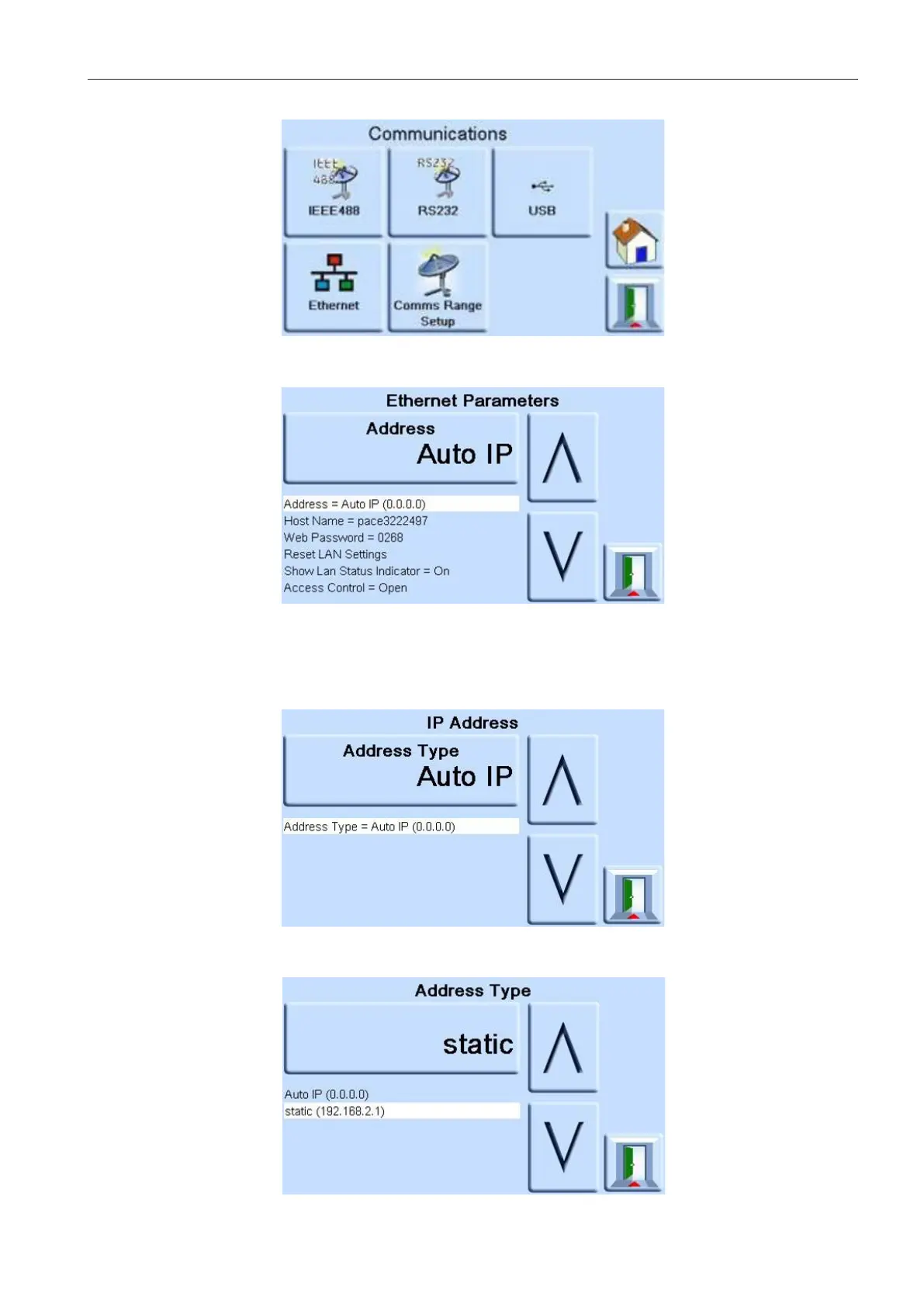
2. On the COMMUNICATIONS screen, select ETHERNET.
3. On the ETHERNET PARAMETERS, use the Up and Down arrows to highlight the desired
parameter.
4. To change the ADDRESS parameter, complete the following:
a. On the ETHERNET PARAMETER screen, use the UP and DOWN arrows to highlight
the ADDRESS field.
b. Press the top touch pad on the screen to enter the ADDRESS TYPE screen.
c. Use the UP and Down arrows to highlight the desired address type (either AUTO IP or
STATIC).


 To Next Page