l Status Request
Language Command Label (shall not be case sensitive)
English Status Request
French Etat Démandé
Spanish Petición de Estado
Invalid command will be sent when no zones are programmed to read security arm status.
l Help
Language Command Label (shall not be case sensitive)
English Help
French Aide
Spanish Ayuda
Help command will return all the commands available corresponding to the language of the help command
being sent.
Phone Number Call Direction
The user has the ability to program the PTM phone numbers to receiver group 1 or receiver 2.
The programmed number in Communicator must also be programmed as the panel phone number. When the communicator
detects the phone number it will communicate to the receivers to the corresponding group.
NOTE: If no PTM phone number is programmed, all panel calls will go to Receiver Group 1.
C24 Communications Remote Programming
The inputs, outputs, and other features can be remotely programmed through the C24 Communications website for fast and
convenient installation using the Internet.
NOTE: This programming option has not been investigated by UL.
Troubleshooting Guide
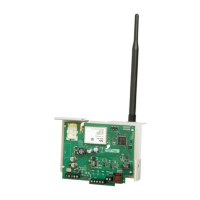
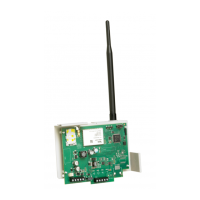
Powering up the 3G4010 – when powering up the 3G4010, always connect the battery (if used)first before connecting
primary DC power from the control panel or transformer.
Wiring Primary – R-1/T-1 of 3G4010 to RING/TIP of control panel, DC power from control panel or DC transformer to DC input,
backup battery.
Wiring Backup – Incoming line to RING/TIP on 3G4010, R-1/T-1 of 3G4010 to RING/TIP of control panel, R-1/T-1 of control
panel to house phones, DC power from control panel or DC transformer to DC input, backup battery.
Testing Communications – when the 3G4010 transmits a signal for the control panel, or for an internal transmission, the
BLUE light will flash one time when the signal is transmitted and two times when it gets a kiss-off.
SIM – the SIM should be activated at least 24 hours prior to installation. The 3G4010 will show signal strength with an inactive
SIM, however it will display the signal strength of any available wireless network. The SIM must be active to ensure the signal
strength displayed is that of the wireless network provider for which the SIM belongs to.
Panel Programming – the control panel should be programmed to communicate Contact ID or SIA exactly the same way it
would be programmed to communicate Contact ID or SIA over the telephone line.
Green/Yellow
LED Status
What it
means:
CSQ Values Signal Strength Status
Both Signal Strength
LEDs ON
Excellent
Signal
Strength
14+
l Unit can be installed in the current mounting location.
Top LED FLASHING with
bottom LED ON
Excellent
Signal
Strength
11-13
l Unit can be installed in the current mounting location.
Bottom LED ON
Good Signal
Strength
7-10
l Unit can be installed in the current mounting location.
Bottom LED FLASHING
Poor Signal
Strength
5-6
(no trouble)
1-4
l Ensure the antenna cable is plugged securely into the radio
connector.
l If the SIM is active, connecta battery to the unit and test
various locations for good/excellent signal strength.
15


 To Next Page