27
D
V
D
P
A
R
T
1
2
3
4
5
Changing the Speaker Distance
When you have arranged your home theater(speakers,
receiver, and any components).
You can change the speaker distance entered in the
receiver's memory.
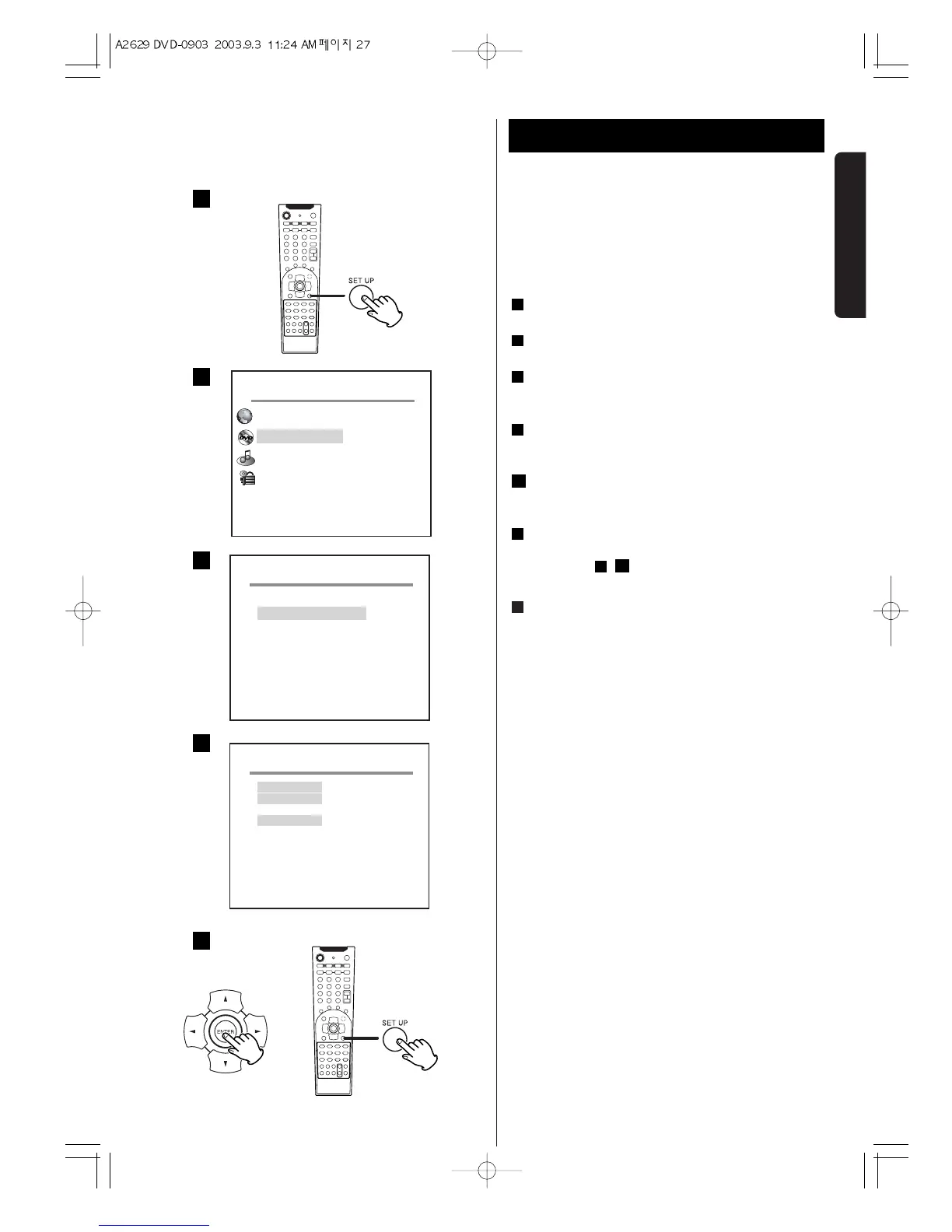
Press the SETUP button on the remote control.
Select AUDIO Setup and press the ENTER button.
Press the
b
button to select SPEAKER and press the
ENTER button.
To change the distance between the listening
position and the rear speaker, select rear Delay.
Press the ENTER buttons repeatedly until you reach
the desired distance.(0,3,6,9,12,15ms)
To change the distance between the listening
position and the center speaker(0, 1, 2, 3, 4, 5ms),
repeat step , .
Press the SET UP button again to exit.
Test Tone.
This feature enables you to check the sound level of the
respective front, left, right, center and surround
speakers in any mode, except stereo mode.
LEFT
w CENTER w RIGHT w RIGHT SUR wLEFT SUR
w SUBWOOFER
7
5
4
6
5
4
3
2
1
Speaker Configuration 1


 To Next Page