
 Need help?
Do you have a question about the DSE A2629 and is the answer not in the manual?
Warns against opening the unit and provides guidance on electrical shock prevention and handling.
Details guidelines for proper placement to ensure ventilation and prevent overheating.
Explains what moisture condensation is and how to handle it with the unit.
Provides essential advice on static discharge, ventilation, cleaning, and power safety.
Explains manual conventions, operational tips, and cautions for moving the unit.
Lists the types of discs (DVDs, Audio CDs, MP3) supported by the system.
Explains DVD region coding and notes on disc-specific playback features.
Provides specific notes on MP3 file naming and CD-R/RW disc compatibility.
Lists discs that cannot be played and warns of potential damage from incompatible discs.
Illustrates and explains common icons found on DVD discs.
Defines key terms related to DVD and CD playback.
Provides instructions on handling, cleaning, and storing discs to prevent damage.
Offers advice for CD-R/RW discs and warns against irregular or printable discs.
Covers remote operation range, battery installation, and replacement precautions.
Details connections for RF coaxial and composite video/stereo audio to a TV.
Explains how to connect video signals via composite, S-Video, and component cables.
Guides on connecting external A/V devices and using the optical digital audio output.
Details connections for digital audio inputs and outputs using coaxial or optical cables.
Explains how to connect a powered subwoofer using the PRE OUT jack.
Describes the use of AV2 audio jacks for analog audio signals.
Instructs on connecting the AC power cord to a wall socket.
Provides instructions for connecting speakers, including terminal identification and impedance.
Warns about preparing speaker cables to prevent short circuits and fire hazards.
Details recommended placement for front and center speakers for optimal sound.
Offers advice on positioning rear speakers and subwoofers for surround sound and bass.
Explains how to connect both indoor and outdoor FM antennas for optimal reception.
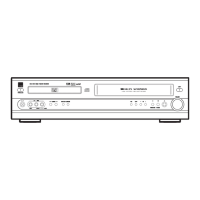
Identifies and describes the buttons and features on the unit's front panel.
Explains the meaning of various indicators displayed on the front panel.
Details remote power control, function selection, and basic navigation buttons.
Describes buttons for playback, tone adjustment, mute, and sleep timer functions.
Explains controls for playback, tuning, program selection, and search functions.
Covers buttons for volume, input source selection, and muting.
Identifies and describes the input/output jacks located on the rear panel.
Guides users on accessing and navigating the DVD setup menu for initial configuration.
Explains the procedure to reset all DVD settings back to their original factory defaults.
Details selecting OSD menu language and preferred audio/subtitle languages for DVD movies.
Explains how to set the TV Type to match the aspect ratio of your television.
Guides on changing the TV system's color format (PAL, MULTI, NTSC).
Describes video output options (Composite, S-Video, Component) for better quality.
Explains how to select surround sound modes like Dolby Pro Logic for immersive audio.
Details Dolby Pro Logic II features for stereo sources, including MUSIC and MOVIE modes.
Guides on changing speaker distance and rear speaker delay for optimal sound staging.
Explains how to use the Test Tone feature to check and balance speaker sound levels.
Details how to use the SP LEVEL function to adjust relative volume between speakers.
Explains how to adjust dynamic range compression to manage loud passages.
Guides on setting parental control levels to restrict playback of unsuitable DVDs.
Details the procedure for setting and changing the password for parental lock features.
Explains how to adjust tone, mute sound, and set the sleep timer.
Guides on navigating MP3 directories, selecting tracks, and starting playback.
Explains how to start, suspend, resume, and stop playback of discs.
Details how to stop DVD playback and resume from the interrupted point.
Explains how to skip to desired chapters or tracks on a disc.
Guides on searching for specific parts within a chapter or track.
Describes how to play discs in slow motion and step through them frame by frame.
Explains how to select specific tracks directly using numeric buttons.
Details chapter and title repeat modes for DVD playback.
Explains repeat track and repeat all modes for CD and MP3 playback.
Guides on enabling and using shuffle (random) playback for CD and MP3 discs.
Explains how to select and program up to 32 tracks in a desired order.
Details how to check programmed content and delete individual tracks.
Explains how to use the GUI button to display playback information on screen.
Guides on selecting specific titles, chapters, or tracks for playback.
Explains how to select a scene by inputting the desired time.
Details how to zoom in and enlarge the video picture during playback.
Explains how to view and manipulate JPEG images.
Guides on switching between multiple camera angles available on DVDs.
Explains how to select different subtitle languages or turn them on/off.
Details selecting audio languages and viewing sound system formats for DVDs.
Explains how to tune FM stations using auto-selection or manual frequency steps.
Describes switching between Stereo and Mono modes for FM reception.
Guides on automatically storing and manually setting FM radio stations to presets.
Explains how to delete preset stations and select them using preset numbers.

 To Next Page
 General