35
D
V
D
P
A
R
T
DVD
Slow-Motion Playback
DVD only
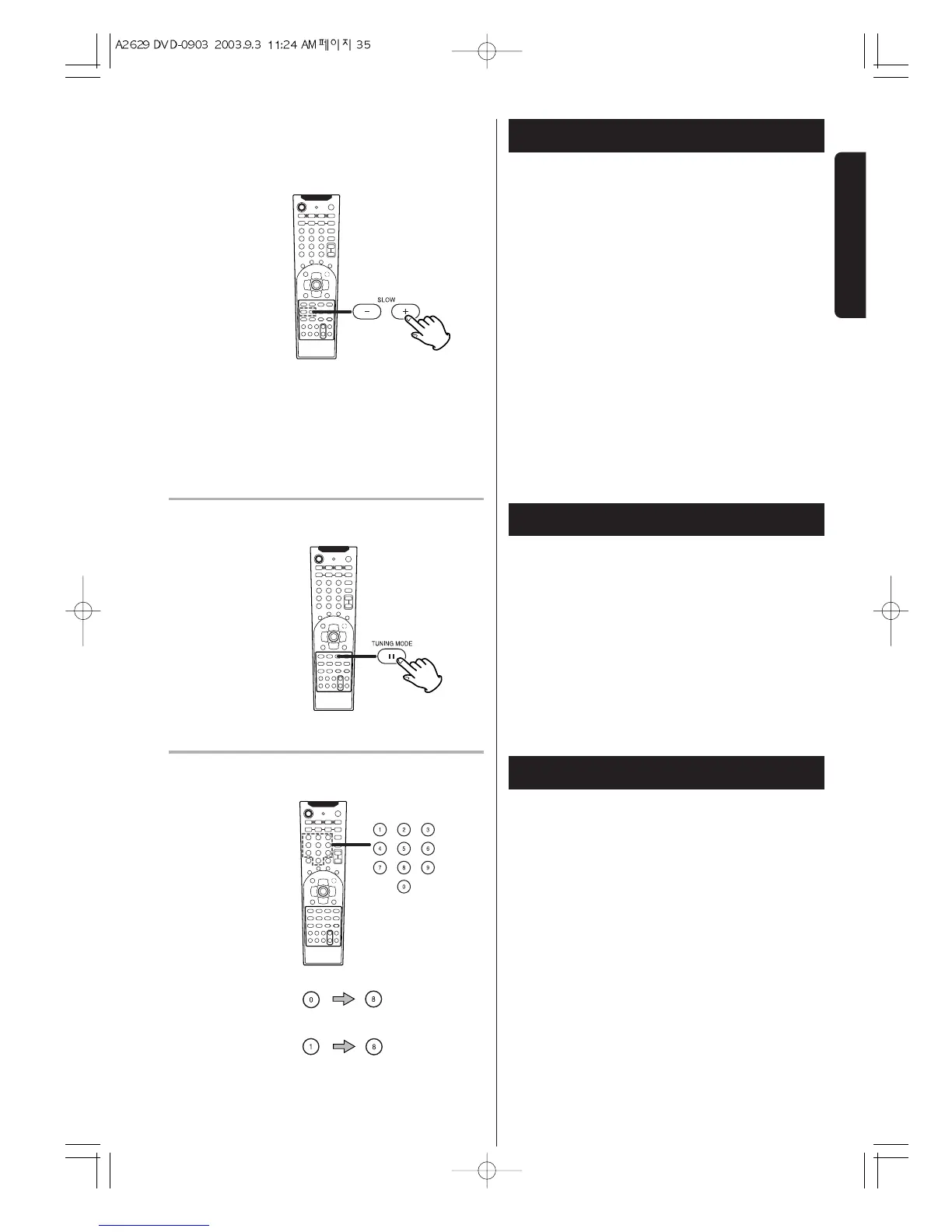
To play a disc in slow-motion, press the SLOW buttons
during playback.
+SLOW : slow forward playback(+SLOW 1/2, 1/4, 1/8)
-SLOW : slow reverse playback(-SLOW 1/2, 1/4, 1/8)
Each time the SLOW button is pressed, the speed is
changed.
To resume normal playback, press the PLAY button
(
y).
< The sound is muted during slow-motion playback.
< Subtitles don't appear on the screen during slow-
motion playback.
< This function is not available for CD and MP3.
Single Stepping Playback
To play a disc frame by frame, press the PAUSE/STEP
button during playback. Each time the PAUSE/STEP
button is pressed, the picture advances by one frame.
To resume normal playback, press the PLAY button
(
y).
< This function is not available for CD and MP3.
Direct playback (except DVD)
Select a track by pressing the numeric buttons.
Playback starts from the selected track.
example : To select track No.8
To select a track number below 10, press "0" and a
number button corresponding to the track (1 to 9).
When a number button is pressed without pressing
"0", it will take a few seconds to start playback.
example : To select track No.18
Press "1", and press "8" within 2 seconds.
No. 8 :
No.18 :
DVD
CD


 To Next Page