38
D
V
D
P
A
R
T
CD
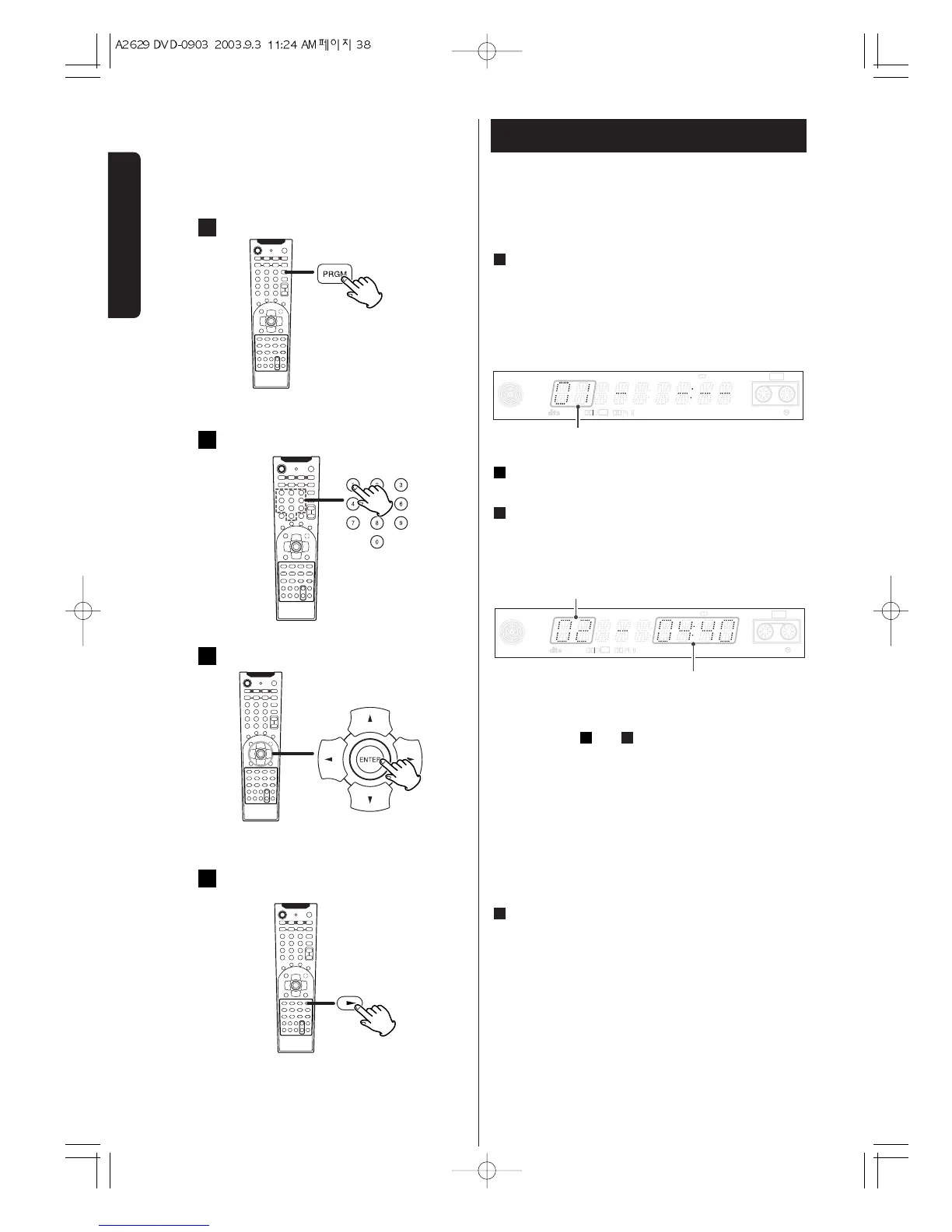
Programmed Playback (CD) 1
Up to 32 tracks can be programmed in the desired
order.
Press the PROGRAM button in the stop mode.
"PRGM." lights on the front panel display.
1
When the selection of track numbers has been
finished, press the PLAY button to start
programmed playback.
< If you press the REPEAT button and select
"REPEAT ALL", the programmed tracks will be
played repeatedly.
< During programmed playback, the numeric buttons
don't work.
4
Press the numeric button to select a track.
Press the ENTER button.
The track is programmed.
3
2
Repeat step and to program more tracks.
< When the total time of the programmed tracks
exceeds 99 minutes 59 seconds, "--:--" will be
displayed instead of time.
< To cancel the program mode, press the PROGRAM
button.
32


 To Next Page