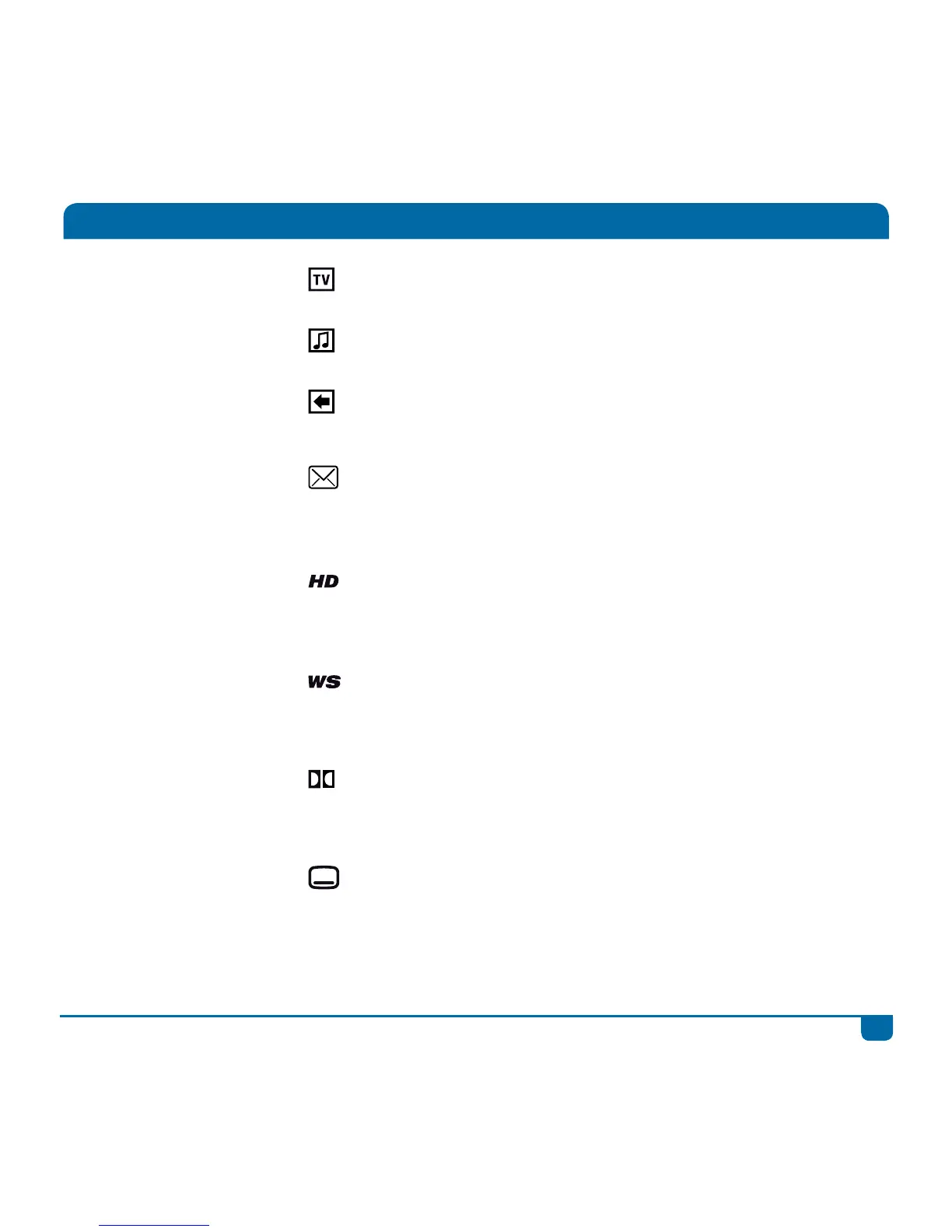
All about Icons
Live TV
Shows which programme is currently live.
Audio Channel
Indicates an audio channel.
Buffer
Only seen on the i-Plate. This shows which
programmes are in the buffer and available for viewing.
Mail Message
This displays on the front panel of your DStv Explora
when have mail from DStv. Press the DStv button and
go to “Help” to read your mail.
High Definition
Programme is in High Definition. This icon is displayed
with the programme synopsis. Press i on any
programme to see this additional information.
Widescreen
Programme is in widescreen (16:9). This icon is
displayed with the programme synopsis. Press i on any
programme to see this additional information.
Dolby
Programme has a Dolby soundtrack. This icon is
displayed with the programme synopsis. Press i on any
programme to see this additional information.
Subtitles
Programme has Subtitles available. This icon is
displayed with the programme synopsis. Press i on any
programme to see this additional information.
Quick tip: You can select to automatically display
subtitles. See “User Preferences” in “Settings”.



 To Next Page