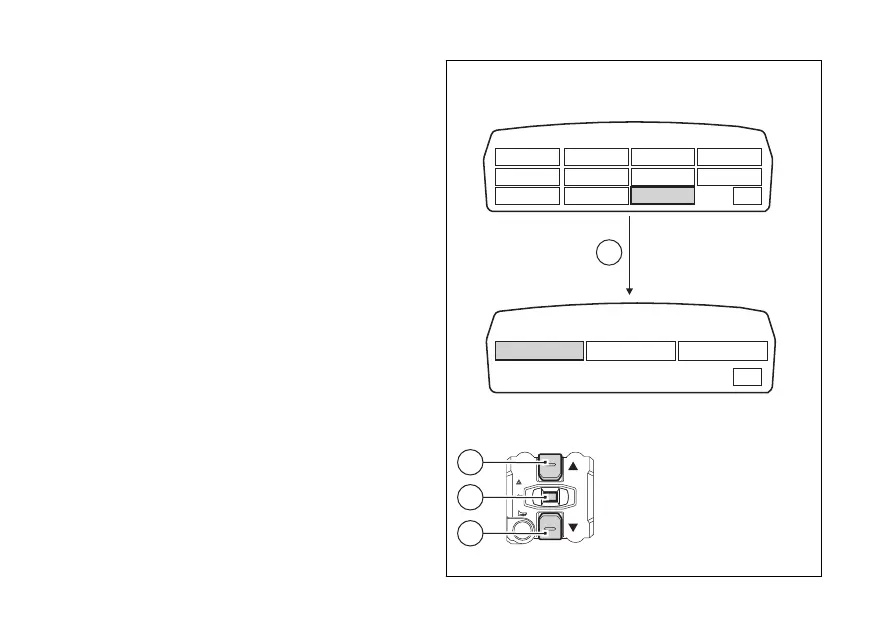
Setting the units of measurement
This function allows changing the units of
measurement of the displayed values.
To gain access to this function display the "setting"
menu page 80, use buttons (1) or (2) to select the "SET
UNITS" function and press the reset button (4) to shift
to next page.
Use buttons (1) or (2) to select the value for which you
wish to change the unit of measurement and press
the reset button (4) again.
Instrument panel displays the values that can be
changed; use buttons (1) or (2) to select the value you
wish to change, and press the reset button (4) again.
RIDING MODE RPM
MENU
BATTERY ABS
MENU 2 PIN CODE CLOCK DDA
BACK LIGHT LAP SET UNITS EXIT
SETTING UNITS
EXIT
TEMPERATURE CONSUMPTIONSPEED
4
1
2
4
Fig. 60
110











 To Next Page