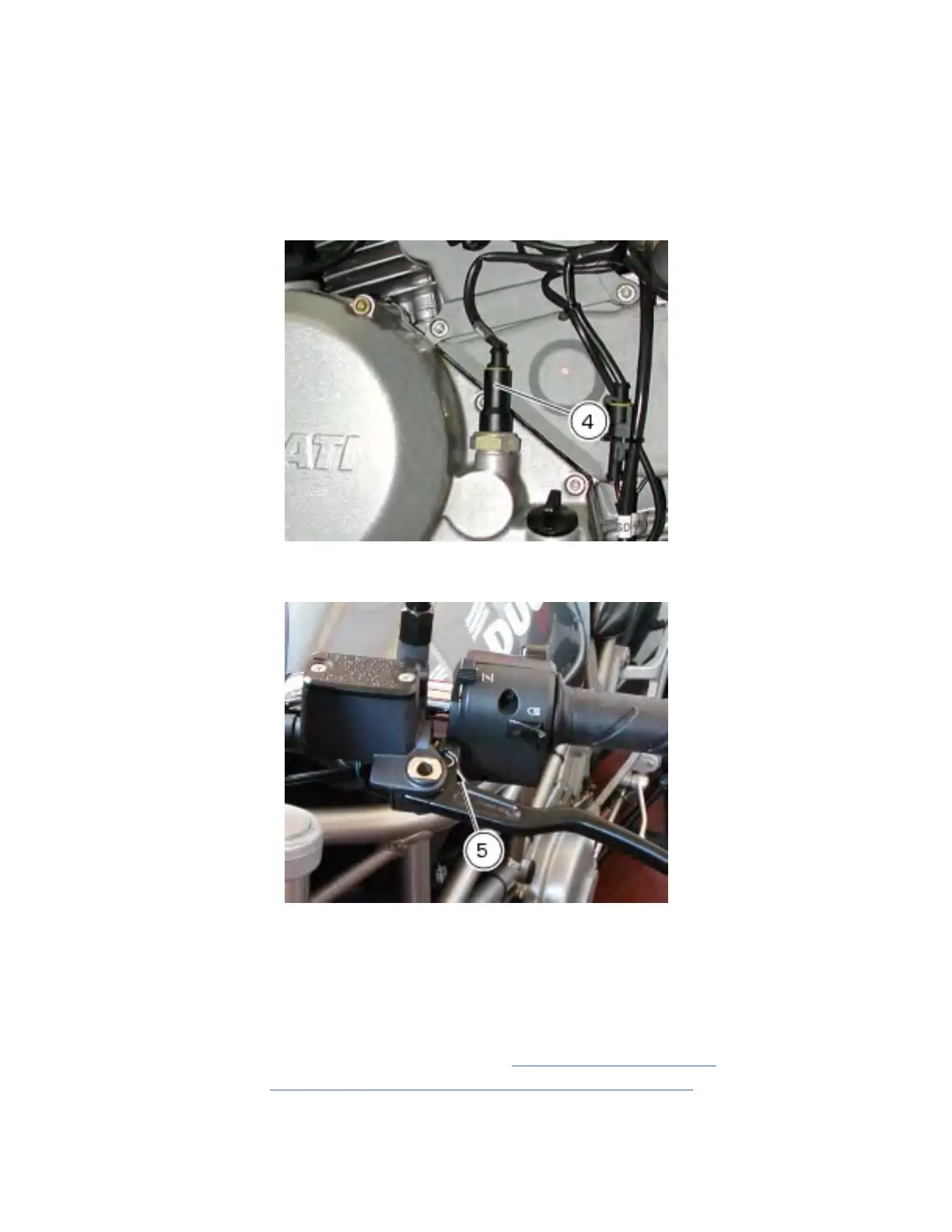
the sensor should be replaced. If the warning light stays off, use a multimeter and check for electric
continuity in the section between sensor and warning light on the instrument panel. Check with ignition
key positioned to OFF (instrument panel off).
If engine oil pressure value is within the allowed operating range and the warning light "engine oil
pressure low" on the instrument panel stays permanently on, turn the ignition key to ON and start the
engine and disconnect the electric terminal from the pressure sensor. If the warning light turns off, the
sensor is faulty. If the warning light stays on, use a multimeter and check whether the section between
sensor and warning light on the instrument panel is grounded. Check with ignition key positioned to
OFF (instrument panel off).
Clutch switch
For the clutch switch (5), proceed as described for STOP switches (see beginning of this section).
Changing light bulbs
Replacing the turn indicator bulbs
Undo the fixing screw (1) to detach the cover (2) from the indicator mount (3).
The bulb has a bayonet fitting. Press and twist clockwise to extract.
For removing the support (3), please refer to Sect. P 4,
Changing the headlight, for the front turn
indicators, and to Sect. H 7,
Removing the tail light and number plate holder for the rear turn
indicators.
Fit a new bulb. Press and twist clockwise until it becomes properly seated with an audible click.
Refit the light cover so that the tab (A) locates into the slot in the indicator mount.
Tighten the screw (1).
file:///C|/Documents%20and%20Settings/F4i/My%...manual/wsm/usa/Mon695_MY07_P_5_9_00.82.1.html (6 of 8) [10/7/2008 8:47:09 PM]







 To Next Page