37
E
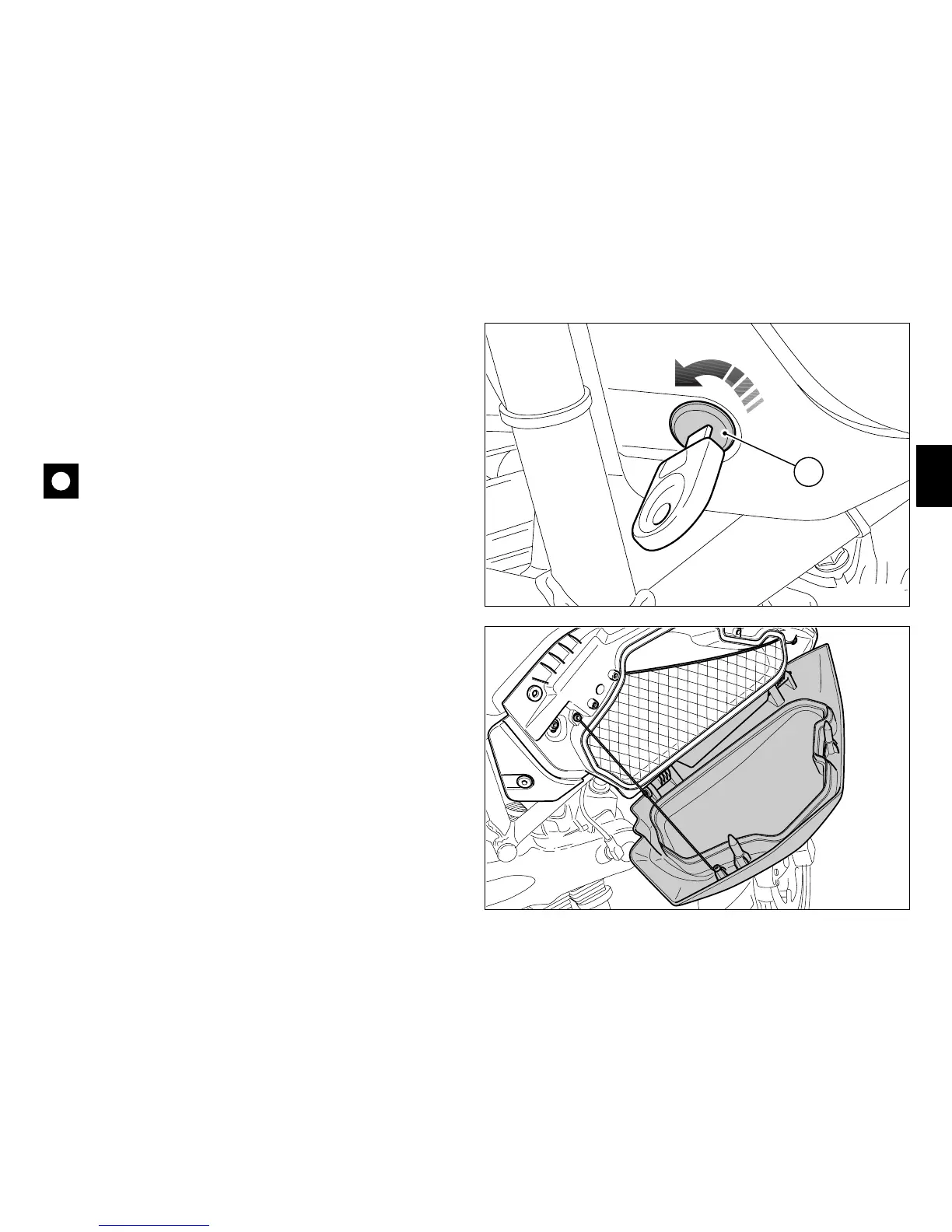
Document compartment lock
To open the cover of the document compartment, insert the
key in the lock (1) and turn it anti-clockwise to release the
catches (fig. 29.1).
Open the cover (fig. 29.2) of the document compartment to
access the user’s manual and the toolkit (see page 54).
Important
Do not use this compartment to hold heavy or metal
objects that might move about while the motorcycle is in
motion, causing loss of stability.
Simply push the cover shut until the locking pin engages to
re-close the compartment.
Remove the key.
1
OPEN
fig. 29.1
fig. 29.2










 To Next Page