16
Chapter 1 Before Operation
Copyright © 2019 Duplo Corporation All Rights Reserved
6-1-2.
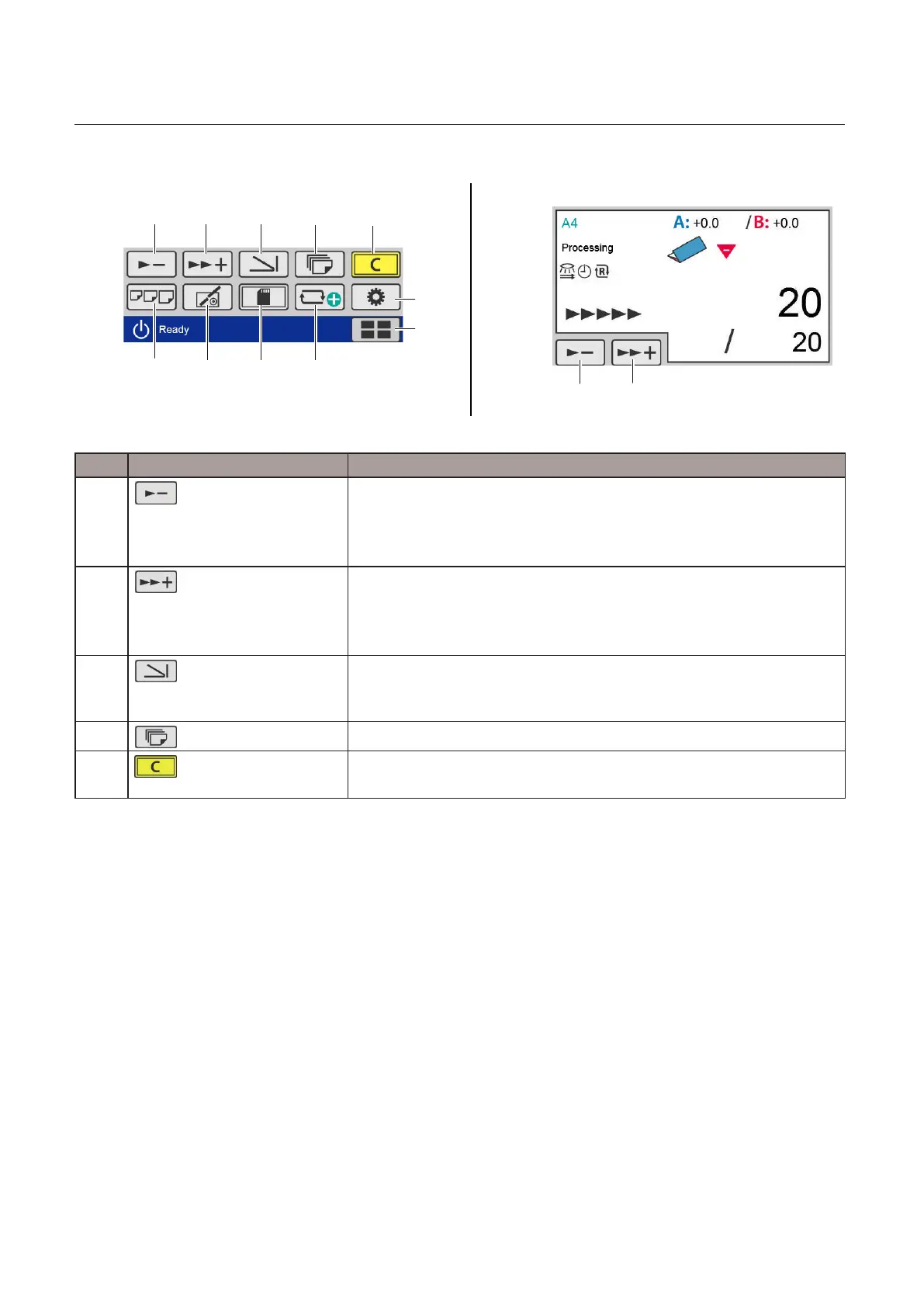
Touch panel operation section
[Processing] screen[Ready] screen
[6]
[7]
[9]
[10]
[11]
[1]
[2]
[3]
[4]
[5]
[1] [2]
[8]
No. Name Function
[1]
(Processingspeeddown)
key
The processing speed is slowed each time the key is touched.
Whenprocessingspeedissetto“1-”,thekeyisgrayedoutandcannotbe
operated.
Adjustablerange:1-to6+
[2]
(Processingspeedup)
key
The processing speed is sped up each time the key is touched.
Whenprocessingspeedissetto[6+],thekeyisgrayedoutandcannotbe
operated.
Adjustablerange:1-to6+
[3]
(Foldingmodeselection)
key
Whenthekeyistouched,the[FoldingMode]screenisdisplayed.
Whenthemachineissetincustomfoldingmode,youcanswitchthe
foldingmodetostandardfoldingofnon-standardpaperbyusingthiskey.
[4]
(No.ofSheetsetting)key
The[No.ofSheet]screenisdisplayedwhenthekeyistouched.
[5]
(clear)key
Press and hold to clear the counter.
Whenanumericalvalueisentered,thevalueissettotheinitialvalue.



 To Next Page