65
Chapter3AdvancedOperation
Copyright © 2019 Duplo Corporation All Rights Reserved
8-5. Detection
If[PaperEmpty]isdisplayedeventhoughpaperisstackedinthepaperfeedtray,turnopaperdetection.
Thissettingturnsbackonwhenthepoweristurnedo.
If a detection error persists even after performing cleaning of the sensor, contact your dealer.
Touch the key on the [Ready] screen —> Touch the key —> Touch the
[Detection].
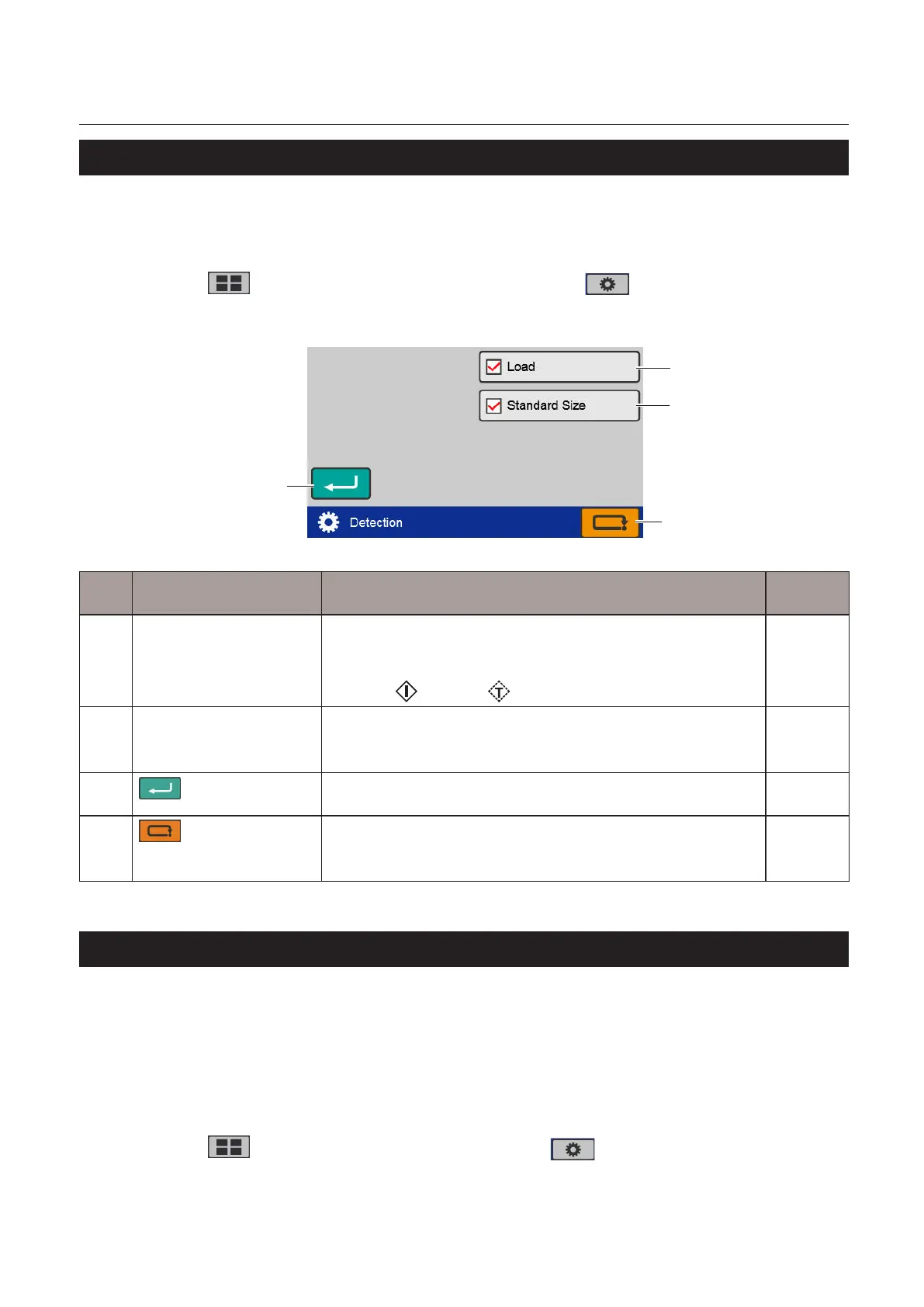
The[Detection]screenisdisplayed.
[1]
[4]
[2]
[3]
No. Name Function Default
value
[1] Load Setson/oofpaperstackdetectionofthepaperfeedtray.
Whenthepaperstackdetectionisturnedo,thepaperfeedtray
descends after the machine stops.
Touch the key or the key to raise the paper feed tray.
On
[2] StandardSize Setson/oofautomaticstandardsizedetection.(DF-999/DF-999A)
Whenautomaticdetectionisturnedo,youmustselectthepaper
sizemanually.
On
[3]
(Return)key
Savesthedetectionfunctionsettingandreturnstothe[Function
Settings]screen.
–
[4]
(Cancel)key
Returnstothe[FunctionSettings]screenwithoutsavingtheinput
content.
Press and hold to return to the top screen.
–
8-6. Initial
Set the setting content of the following functions when the power is turned on.
• [OperMode]
• [D-FeedDetect]
• [Interval]
• Processingspeed
• Papersize(DF-990/DF-990Aonly)
Touch the key on the top screen —> Touch the key —> Touch the [When
Turned On].
The[WhenTurnedOn]screenisdisplayed.



 To Next Page
 Loading...








