74
Chapter3AdvancedOperation
Copyright © 2019 Duplo Corporation All Rights Reserved
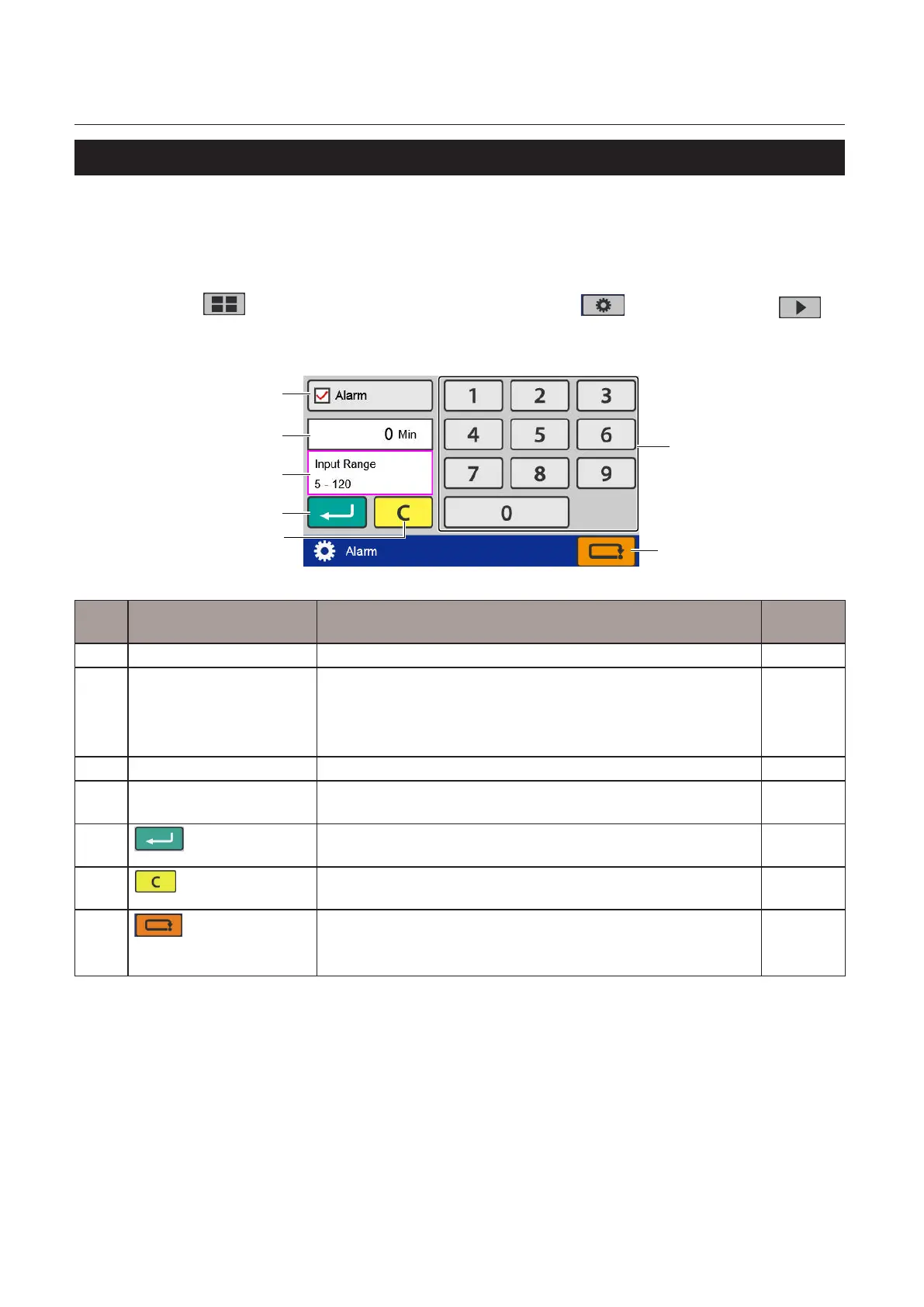
8-16. Alarm (DF-999/DF-999A)
Whenthismachineremainsunusedforthespeciedperiodoftime,thebuzzersoundstoremindthatthe
power remains turned on.
Whenthe[Alarm]settingisturnedon,abuzzersoundswhenthesettimeisreached.
Whenthemachineisnotoperatedafterthealarmsounds,thealarmwillcontinuetosoundevery1minute.
Touch the key on the [Ready] screen —> Touch the key —> Touch the
key —> Touch the [Alarm].
The[Alarm]screenisdisplayed.
[2]
[7]
[5]
[4]
[3]
[1]
[6]
No. Name Function Default
value
[1] Alarm Seton/oofthealarm. O
[2] Numerickeypad Inputs the value.
Whenthealarmsettingisturnedo,thekeyisgrayedoutand
cannot be operated.
Inputrange:5to120(minutes)
60
[3] Alarm time display Displays the time currently set. –
[4] Input range display Displayed when trying to input a value that exceeds the input
range.
–
[5]
(Return)key
Savesthealarmsettingandreturnstothe[FunctionSettings]
screen.
–
[6]
(Clear)key
Setstheinputvalueto"0".Whenthealarmsettingisturnedo,the
key is grayed out and cannot be operated.
–
[7]
(Cancel)key
Returnstothe[FunctionSettings]screenwithoutsavingtheinput
content.
Pressandholdtoreturntothe[Ready]screen.
–



 To Next Page