16.2 Connection DPC-600 and Computer, and the Software IP Setup
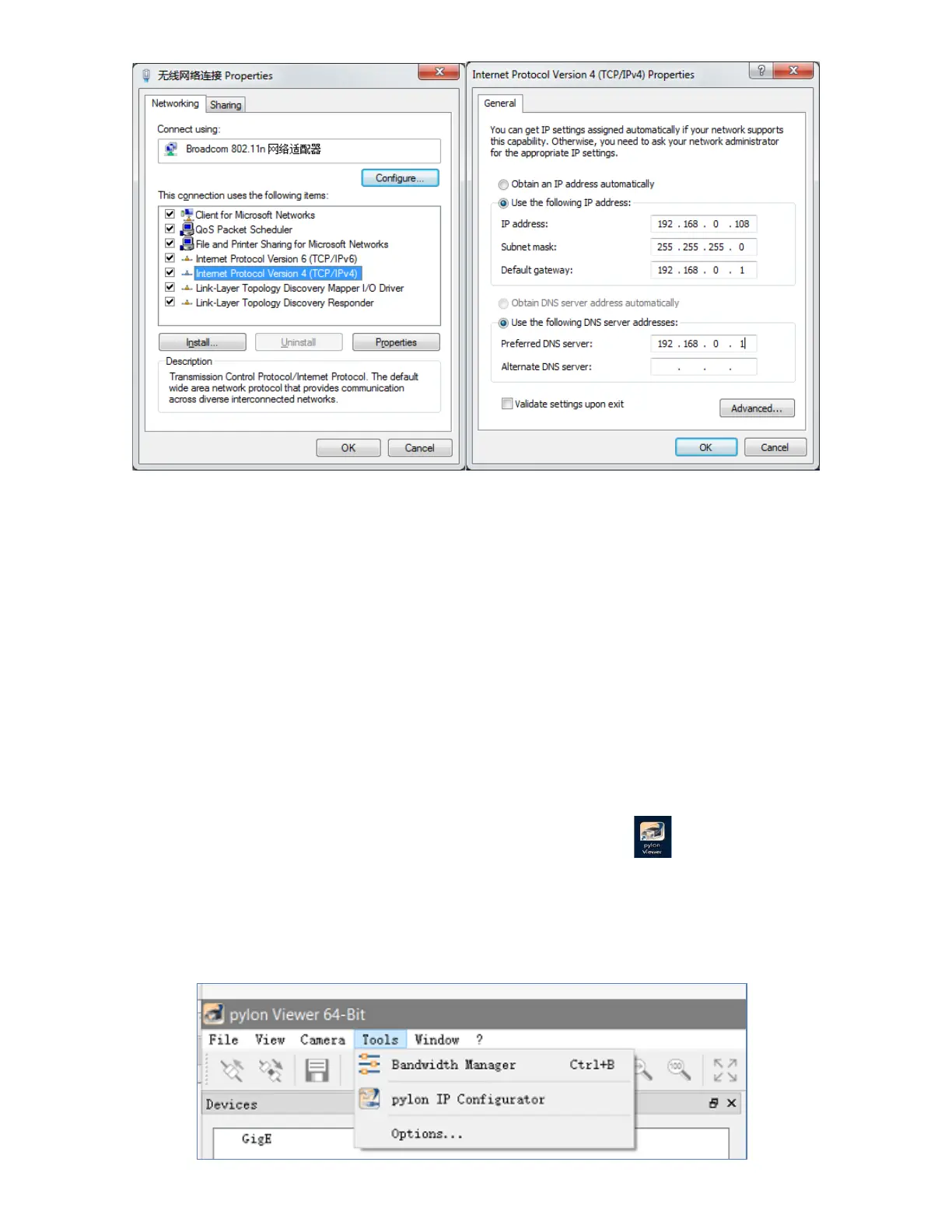
Power on the cutting machine, after the machine reset finish, click the "Setup" button, enter the
"Advanced " page, enter the" extended Settings "page. You will see machine IP address
option, Set the IP to 192.168.0.250, click return after setting, IP address will be saved automatically
(Note: make sure the computer and machine are in the same network segment, otherwise the machine
cannot be connected). Software IP is same as machine.
16.3 Camera Software Parameter Settings
Double click the camera driver (Pylon viewer) on the computer desktop , then click the tools and IP
configurator, the software will automatically search the device, the device list will be displayed below the
connection item, need to modify the IP before connecting. Click on the device and do the following
settings:



 To Next Page