Operation - Before starting
2017-11-22 4812325556EN 31
Operation - Before starting
Daily maintenance
Before starting your work shift and operating the
equipment, make sure the daily maintenance
was carried out. For further information, refer to
the maintenance section in this manual.
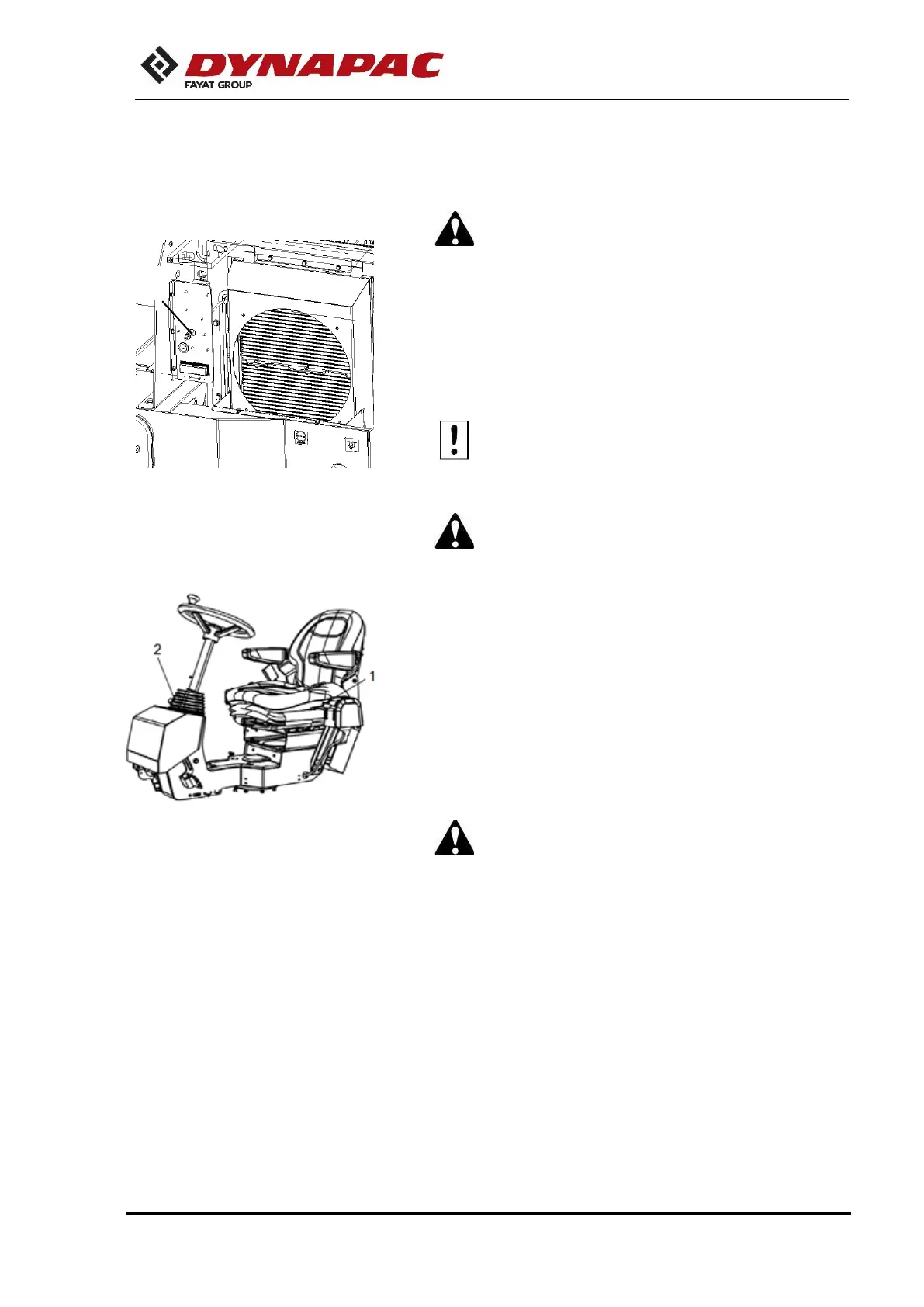
Master switch
Check if the master switch is on. The master switch is located
in the electric device compartment (1) on the left side of the
machine.
If the main battery switch is closed, the engine
hood shall be opened during the operation to
make it possible to reach in an emergency.
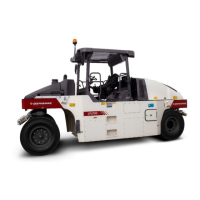
The control and operation unit
The control and operation unit has two adjustment options:
rotation and steering column angle.
For rotation, raise the outer lever (1). Make sure the control unit
is in the correct position before operating the machine.
For steering column angle, release the locking lever (2). Fix it
again in the new position.
To adjust the operator's seat, refer to the next section.
Perform all the control and operation unit
adjustments when the machine is stationary.
After the daily use of the roller, the master switch shall
be turned off. It prevents the machine to be turned on
accidentally and protects the electronic devices.
Fig. – Engine compartment.
1. Battery switch
Fig. - The control and operation unit
1. Locking lever - rotation
2. Locking lever - steering column
angle


 To Next Page