▪ Unbalanced connection from right subwoofer output to the right power amplifier input and passive main right speaker.
▪ The right and left speaker distances in the right subwoofer should be set the as the right speaker distance described in
Sub 6 DSP Features. The Sub Distance should be set as the right subwoofer distance.
Connection Scheme 6
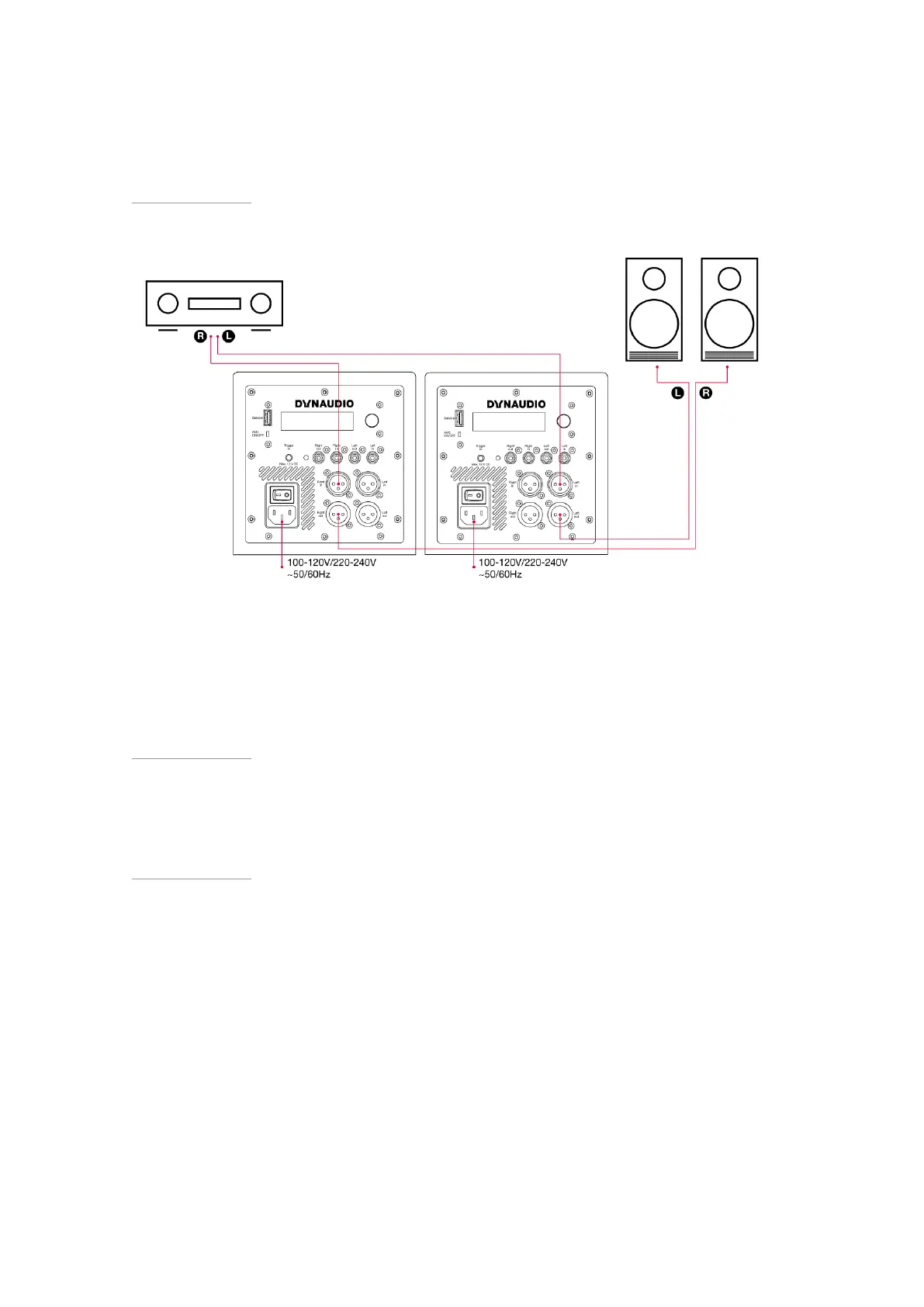
▪ Stereo subwoofers.
▪ Left balanced (XLR) connection from preamplifier/processor to left subwoofer, left input.
▪ Balanced connection from left subwoofer output to the left active main speaker.
▪ The left and right speaker distances in the left subwoofer should be set the as the left speaker distance described in
Sub 6 DSP Features. The Sub Distance should be set as the left subwoofer distance.
▪ Right balanced (XLR) connection from preamplifier/processor to right subwoofer, right input.
▪ Balanced connection from right subwoofer output to the right active main speaker.
▪ The right and left speaker distances in the right subwoofer should be set the as the right speaker distance described in
Sub 6 DSP Features. The Sub Distance should be set as the right subwoofer distance.
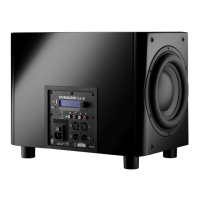
Subwoofer Control
Rotary controller:
▪ Rotate to select.
▪ Press to confirm.
22 Sub 6 User manual


 To Next Page