14 Dynaudio
Operation
Switching on
To switch the speakers on from standby mode:
► Press on top of one of the speakers or point the remote control at a speaker and press .
▼ The speakers will automatically search for an active audio signal. If found, the signal will be
output (autoplay function).
▼ If there is no input signal, the speakers will continue scanning the inputs for the next 20 minutes
and enter sleep mode.
If there is no input signal, the speakers will go into standby mode after a certain period.
Playback of connected sources
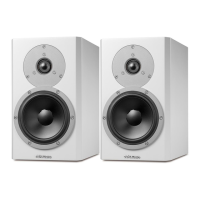
► Once you have connected your Xeo 2 with a direct input, simply choose your desired source on the
remote.
▼ The speakers will automatically detect the signal and start playback. Master and slave speaker
will connect wirelessly if set in the same zone.
▼ If no signal is applied to either input, the speakers will continue scanning the inputs for the next
20 minutes and enter sleep mode.
Playback of a Bluetooth device
Once you have paired your device with your Xeo 2, you can connect by choosing the Xeo 2 from your
list of Bluetooth devices.
► Select Bluetooth on the remote control and press play on your Bluetooth device.
Disconnect
► Press and hold to disconnect a connected device or disconnect from the device directly.



 To Next Page