Powerbox Pro series User Manual
26
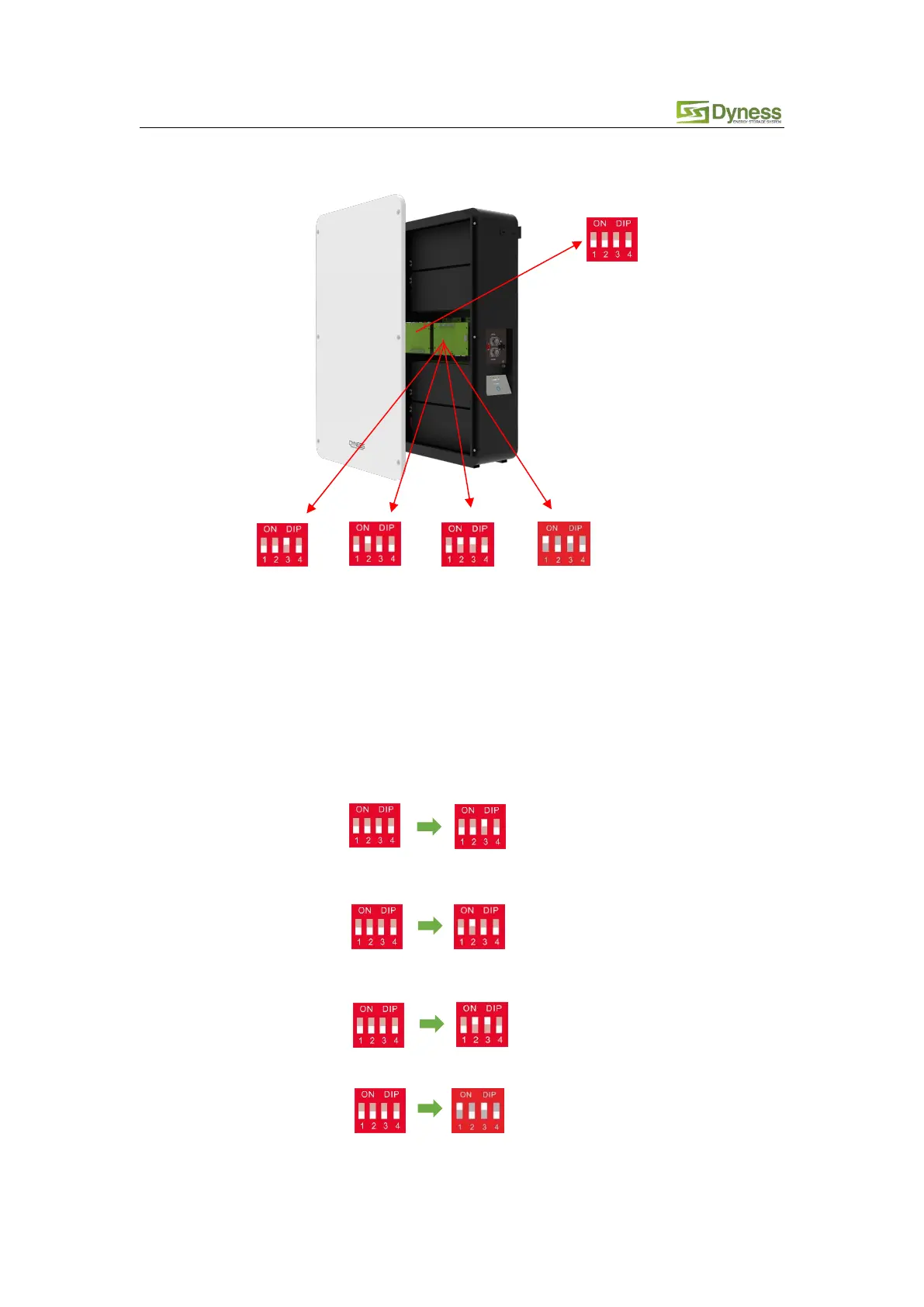
Introduction of the initial state of DIP switch of the internal modules of Powerbox Prowith DIP
switch.
For different inverter model, you need to set different DIP mode:
(1) Ensure the communication cable that communicates with the inverter is correct.
(2) When the battery works with GOODWE、Solis、LUX、Sofar、DEYE、VICTRON、IMEON、Sungrow、
SMA、RENAC、DELIOS、SAJ(CAN Comm) inverters, before connecting you need confirm that the
DIP switch mode of the master module in Powerbox is 0010("# 3" to "ON" ,generally factory
default is this 0010 mode).
(3) If the battery communicate with the Axpert/VMIII/MAX, Infinisolar, Growatt SPH(CAN comm)、
GMDE, change the master module DIP switch to 0100(“#2”to“ON”) before connecting.
(4) If the battery communicate with the Growatt SPF HVM-P/ES/WPV by RS485 communication,
change the master module DIP switch to 0110(“#2”&“#3”to“ON”) before connecting.
(5) If the battery communicates with the Schneider Conext Series, turn the master DIP switch
"#1" and "#3" to "ON".
(6) When you setup the master DIP as setting 1~4, all the slaves keep the DIP 0000, no need
change.



 To Next Page