EN
ENTER 40
18
4.1
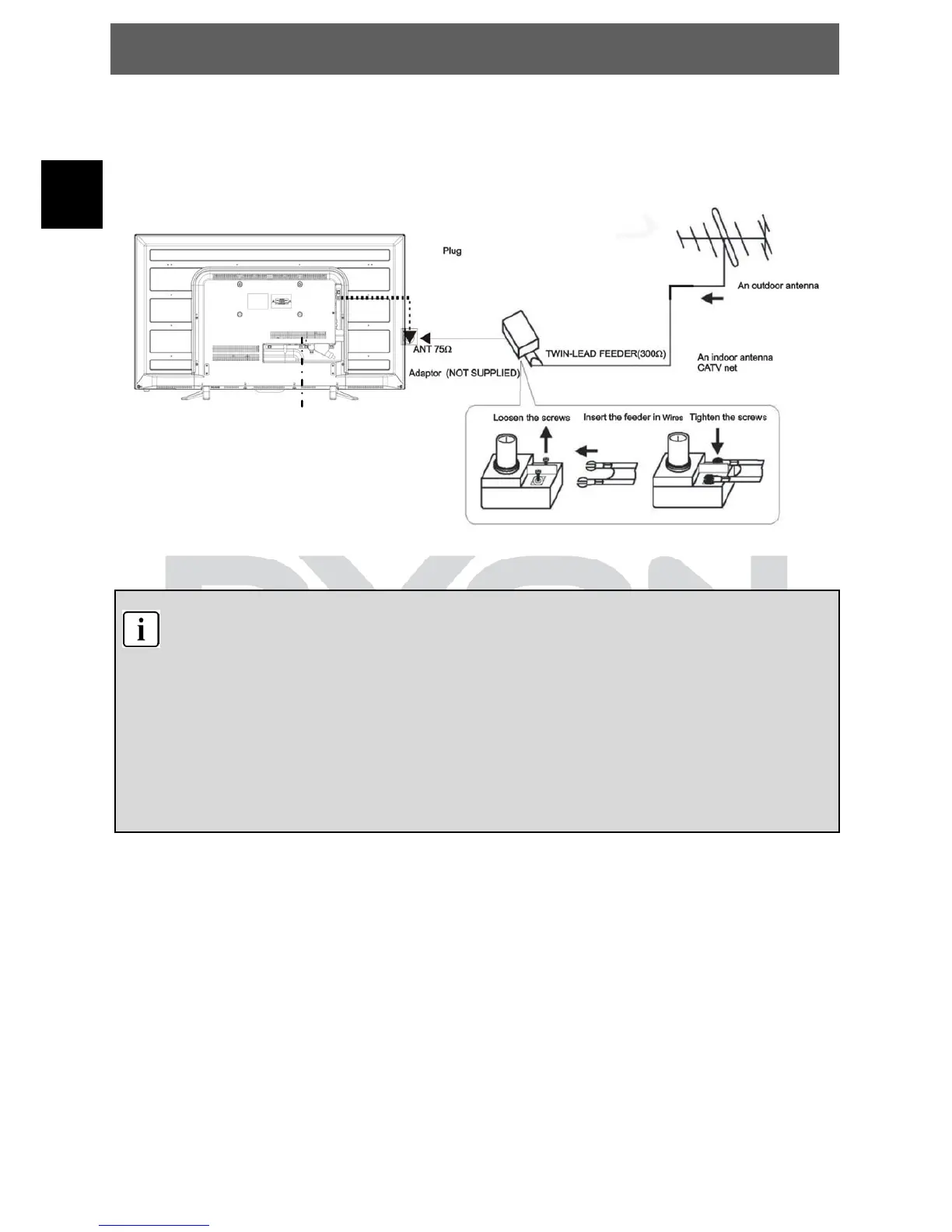
Connecting to TV-Signal Input
Connect the TV signal cable (the antenna cable, for example) to the Antenna
Input Jack on the back of the unit so that you can receive television
programmes.
After connection, turn on the power of the unit. Then press the SOURCE button
to select TV or DTV mode and conduct program selection.
Note
Whether and how many DVB-T channels can be received by this
device, is strongly depending on the operational place, and the DVB-T
signal strength in this Area.
DVB-T radio in particular is very limited and not available in most
locations
Please note that for using of DVB-T after each larger local changes, a
new channel search should be accomplished. Since the frequency of
the Channels may Vary from region to region.


 To Next Page