EN
ENTER 40
27
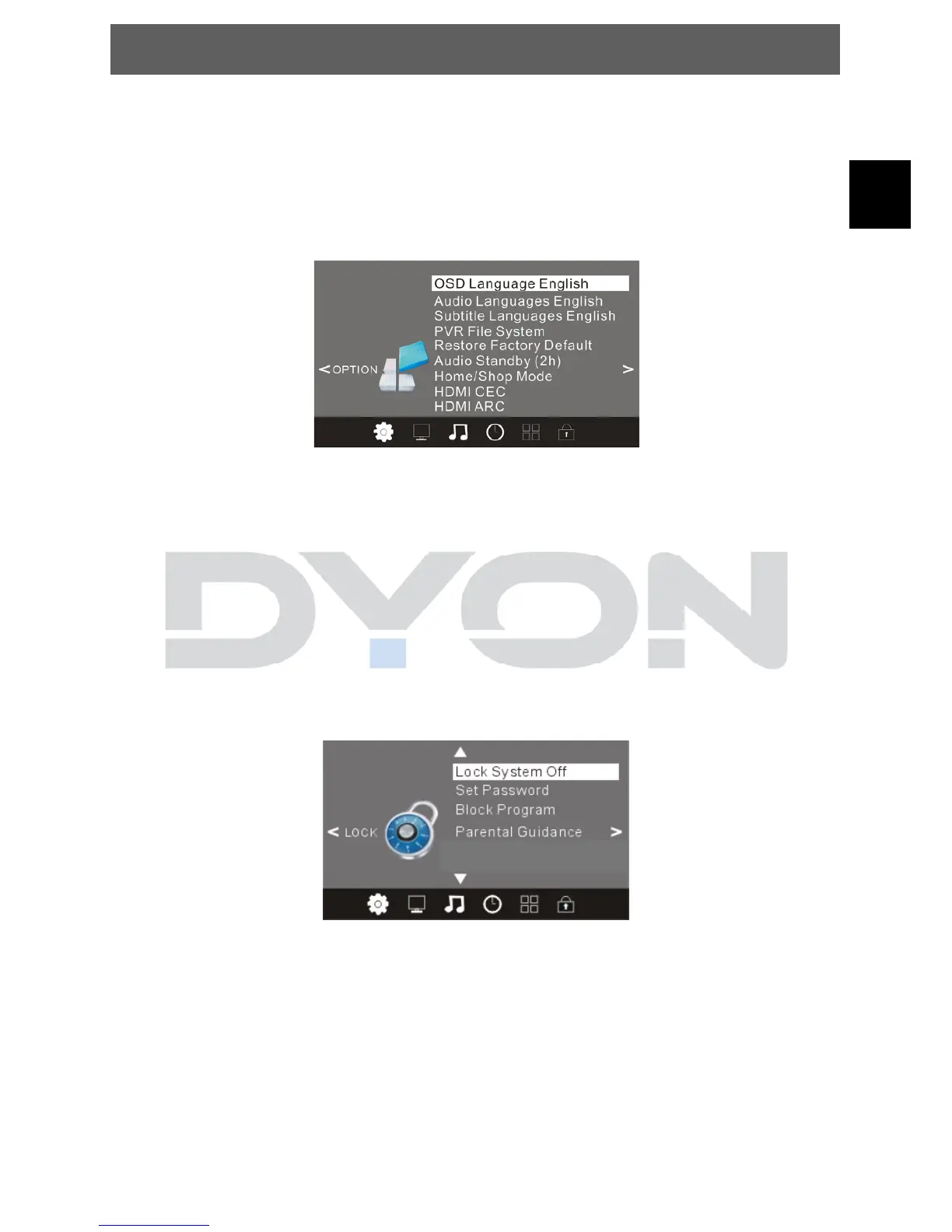
5.2.5 OPTION MENU
The fifth item of the MENU is the OPTION MENU. You can adjust the Menu
language, Audio language, Subtitle language etc.
Press ▲▼ to select the setting, press OK to adjust, press ▲▼ to select the
value to change, press ◄► to change the setting.
Press TV MENU to step back to the previous menu.
NOTE: Restore factory default will clear all the programs and password.
5.2.6 LOCK MENU
The sixth item of the menu is the LOCK MENU You can lock system, set
password, block program
and set parental guidance Once you set the lock system on you can not search
the channels or change any programs.
Press ▲▼ to select the setting, press OK to adjust, press ▲▼ to select the
value to change, press ◄► to change the setting.
Press TV MENU to step back to the previous menu.
NOTE: The default pass word is 0000.Block program: Press ▲▼ to choose the
program, press teletext green button to block the program. If you want unblock
the program, please enter the main menu, input the password, and then press
green button again. Parental guidance: Press ◄► to choose level.
This Option is available in DVB-T, and DVB-S Mode.
Hotel Mode



 To Next Page