EN
ENTER 40
38
8.1
Connecting a USB Devices for playing media files
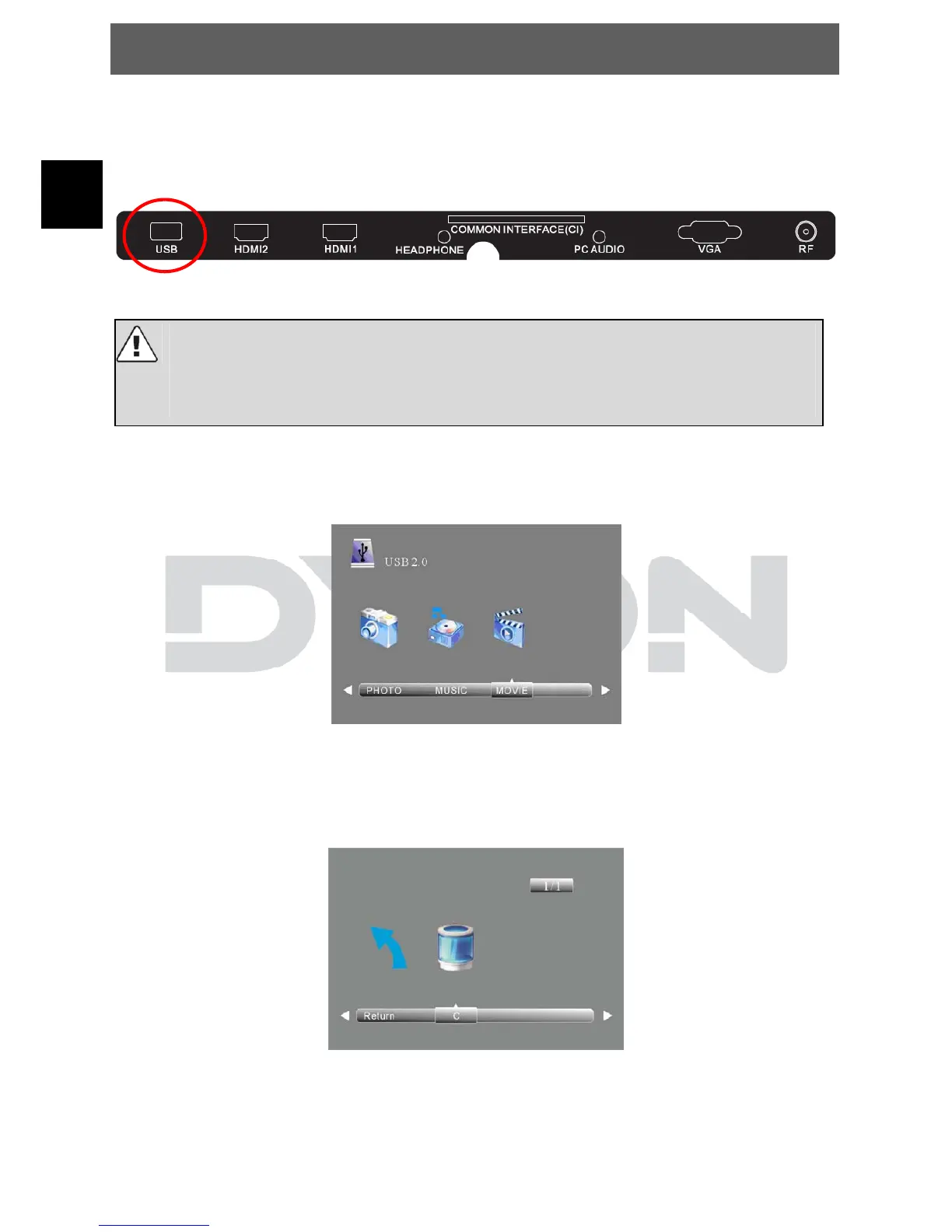
The Dyon Action 40B has an USB Port to upgrade the software and playing
media files.
If possible, please connect USB devices directly to the Devices USB
interface.
If this is not possible, use only USB extension cables not exceeding 25
cm.
Press SOURCE then direction buttons to select Media Player mode, then press
the OK button to confirm.
Please make sure that the USB device has plugged into the slot. There are
three type media item can be selected, such as photo, music and Movie. Select
the type media item by pressing ◄►, press OK button to enter the disk
selection menu.
Press the◄► to select the right disk and press OK to display media files and
folder list or choose Return to back to the media type selection menu.


 To Next Page