EN
ENTER 40
29
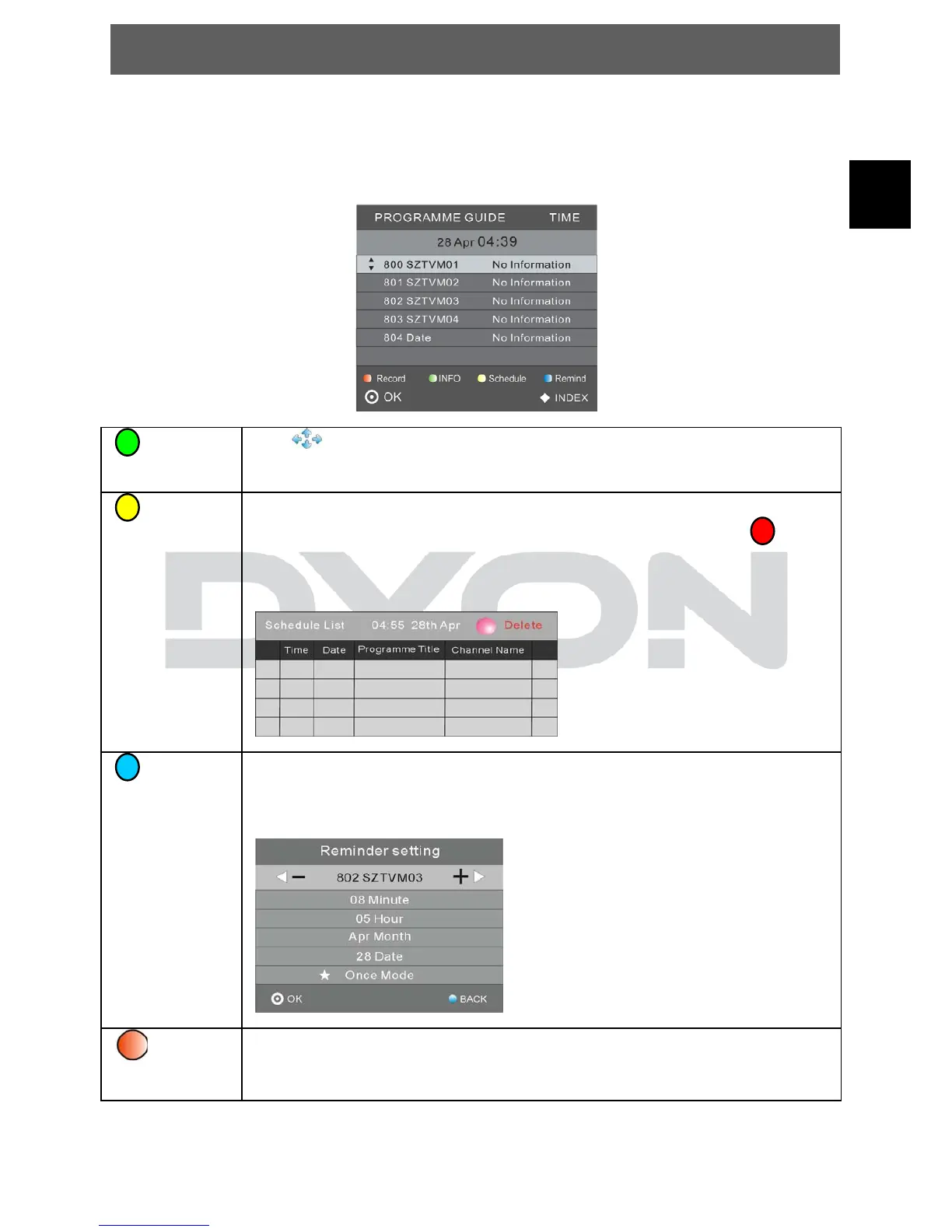
5.4 EPG Menu (Electronic Program Guide).
The EPG menu is used to look at what is being broadcasted on DTV or Radio
channel in the day. To access the EPG menu, press the EPG button, the
following menu will be displayed:
INFO
Use
to choose the programs, Press INFO key, you can
display the highlight program's information.
Schedule
Press the teletext yellow key, It can list all the reminder
schedule, press ▲▼ to choose the list, press red key to
delete the schedule list, Press yellow key to return to EPG
menu.
Remind
Press the blue key to select one program and set up one
reminder time, the TV screen will skip to the selected program
in the reminder time automatically.
Record


 To Next Page