EN
ENTER 40
25
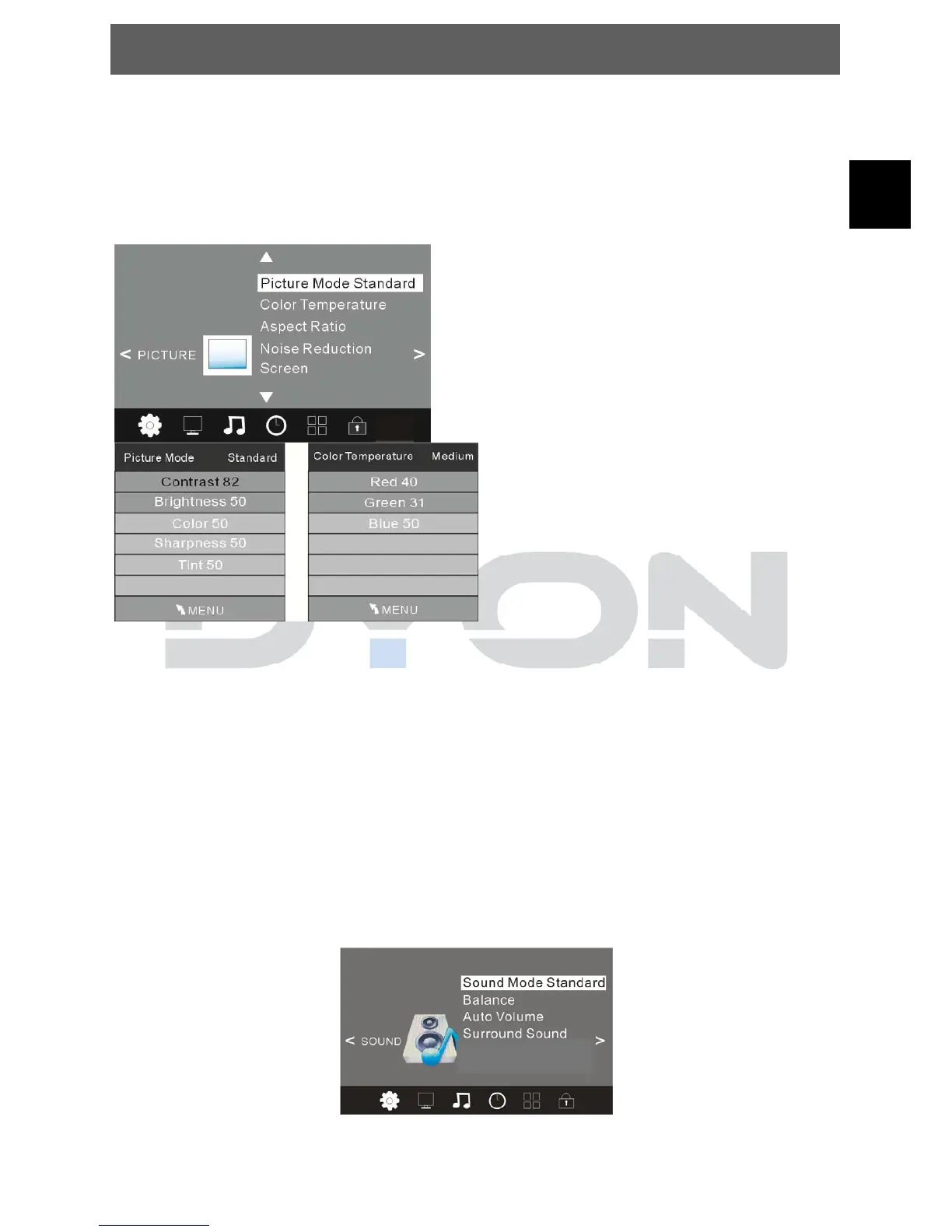
5.2.2 PICTURE MENU
The second item of the MENU is PICTURE MENU. You can adjust picture
effect here, such as contrast, brightness, etc.
Press ▲▼ to select the setting, press OK to adjust, press ◄► to change the
setting.
Press TV MENU to step back to the previous menu.
NOTE:
1).Tint is available in NTSC system only.
2).There are four colours temperature modes can be selected medium, warm,
cool, user
3).Screen is available in PC mode only which, can adjust Horizontal position,
vertical position, size and phase.
5.2.3 SOUND MENU
The third item of the MENU is the SOUND MENU.
You can adjust the sound effect here such as treble, bass, balance etc.
Press ▲▼ to select the setting, press OK to adjust, press ◄► to change the
setting.
Press TV MENU to step back to the previous menu.
SPDIF Mode


 To Next Page