EN
DYON LIVE
36
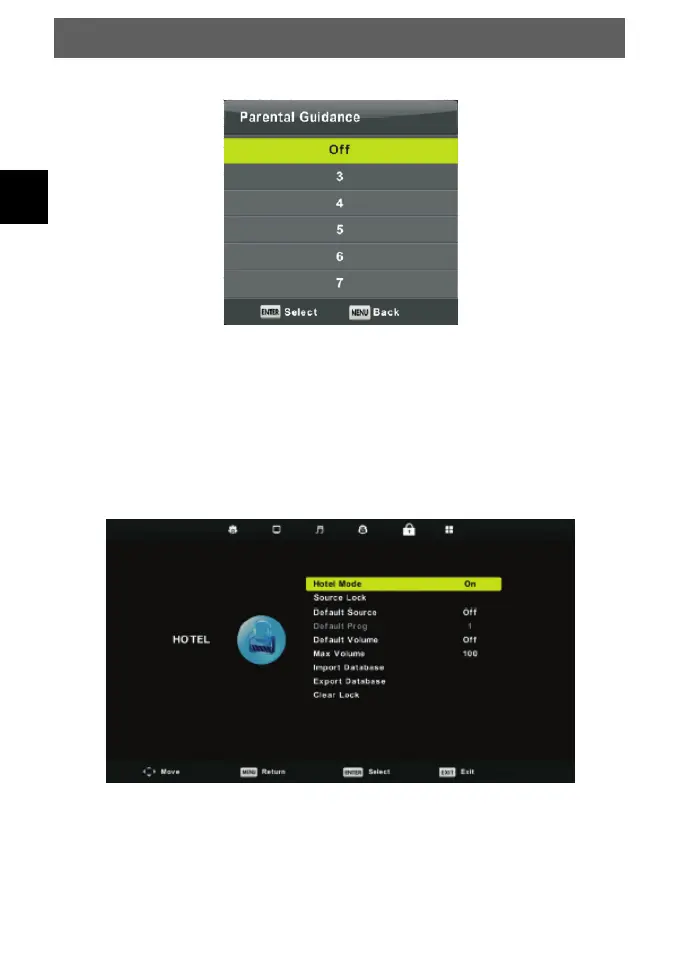
Parental Guidance
Press ▼/▲ button to select Parental Guidance, then press Enter button to enter sub-menu
to select the number of age which is suitable for your children.
Key Lock
Press ▼/▲ button to select Key Lock, then press ◄/► button to select Off or On.
When Key Lock's statue is on, you can't use the Key panel button.
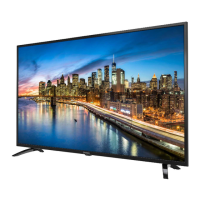
Hotel Mode
1. Press ▼/▲ button to the remote control to select hotel mode in the LOCK menu.
2. Press Enter button on the remote control to enter the sub-menu.
3. After finishing your adjustment, Press MENU button to save and return back to the
previous menu.



 To Next Page